

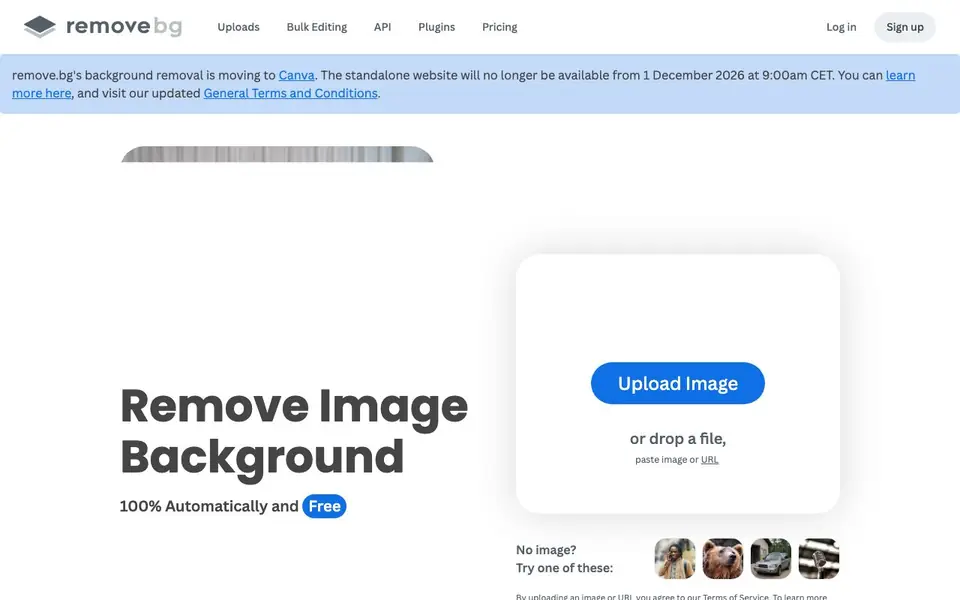
What is Remove.bg?
remove.bg is an AI-powered tool that cuts the background out of any image for you. You upload a photo, and it isolates the subject with high accuracy, handling tricky details like hair. It works on people, products, animals, cars, and graphics.
To use it, you drop an image file, paste one, or provide a URL. The tool processes it automatically in about five seconds. You can then save the result with a transparent background or replace the background with a solid color like white. A built-in AI background generator lets you create custom backdrops without typing a prompt.
It suits ecommerce sellers, photographers, marketers, car dealerships, and developers. Bulk editing handles up to 500 images per minute. Integrations with Figma, Photoshop, and Zapier fit it into existing workflows, and a mobile app lets you remove backgrounds on the go. Note that the standalone website will move to Canva after 1 December 2026.
Remove.bg features
- Automatic background removal: Upload any image and get the subject isolated in about five seconds.
- AI background generator: Create custom backdrops for your images without writing a prompt.
- Bulk editing: Process up to 500 images per minute to speed up large projects.
- Integrations: Connect with Figma, Photoshop, and Zapier to remove backgrounds inside your usual tools.
- Mobile app: Erase backgrounds on the go from your phone anytime.
What you can do with Remove.bg
- Create white-background product shots for ecommerce listings.
- Design logos and graphics with transparent PNG backgrounds.
- Edit car photos for dealership listings with clean backdrops.
- Prepare professional headshots by replacing busy backgrounds.
How to get started with Remove.bg
- Go to the remove.bg website and click Upload Image.
- Drop a file, paste an image, or enter a URL for the photo you want to edit.
- Wait about five seconds for the background to be removed automatically, then download the result.
Tips for better results with Remove.bg
- Upload high-resolution images with clear subject edges to get cleaner cuts from remove.bg, especially for fine details like hair or fur.
- Use remove.bg's bulk editing feature to process up to 500 images per minute when you have large batches, saving time on repetitive tasks.
- Try the AI background generator in remove.bg to create custom backdrops without writing prompts, ideal for product shots or headshots.
- Integrate remove.bg with Figma, Photoshop, or Zapier to remove backgrounds directly in your existing workflow, avoiding extra upload steps.
Remove.bg pricing
Remove.bg has a free way to start, with paid plans for heavier use. Check remove.bg for current limits and prices.
What to check before you rely on Remove.bg
- Check the pricing page for current plan limits and credits, since the website does not list specific free or paid quotas on the main page.
- Verify the data and privacy policy to understand how remove.bg handles your uploaded images, as the site only references the policy without details.
- Confirm that the standalone website will move to Canva after 1 December 2026, so plan for how you'll access the tool after that date.
Who Remove.bg is for
Remove.bg suits ecommerce sellers, photographers, marketers and developers. If that is not you, the AI photo editors below may fit better.
Similar tools compared with Remove.bg
| Tool | What it is | Pricing |
|---|---|---|
| Remove.bg | AI background remover and generator | Freemium |
| SiPhotoEditor | AI photo editor by description | Paid |
| SiImageGen | AI image generator and photo editor | Freemium |
| Clipdrop | AI photo editing and image generation suite | See website |
| Photoroom | AI photo editor for e-commerce product visuals | Freemium |
Remove.bg FAQ
Is remove.bg free to use?
The website says background removal is 100% automatic and free. There are also paid plans, which you can see on their pricing page, so it works as a freemium service.
How fast does it remove a background?
The tool removes backgrounds automatically in about five seconds with one click. You do not need to manually select pixels or spend time editing.
Can I process multiple images at once?
Yes. Bulk editing lets you process up to 500 images per minute, which is useful for large product catalogs or photo batches.
What happens to the standalone website in the future?
The site states that remove.bg's background removal is moving to Canva, and the standalone website will no longer be available from 1 December 2026. Check the announcement on their site for details.
Does remove.bg offer a free plan, and what does it include?
Yes, remove.bg has a free plan. The free plan lets you remove backgrounds from images at no cost, but it has limitations on resolution and the number of images you can process per month. For higher resolution and more images, you need a paid plan. Check the pricing page on remove.bg for current limits.
Can remove.bg export images in formats other than PNG, like JPG or SVG?
remove.bg primarily exports images with transparent backgrounds as PNG files. It also allows you to replace the background with a solid color, like white, and save the result. The website does not mention exporting to SVG or other vector formats. For specific format options, check the export settings after processing an image.
Does remove.bg work on mobile devices, and is there a dedicated app?
Yes, remove.bg has a mobile app that lets you remove backgrounds on the go. The app is available for both iOS and Android, and it offers the same core functionality as the website. You can upload images from your phone's gallery or take a new photo directly within the app. For download links, visit the remove.bg website.


