

What is Pixlr?
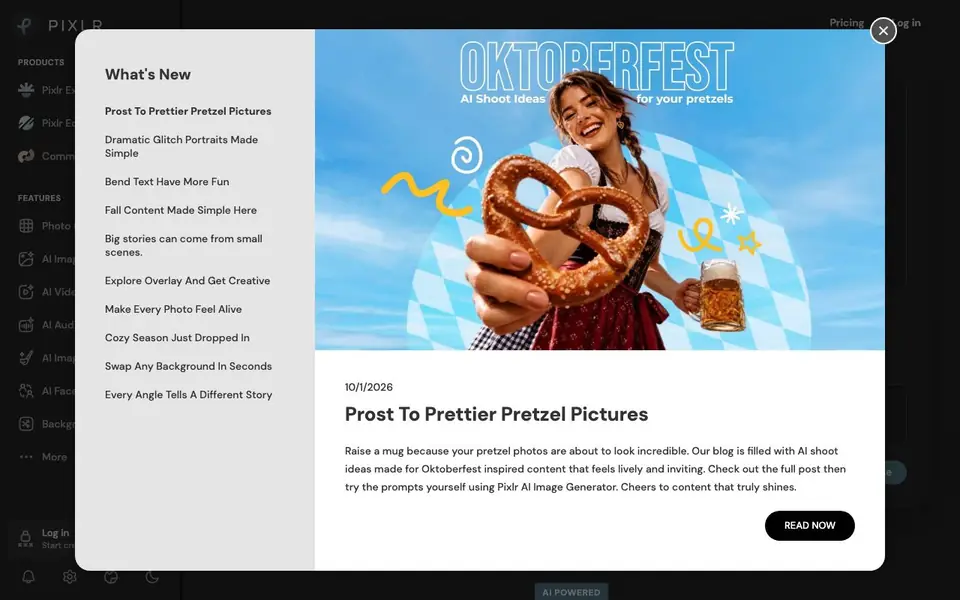
Pixlr is a free online photo editor and image generator that runs entirely in your browser. You get a full suite of AI-powered tools for editing existing photos, creating new images from text prompts, making videos, swapping faces, and building collages. It combines many leading AI models like Flux, Kling, Recraft, and Veo in one place.
To start, you drop an image into the editor or click to browse. From there you can remove backgrounds, erase objects, fill areas with AI, extend images beyond their edges, or upscale them. You can also type a text prompt to generate a brand-new image or video. An AI assistant lets you describe changes in natural language and applies them for you.
Pixlr suits creators, small businesses, and anyone who wants a free Photoshop alternative. The site highlights tools like background removal, generative fill, and super scale up to 25 megapixels. It also offers an AI video generator and audio tools. Everything is free, and you do not need to install anything.
Pixlr features
- AI Image Generator: Create new images from text prompts using models like Flux and Recraft.
- Background Remover: Remove backgrounds from photos with one click and clean subject isolation.
- Generative Fill: Select an area, describe what you want, and AI adds, replaces, or reimagines it.
- Generative Expand: Extend image boundaries in any direction with AI outpainting.
- Super Scale: Upscale images while preserving detail, up to 25 megapixels.
- AI Face Swap: Swap faces in any photo instantly.
- AI Video Generator: Generate videos from text or images using models like Kling and Veo.
What you can do with Pixlr
- Remove backgrounds from product photos for your online store.
- Generate social media graphics from text prompts and fine-tune them.
- Erase unwanted objects from vacation photos with a few clicks.
- Extend a landscape photo to fit a wider aspect ratio.
- Swap faces in group photos for fun or creative projects.
How to get started with Pixlr
- Go to Pixlr's website and click 'Open AI Photo Editor'.
- Drop an image into the editor or click to browse your files.
- Use the AI tools like background removal, generative fill, or the image generator to edit or create.
- Save your finished image or video to your device.
Tips for better results with Pixlr
- Start with a high-resolution image before using Pixlr's Super Scale, as upscaling works best when the original already has good detail to preserve.
- Use Pixlr's Generative Expand to extend a landscape photo to a wider aspect ratio, then check the edges for artifacts before finalizing.
- Describe your edit in plain language with Pixlr's AI Assistant, specifying the area and desired change, to get more accurate results.
- For product photos, use Pixlr's Background Remover first, then apply Generative Fill to clean up any leftover edges around the subject.
Pixlr pricing
Pixlr is free to use according to its website.
What to check before you rely on Pixlr
- Check Pixlr's pricing page for any hidden limits on image resolution, video length, or number of generations, since the site labels everything free.
- Verify Pixlr's export formats and file size limits before relying on it for high-resolution work, as the website does not list these details.
- Review Pixlr's privacy policy to understand how your uploaded images and prompts are used or stored, since the site does not state this clearly.
Who Pixlr is for
Pixlr suits creators, small business owners, graphic designers and social media marketers. If that is not you, the AI photo editors below may fit better.
Similar tools compared with Pixlr
| Tool | What it is | Pricing |
|---|---|---|
| Pixlr | Free online AI photo editor and generator | Free |
| SiPhotoEditor | AI photo editor by description | Paid |
| SiImageGen | AI image generator and photo editor | Freemium |
| Clipdrop | AI photo editing and image generation suite | See website |
| Photoroom | AI photo editor for e-commerce product visuals | Freemium |
Pixlr FAQ
Is Pixlr really free?
Yes, Pixlr's website states it is 100% free. You can use the AI photo editor, image generator, video maker, face swap, collage maker, and 20+ editing tools without paying. No install is needed.
What AI models does Pixlr use?
Pixlr is powered by several leading AI models, including Flux, Flux Pro, Kling AI, Recraft V4, Google Veo, Qwen, Stable Diffusion, SDXL, Seedance, Seedream, Grok Imagine, PixVerse, LTX Video, Vidu, ImagineArt, Wan AI, ElevenLabs, ACE-Step, and MiniMax.
Can I generate videos with Pixlr?
Yes, Pixlr includes an AI video generator that creates videos from text or images. It uses models like Kling AI and Google Veo. You can also generate audio and speech with tools like ElevenLabs.
Who is Pixlr best for?
Pixlr suits anyone who needs quick photo editing without expensive software. The site mentions creators, graphic designers, small businesses, and people in fields like food and beverage, medical practice, and machinery. It is a free Photoshop alternative for everyday tasks.
Does Pixlr require an account to use?
Pixlr runs entirely in your browser, and the website does not explicitly state whether you need an account to start using it. To find out, check the sign-in or registration options on the Pixlr homepage or try opening the editor directly.
What file formats can Pixlr export?
Pixlr's website does not list the specific file formats you can export. For details on export options, look for a help section or FAQ within the Pixlr editor itself, or check the Pixlr support pages for more information.
Can Pixlr be used on a mobile device?
Pixlr is a browser-based tool, so you can likely access it on any device with a web browser, including smartphones and tablets. The website does not specifically mention mobile apps or dedicated mobile versions, so check the Pixlr site for any platform-specific guidance.


