

What is Trytofu?
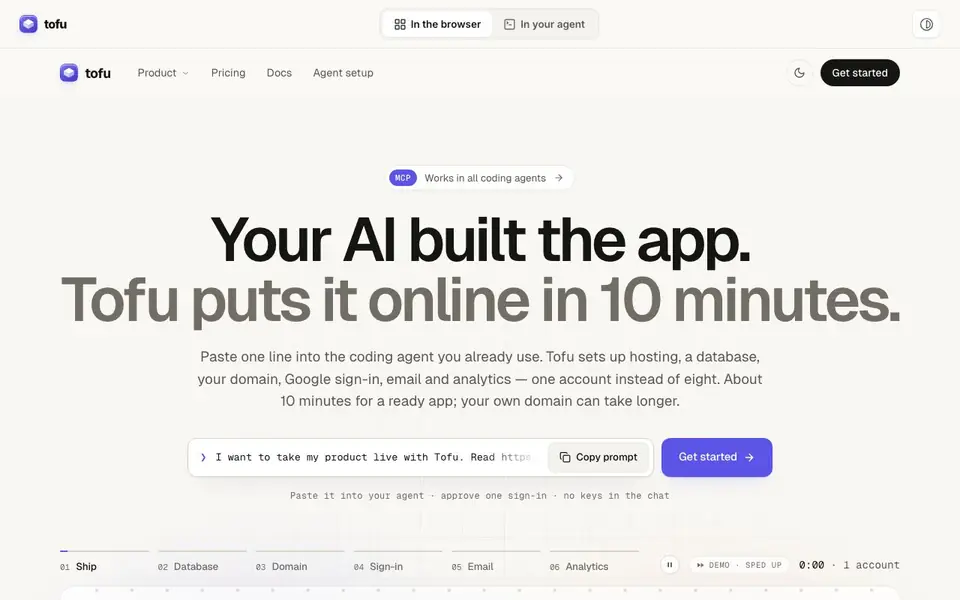
Tofu is a platform that takes an app you built with a coding agent and puts it online in about 10 minutes. Instead of juggling eight separate services for hosting, database, user login, email, and analytics, you get one account that covers everything. The setup is designed to be done by your AI agent, so you avoid copying keys between dashboards and dealing with configuration errors.
To get started, you paste a one-line prompt into the coding agent you already use, like Claude. The agent reads Tofu's setup documentation, installs the verified client and skill, and handles the configuration. You approve a sign-in in your browser, and the agent uploads your app, confirms the framework, creates a database, and deploys it. It even checks that your app's public address works.
Tofu includes a database with a table editor, Google sign-in for your users, email sending from your own domain, and privacy-friendly analytics. It's built for developers and makers who want to ship apps quickly without the overhead of managing multiple services. The demo shows a restaurant app going live, with bookings stored in a database, staff signing in with Google, and analytics tracking page views.
Trytofu features
- One-click deployment: Deploy your app with hosting, database, domain, sign-in, email, and analytics in one account.
- Database included: Get a database with a table editor to view and manage your app's data.
- Google sign-in: Let your users log in with Google, with rules to ensure each user sees only their data.
- Email from your domain: Send confirmation and sign-up emails from your own domain, like send.yourdomain.com.
- Privacy-friendly analytics: Track page views without cookies, so you don't need a cookie banner for EU visitors.
What you can do with Trytofu
- Deploy a restaurant booking app with a live database and staff log-in.
- Connect your custom domain to your AI-built app with HTTPS.
- Set up email notifications for new user sign-ups from your domain.
- Add analytics to see how many people visit your app's pages.
How to get started with Trytofu
- Copy the one-line prompt from Tofu's website and paste it into your coding agent.
- Approve the sign-in in your browser when the agent requests it.
- Let the agent upload your app, create a database, and deploy it; then connect your domain and other services as needed.
Tips for better results with Trytofu
- Paste the one-line Tofu setup prompt into your coding agent and approve the browser sign-in once, so the agent handles all configuration without you copying keys between dashboards.
- Let your coding agent read Tofu's setup documentation at app.trytofu.ai/agent/prompt.txt before deploying, so it installs the verified client and skill correctly and avoids configuration errors.
- Use Tofu's table editor after deployment to verify your app's data, like checking that a new booking appears as a row in the reservations table, to confirm the database works as expected.
- Ask your agent to add Tofu's analytics line and redeploy to track page views without cookies, so you can see visitor counts without needing a cookie banner for EU visitors.
Trytofu pricing
Trytofu is a paid product. Check trytofu.ai for current plans and whether a demo or trial is offered.
What to check before you rely on Trytofu
- Check whether Tofu's paid pricing includes your expected usage limits, since the website does not list specific plan details or costs beyond the paid label.
- Verify that Tofu supports your app's framework, as the demo shows Next.js confirmation, but the website does not state all supported frameworks.
- Confirm how Tofu handles data privacy and export options, since the website does not specify data retention, export formats, or deletion procedures.
Who Trytofu is for
Trytofu suits developers, makers, startups and solo founders. If that is not you, the AI app builders below may fit better.
Similar tools compared with Trytofu
| Tool | What it is | Pricing |
|---|---|---|
| Trytofu | AI app deployment and hosting platform | Paid |
| SiGameGen | AI game builder from one sentence | Freemium |
| Durable | AI business builder and website maker | Freemium |
| Lovable | AI app and website builder | Freemium |
| Replit | AI app and website builder | Freemium |
Trytofu FAQ
What does Tofu do?
Tofu deploys your AI-built app online with hosting, a database, your domain, Google sign-in, email, and analytics—all in one account. You paste a prompt into your coding agent, and it handles the setup.
How much does Tofu cost?
Tofu is $9.99 per month, which includes a database. The website says this replaces about $65–95 per month of separate subscriptions.
Who is Tofu for?
Tofu is for developers and makers who build apps with AI coding agents and want to ship them quickly without managing multiple services. It works with all coding agents that support MCP.
Can I use my own domain with Tofu?
Yes, you can connect your own domain. The agent will have you approve DNS access at your provider, and Tofu sets up HTTPS. Your domain may take longer than the 10-minute setup.
Does Tofu work with any coding agent I already use?
Yes, Tofu works in all coding agents. You paste a one-line prompt into the agent you already use, like Claude, and it handles the setup. The website states it works in all coding agents, so you don't need to switch tools to use Tofu.
What does the free plan of Tofu include?
Tofu is a paid platform, and the website does not mention a free plan. Pricing is labeled as paid, but specific plan details, including what a free tier might offer, are not listed. Check the Pricing page on trytofu.ai for the most current plan information.
Can Tofu connect to my existing database or other services?
Tofu includes its own database with a table editor, and the website does not mention connecting to external databases or services. It is designed to replace multiple services with one account. For integration details beyond what's listed, check the Docs section on trytofu.ai.


