

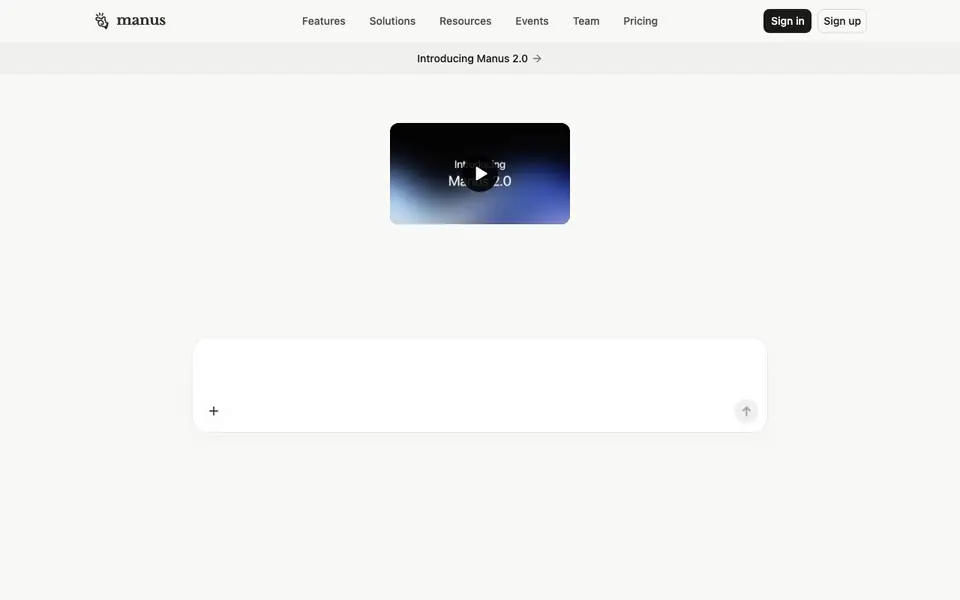
What is Manus?
Manus is an AI agent that acts on your behalf. Instead of just giving you answers, it can complete tasks, automate workflows, and extend what you can do. It is positioned as a hands-on AI that takes action.
You can use Manus to create slides, build websites, make games, generate images and music, edit videos, and browse the web. It also integrates with Slack and email. The tool is available as a web app, mobile app, and desktop app, and it offers a browser operator feature.
Manus is designed for individuals and teams. It has a team plan with SSO and an API for developers. The website highlights comparisons with ChatGPT, Lovable, and Replit, suggesting it competes with general assistants and app builders. Specific pricing details are not stated on the homepage.
Manus features
- Task execution: Manus completes tasks for you, not just gives answers.
- Slides creation: You can create presentation slides using Manus.
- Website building: You can build websites through Manus.
- Game development: Manus helps you create games.
- Browser operator: Manus can operate your browser to perform actions.
What you can do with Manus
- Create a slide deck for your next meeting.
- Build a website from your ideas.
- Develop a simple game without coding.
- Automate repetitive workflows across apps.
How to get started with Manus
- Sign up for a Manus account on the website.
- Choose a task like creating slides or building a website.
- Let Manus execute the task and review the results.
Tips for better results with Manus
- Start with a concrete deliverable like a slide deck or website, and describe the final format you want so Manus knows what to produce.
- Break complex tasks into smaller steps and give Manus one clear instruction at a time to keep its actions focused and predictable.
- Use Manus to automate repetitive workflows across Slack and email, but test each automation on a sample task before applying it broadly.
- When building a game or editing video, provide sample files or reference links so Manus can match your expected style and structure.
Manus pricing
Manus’s homepage does not list prices. Check manus.im for current plans.
What to check before you rely on Manus
- Check whether your plan includes the browser operator and integrations like Slack and email, since the homepage does not list plan-specific features.
- Verify if the team plan with SSO and API requires a separate purchase, as pricing is not stated on the website.
- Confirm which export formats Manus supports for slides, websites, and videos, because the site does not specify output file types.
Who Manus is for
Manus suits professionals, teams, developers and creators. If that is not you, the AI agents below may fit better.
Similar tools compared with Manus
| Tool | What it is | Pricing |
|---|---|---|
| Manus | AI agent that executes tasks | See website |
| n8n | AI workflow automation platform | Freemium |
| Lindy | AI teammate for team workflows | Freemium |
| Zapier | AI workflow and agent orchestration platform | Freemium |
| LM Studio | Local AI agent for work and code | See website |
Manus FAQ
What can Manus do?
Manus can create slides, build websites, make games, generate images and music, edit videos, and browse the web. It also integrates with Slack and email to automate workflows.
Is Manus free?
The website does not state pricing details. You can check the Pricing page on manus.im for current plans.
Who is Manus for?
Manus is for individuals and teams who want to automate tasks. It offers a team plan with SSO and an API for developers.
How do I use Manus?
You can use Manus through its web app, mobile app, or desktop app. You sign up, pick a task, and let the agent execute it.
What can Manus export or connect to besides Slack and email?
Manus can connect to Slack and email, and it can also operate your browser to perform actions. The website does not list other specific export formats or integrations. To see if a particular tool or format is supported, check the Docs or Help center on the Manus website.
On which devices can I run Manus?
Manus is available as a web app, a mobile app, and a desktop app. This means you can use it from your computer's browser, your phone, or a dedicated desktop program. The website does not specify which operating systems are supported for the mobile or desktop apps, so check the Download page for details.
Does Manus require an account to use it?
The Manus website has Sign in and Sign up buttons, which indicates that you need an account to use the tool. The website does not state whether a free plan exists or what it includes. To confirm account requirements and any free access, visit the Pricing page or sign up to see available options.


