

What is Make?
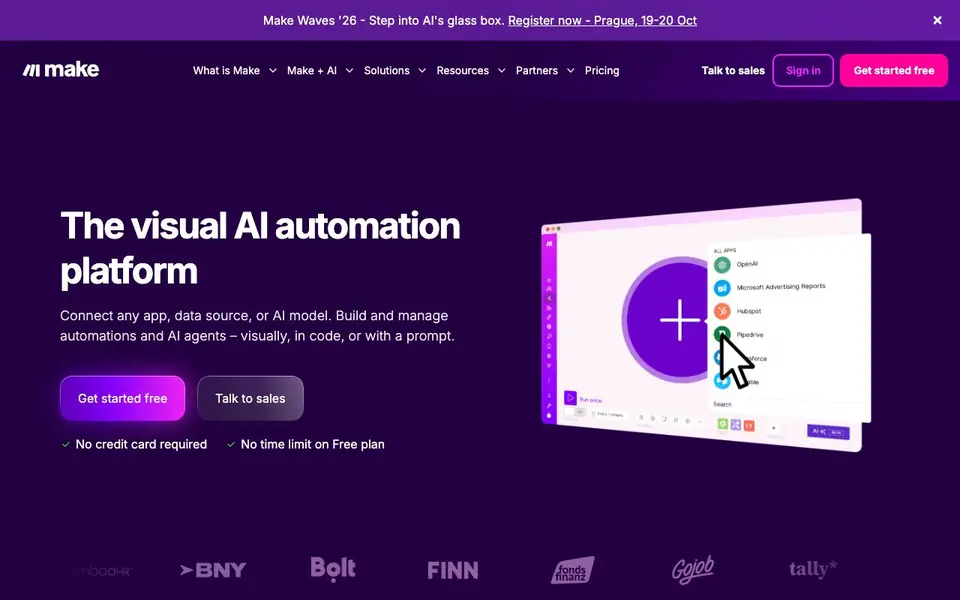
Make is a visual platform for building and managing AI agents and automations. You connect apps, data sources, and AI models, then create workflows using a drag-and-drop canvas, code, or plain-language prompts. It's designed for teams that want to adopt AI across their business without losing visibility or control.
You start by choosing from over 3,000 pre-built app integrations, like OpenAI, HubSpot, Salesforce, Slack, and Canva. Then you build a workflow by dragging modules onto a canvas, or you describe what you want and let Make generate the automation. For AI agents, you can deploy ready-made agents from a library or build your own that orchestrate complex tasks across your connected apps.
Make suits operations, marketing, sales, finance, IT, and HR teams. The platform is enterprise-ready with GDPR, SOC 2 Type II, and SOC 3 compliance, encryption, and single sign-on. Over 400,000 organizations use it. The free plan has no time limit and requires no credit card, but the website doesn't detail specific paid plan features or pricing.
Make features
- Visual builder: Drag-and-drop modules to create workflows without writing code.
- AI agent library: Deploy ready-made AI agents and adapt them to your needs instantly.
- 3,000+ integrations: Connect popular apps like OpenAI, HubSpot, Salesforce, and Slack.
- Prompt-based creation: Describe an automation and Make builds it for you.
- Enterprise security: Includes GDPR, SOC 2 Type II, SOC 3, encryption, and SSO.
What you can do with Make
- Automate social media posting across platforms to scale your online presence.
- Manage leads from capture to follow-up with automated workflows.
- Create and distribute email marketing campaigns with AI assistance.
- Streamline IT incident response by automating monitoring and alerts.
- Build custom AI agents that handle complex multi-step business processes.
How to get started with Make
- Sign up for a free account on Make's website — no credit card needed.
- Browse the app library and pick the tools you want to connect.
- Build your first automation using a template, drag-and-drop, or a text prompt.
Tips for better results with Make
- Start with a simple workflow using Make's drag-and-drop canvas to understand how modules connect before building complex automations or AI agents.
- Use Make's prompt-based creation to describe the automation you want, then review the generated workflow carefully to ensure it matches your intended logic.
- Explore Make's library of ready-made AI agents and templates to save time, then adapt them to your specific use case by modifying the connected apps and data fields.
- Test your Make workflows with sample data first to verify each step behaves as expected, especially when integrating multiple apps or AI models.
Make pricing
Make has a free way to start, with paid plans for heavier use. Check make.com for current limits and prices.
What to check before you rely on Make
- Check whether Make's free plan includes the specific apps and operations you need, since the website doesn't list detailed limits for the free tier.
- Verify that Make's paid plan pricing and features meet your budget and requirements, as the website only directs you to talk to sales without stating costs.
- Confirm Make's data handling and privacy policies align with your organization's standards, despite its stated GDPR and SOC 2 compliance, before using it for sensitive data.
Who Make is for
Make suits operations teams, marketers, IT professionals and enterprise organizations. If that is not you, the AI agents below may fit better.
Similar tools compared with Make
| Tool | What it is | Pricing |
|---|---|---|
| Make | Visual AI automation and agent platform | Freemium |
| n8n | AI workflow automation platform | Freemium |
| Lindy | AI teammate for team workflows | Freemium |
| Zapier | AI workflow and agent orchestration platform | Freemium |
| LM Studio | Local AI agent for work and code | See website |
Make FAQ
What is Make used for?
Make is a visual automation platform. You use it to connect apps, data sources, and AI models, then build workflows and AI agents that automate tasks across your business. It's for anyone who wants to save time on repetitive work.
Does Make have a free plan?
Yes. Make offers a free plan with no time limit and no credit card required. The website also mentions paid plans, but it doesn't list specific prices or features on the main page. Check the Pricing section for details.
Who is Make for?
Make is for teams in marketing, sales, operations, IT, finance, customer experience, and HR. It's used by over 400,000 organizations, from startups to enterprises. You don't need coding skills to start, but developers can also work in code.
What apps can I connect with Make?
Make has a library of over 3,000 pre-built app integrations. Examples include OpenAI, HubSpot CRM, Salesforce, Slack, monday.com, NetSuite, Canva, Perplexity AI, and DeepSeek AI. You can also connect custom systems.
Can Make export my workflows or data to other tools?
Make's website does not explicitly mention exporting workflows or data. However, since Make connects to over 3,000 apps, you can likely use those integrations to move data between tools. For specific export options, check Make's help center or documentation for detailed guidance.
Does Make run on mobile devices or only in a web browser?
Make's website does not mention a mobile app or specific device support. The platform appears to be accessed through a web browser, as it describes a visual canvas and dashboard. For the latest information on mobile access, check Make's help center or official announcements.
What does Make's free plan include beyond no time limit and no credit card?
Make's website states the free plan has no time limit and requires no credit card, but it does not detail specific features or usage limits. To learn what operations, tasks, or integrations are included, visit Make's pricing page or contact their sales team for a full breakdown.


