

What is Bolt?
Bolt is an AI-powered builder that turns your words into working websites, apps, and prototypes. You describe what you want, and Bolt's coding agents handle the heavy lifting—writing code, testing, and refining. It's designed for people who want to focus on their vision, not on debugging errors.
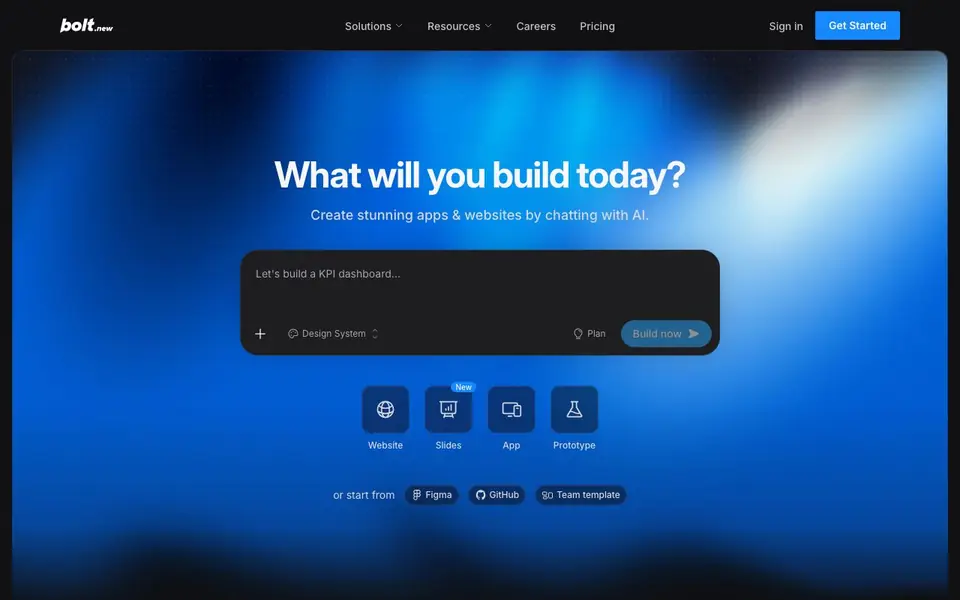
You start by typing a prompt, like "Let's build a KPI dashboard." Bolt shows a live preview where you can select elements and adjust them. You can begin from a blank canvas or import from Figma or GitHub. Bolt automatically picks the best AI model for each task, balancing speed, quality, and cost.
Bolt includes built-in hosting, databases, user authentication, and SEO tools, so you can go from idea to live product in one place. It suits product managers, entrepreneurs, marketers, agencies, and students. The website mentions that Bolt reduces errors by 98% and handles projects 1,000 times larger than before, but it doesn't specify exact limits.
Bolt features
- AI coding agents: Automatically writes, tests, and refines code so you can keep building instead of fixing errors.
- Model routing: Picks the best AI model for each task to balance quality and cost without manual switching.
- Design system support: Start from your existing brand guidelines instead of building from scratch.
- Built-in backend: Includes hosting, unlimited databases, user authentication, and SEO optimization in one platform.
- Live preview editing: Select any element on the preview to tweak it directly as you build.
What you can do with Bolt
- Turn a product idea into a working prototype in hours.
- Launch a full business website with hosting and analytics.
- Create high-performing marketing campaign pages with built-in SEO.
- Build a KPI dashboard or internal tool for your team.
How to get started with Bolt
- Go to Bolt's website and click "Get Started".
- Type a prompt describing what you want to build, or import from Figma or GitHub.
- Use the live preview to select elements and adjust them until you're happy.
Tips for better results with Bolt
- Start with a clear, detailed prompt like 'build a KPI dashboard with three charts' so Bolt's agents can generate accurate code without guesswork.
- Use Bolt's live preview to select and tweak elements directly, refining the design visually instead of rewriting prompts for every small change.
- Import your existing design system or brand guidelines into Bolt to keep output on-brand, saving time on manual styling adjustments later.
- For complex projects, break them into smaller prompts and build incrementally, letting Bolt test and refine each part before moving to the next.
Bolt pricing
Bolt has a free way to start, with paid plans for heavier use. Check bolt.new for current limits and prices.
What to check before you rely on Bolt
- Check which plan you are on, since Bolt's Max agent is Pro only, and the free tier may limit access to certain features.
- Verify your project's size against Bolt's context limits, as the site claims to handle large projects but does not state exact maximums.
- Review Bolt's data and privacy policies before uploading proprietary code or designs, since the website does not specify how your data is handled.
Who Bolt is for
Bolt suits product managers, entrepreneurs, marketers, agencies and students. If that is not you, the AI app builders below may fit better.
Similar tools compared with Bolt
| Tool | What it is | Pricing |
|---|---|---|
| Bolt | AI app and website builder | Freemium |
| SiGameGen | AI game builder from one sentence | Freemium |
| Durable | AI business builder and website maker | Freemium |
| Lovable | AI app and website builder | Freemium |
| Replit | AI app and website builder | Freemium |
Bolt FAQ
What can I build with Bolt?
You can build websites, apps, slides, and prototypes by chatting with AI. You can start from a blank canvas or import designs from Figma or GitHub. The site shows examples like a KPI dashboard.
Is Bolt free to use?
The website says you can "start building for free," and there is a Pro plan that unlocks the Max model. So it's freemium—free to start, with paid options for more power.
Who is Bolt for?
Bolt is for product managers, entrepreneurs, marketers, agencies, and students. It's designed for anyone who wants to turn an idea into a live product without getting stuck on coding errors.
Does Bolt include hosting and databases?
Yes, Bolt Cloud provides enterprise-grade backend infrastructure, including hosting, unlimited databases, user management, authentication, and SEO optimization. You don't need extra accounts or platforms.
Can Bolt import from Figma or GitHub?
Yes, Bolt lets you start from a blank canvas or import directly from Figma or GitHub. This means you can bring your existing designs or code into Bolt and continue building with AI assistance. The website highlights these import options as part of its workflow.
Does Bolt offer a free plan and what does it include?
Bolt is freemium, so you can start building for free. The free plan lets you try out the platform, but the website doesn't detail exactly which features are included. For specifics on what the free tier covers, check the Bolt pricing page.
What integrations does Bolt support besides Figma and GitHub?
Bolt's website mentions integrations with Figma and GitHub for importing projects. It also says Bolt Cloud includes hosting, databases, and integrations, but it doesn't list specific third-party services. For a full list of integrations, check Bolt's help center or pricing page.


