
What is TeeDIY?
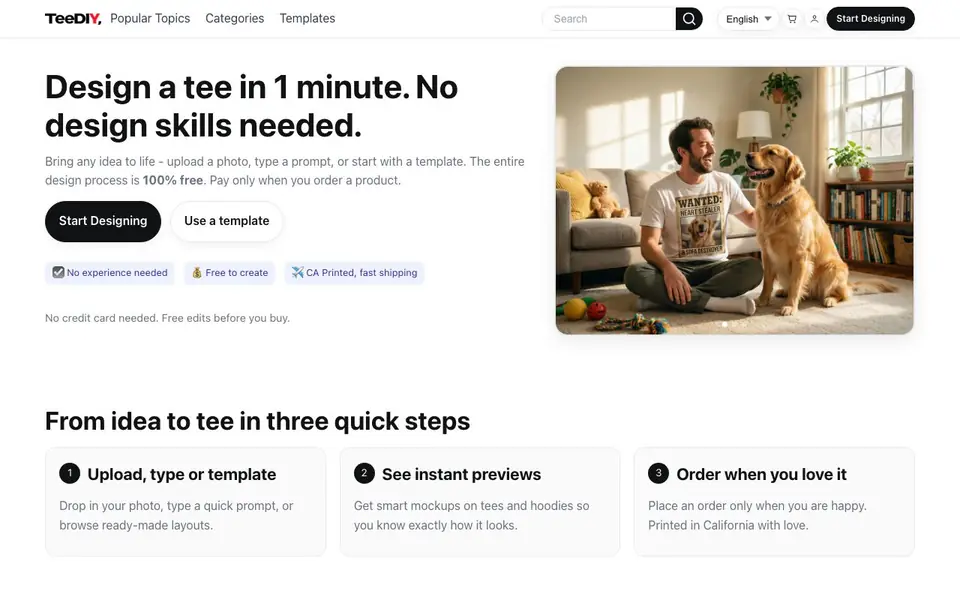
TeeDIY lets you create a custom t-shirt design in about a minute, with no design experience needed. You can upload a photo, type a text prompt, or start from a ready-made template. The design process is free, and you only pay when you order a printed product.
You start by choosing your input: upload an image, describe your idea, or pick a template. TeeDIY then shows instant previews on tees and hoodies. You can use smart tools like Magic cleanup to remove backgrounds, Style assist to apply vintage or comic looks, Auto layout for balanced spacing, and Smart edit to change elements by describing them.
Once you are happy with the design, you order the physical product. TeeDIY prints in California and ships fast. The site mentions free edits before you buy, and no credit card is needed to start designing. It suits anyone who wants a unique tee without learning design software.
TeeDIY features
- Magic cleanup: Removes backgrounds and refines edges automatically for print-ready designs.
- Style assist: Applies vintage, comic, or sporty looks without manual tweaking.
- Auto layout: Smart spacing and alignment keep your tee design balanced.
- Smart edit: Changes any element in your image just by describing it.
- Instant previews: Shows realistic mockups on tees and hoodies before you order.
What you can do with TeeDIY
- Create a personalized gift tee from a photo of a pet or person.
- Design a themed shirt for an event, birthday, or memorial.
- Remix community designs by tapping a style you like.
- Generate a tee from a text prompt like 'retro elements' or 'Easter themed'.
How to get started with TeeDIY
- Go to TeeDIY and click 'Start Designing'.
- Upload a photo, type a prompt, or choose a template.
- Use smart tools to edit, preview on a tee, and order when satisfied.
Tips for better results with TeeDIY
- Start with a clear, high-resolution photo of your subject so Magic cleanup can isolate the background accurately and produce a print-ready design without extra touch-ups.
- Use Style assist on TeeDIY to preview vintage, comic, or sporty looks before committing, then combine it with Auto layout to keep text and elements balanced on the tee.
- Describe specific changes in Smart edit, like 'make the dog bigger' or 'change the shirt color to red,' to get precise results instead of vague edits that may miss your intent.
- Try multiple text prompts in TeeDIY, such as 'retro elements' or 'Easter themed,' and refresh the preview to compare variations before picking the design you want to order.
TeeDIY pricing
TeeDIY has a free way to start, with paid plans for heavier use. Check teediy.com for current limits and prices.
What to check before you rely on TeeDIY
- Confirm the final design at full zoom on the mockup to catch any blurry edges or background remnants, since the site does not state a resolution or file export option.
- Review the product price and shipping cost at checkout, as the website lists sample tee prices but does not specify shipping fees or delivery times beyond 'fast shipping.'
- Check TeeDIY's privacy policy for how your uploaded photos and prompts are stored or used, since the homepage does not detail data handling or retention practices.
Who TeeDIY is for
TeeDIY suits gift shoppers, pet owners, event organizers and casual creators. If that is not you, the AI design tools below may fit better.
Similar tools compared with TeeDIY
| Tool | What it is | Pricing |
|---|---|---|
| TeeDIY | AI custom t-shirt design maker | Freemium |
| Looka | AI logo maker and brand identity platform | Freemium |
| Uizard | AI-powered UI design and prototyping tool | Freemium |
| Clipdrop | AI photo editing and image generation suite | See website |
| Interior AI | AI interior design and virtual staging app | Freemium |
TeeDIY FAQ
Is designing really free?
Yes, the entire design process is free. You only pay when you order a physical product. No credit card is needed to start designing.
Do I need design experience?
No. TeeDIY is built for people without design skills. You can use templates, type a prompt, or upload a photo, and the smart tools handle the hard parts.
How long does it take to design a tee?
You can design a tee in about one minute. The site says 'Design a tee in 1 minute' and shows instant previews as you work.
What products can I print on?
The site mentions tees and hoodies in the previews and product listings. It does not list all available products, so check the shop or templates for the full range.
What file formats can I export my TeeDIY design in?
The TeeDIY website does not mention exporting design files. It focuses on creating and ordering printed products. If you need a digital file for other uses, check the site's help or contact support for details.
Does TeeDIY have a mobile app?
The TeeDIY website does not mention a dedicated mobile app. You can likely use the design tool in a mobile web browser, but for specific device support, check the site's FAQ or contact support.
What does the TeeDIY free plan include?
With TeeDIY, the entire design process is free, including uploading photos, using templates, and applying smart tools like Magic cleanup and Style assist. You only pay when you order a printed product. No credit card is needed to start designing.


