

What is Studioify?
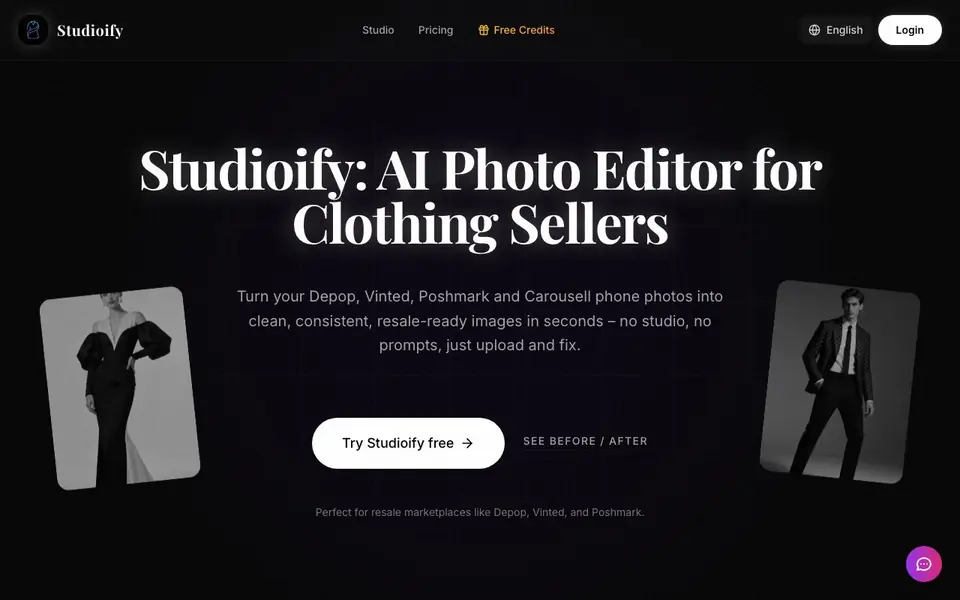
Studioify is an AI photo editor built specifically for people who sell secondhand clothing on marketplaces like Depop, Vinted, Poshmark, and Carousell. It takes the casual photos you already have on your phone and turns them into bright, professional-looking product images. No studio, no prompts, just upload and fix.
You start by uploading a photo and selecting the clothing type, such as tops, dresses, shoes, or accessories. Then you choose a display style, like flat-lay, hanging, or on-model, and pick a clean background that matches your brand. The AI cleans the background, optimizes lighting, and generates marketplace-ready images in your chosen size. You can also add AI models to show how clothing looks when worn.
Studioify suits anyone reselling fashion online, from casual sellers to small brands. It helps you create consistent cover photos and image packs that follow each platform's guidelines. The website notes it works with flat lays, hanging items, and hangers, and supports platforms like Mercari and eBay too.
Studioify features
- Depop-ready cover photos: Creates bright main images that match Depop's best-practice tips to drive more clicks.
- Vinted & Poshmark image packs: Auto-generates multiple angles and detail shots buyers expect without reshooting.
- Consistent closet look: Cleans backgrounds and unifies style across all listings for a professional profile.
- AI model visualization: Generates on-body shots with AI models so buyers see fit and style without photoshoots.
- Time-saving edits: Cleans, crops, and styles photos in seconds instead of 15 minutes of manual editing.
What you can do with Studioify
- Upload a flat-lay photo of a vintage dress and get a clean cover image for Depop.
- Create a set of detail shots for a pair of sneakers to list on Vinted.
- Add an AI model to a hanging shirt so buyers see how it fits.
- Standardize backgrounds across all your Poshmark listings for a curated look.
How to get started with Studioify
- Upload your product photo and select the clothing type.
- Choose a display style and background that fits your brand.
- Generate and download your marketplace-ready images instantly.
Tips for better results with Studioify
- Upload your clearest, best-lit phone photo first, then let Studioify clean the background and fix lighting, since the AI works best when it has a solid starting point.
- Choose the correct clothing type and display style in Studioify before generating, as this directly controls how the AI handles the garment and which backgrounds look natural.
- Use Studioify to generate multiple angles and detail shots in one pass for Vinted or Poshmark, so you get a full image pack without reshooting your item.
- Standardize your background and display style across all listings in Studioify to create a consistent closet look that makes your profile look professional and trustworthy.
Studioify pricing
Studioify has a free way to start, with paid plans for heavier use. Check getstudioify.com for current limits and prices.
What to check before you rely on Studioify
- Check whether the free credits cover enough images for your listing volume, since the pricing label says freemium but the website does not state specific credit amounts or limits.
- Review the website for any mention of data handling or privacy policy for your uploaded photos, as none is listed in the website material.
- Confirm that Studioify supports the exact platforms you sell on, since the site lists Depop, Vinted, Poshmark, Carousell, Mercari, and eBay but does not guarantee all features on every one.
Who Studioify is for
Studioify suits Depop sellers, Vinted sellers, Poshmark sellers and secondhand clothing resellers. If that is not you, the AI photo editors below may fit better.
Similar tools compared with Studioify
| Tool | What it is | Pricing |
|---|---|---|
| Studioify | AI photo editor for resale sellers | Freemium |
| SiPhotoEditor | AI photo editor by description | Paid |
| SiImageGen | AI image generator and photo editor | Freemium |
| Clipdrop | AI photo editing and image generation suite | See website |
| Photoroom | AI photo editor for e-commerce product visuals | Freemium |
Studioify FAQ
Will Studioify work with my existing photos?
Yes. Studioify is built to clean up and enhance the non-studio photos you already have on your phone, like flat lays or hanging items.
Is using AI allowed by marketplace photo rules?
Yes. The tool only enhances photo quality and background consistency, showing the real item, which complies with major resale marketplace guidelines.
Do I need to learn prompts or complex AI tools?
No. You just upload, pick your platform and style, then download your edited images. No prompts or jargon needed.
Can I use Studioify for Depop, Vinted, and Poshmark listings?
Absolutely. Studioify is optimized for all major resale platforms including Depop, Vinted, Poshmark, Mercari, and eBay, and formats photos to meet each platform's requirements.
What image formats can Studioify export for my listings?
Studioify generates marketplace-ready images in the size you choose, but the website does not specify which file formats it exports, such as JPG or PNG. To confirm the available export formats, check the app's upload or download screens after you try a free edit.
Does Studioify work on my phone or only on a computer?
Studioify is described as a tool that works with photos from your phone, but the website does not state whether it runs as a mobile app, a web app, or both. You can check the site's login or pricing page for platform details, or try it in your browser to see if it works on your device.
What does the Studioify free plan include?
Studioify offers free credits, and the website labels the tool as freemium, but it does not list exactly how many credits you get or what features are limited in the free plan. To see the current free credit amount and any restrictions, check the pricing page or your account after signing up.


