

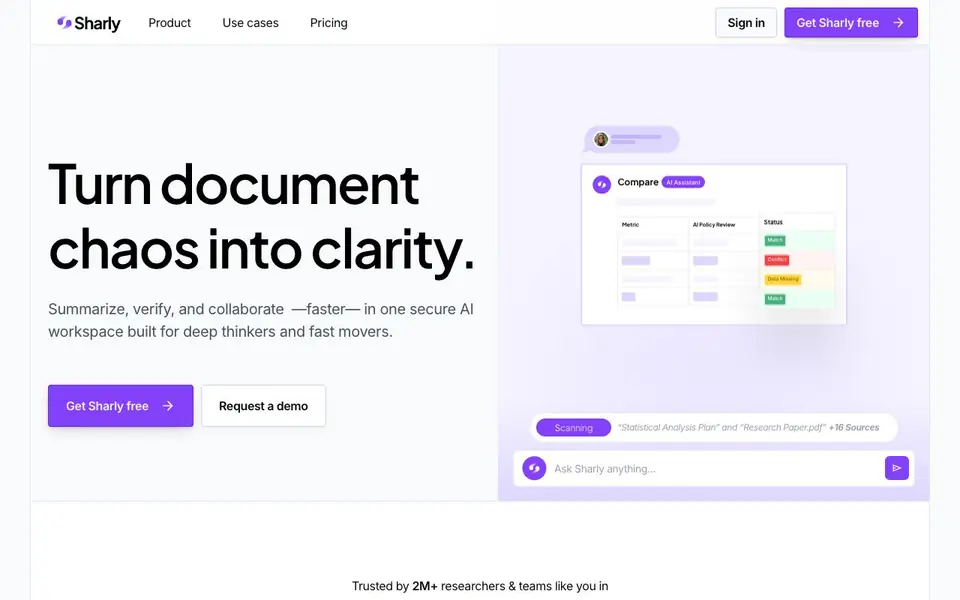
What is Sharly AI?
Sharly AI is a research assistant that turns complex documents into clear, source-backed insights. It helps you summarize, compare, and cite documents in one secure workspace. You can upload PDFs, spreadsheets, Word docs, links, Google Docs, PowerPoints, and Notion pages.
You start by uploading your documents. Sharly then generates key insights, summaries, and highlights in seconds. You can ask questions across all your docs in one thread, and every answer comes with verifiable sources. You can also compare key metrics across documents to spot patterns, conflicts, or missing data.
Sharly supports citation formats like APA, MLA, and Chicago, and lets you switch styles from a dropdown. It offers a docs-only answer mode for privacy, activity logs, role-based permissions, and end-to-end encryption with AES-256 at rest and TLS 1.3 in transit. It is built for researchers, teams, and organizations handling sensitive knowledge.
Sharly AI features
- Document summarization: Get accurate key insights and highlights from your documents in seconds.
- Cross-document Q&A: Ask questions and get answers pulled from all your uploaded documents in one thread.
- Citation-aware chat: Every reply includes trusted sources, with formats like APA, MLA, and Chicago.
- Metric comparison: Compare key metrics across docs to see patterns, conflicts, or missing data.
- Secure collaboration: Share workspaces, add notes, and verify answers with role-based permissions and encryption.
What you can do with Sharly AI
- Summarize research papers to extract key findings quickly.
- Compare metrics across reports to identify conflicts or gaps.
- Ask questions across multiple documents to get source-backed answers.
- Collaborate with your team on document insights with inline feedback.
How to get started with Sharly AI
- Sign up for free on Sharly AI's website.
- Upload your documents or connect sources like Google Docs or Notion.
- Ask questions or generate summaries, then verify citations and share with your team.
Tips for better results with Sharly AI
- Upload all related documents before asking questions so Sharly AI can pull answers across your full set of sources in one thread.
- Use Sharly AI's metric comparison feature to spot patterns, conflicts, or missing data across reports, not just summaries.
- Ask specific questions about page-level details, then hover over the cited sources to verify each claim before you trust it.
- Switch citation formats like APA, MLA, or Chicago from the dropdown to match your target style before exporting or sharing.
- checks
Sharly AI pricing
Sharly AI has a free way to start, with paid plans for heavier use. Check sharly.ai for current limits and prices.
What to check before you rely on Sharly AI
- Check whether your plan includes enough document uploads or queries for your workload, since the website labels Sharly AI as freemium but does not list specific limits.
- Verify if the docs-only answer mode is available on your plan, as the website mentions it but does not state which tiers include it.
- Confirm that your documents are stored or processed in line with your privacy needs, since the site claims encryption but does not detail data retention policies.
Who Sharly AI is for
Sharly AI suits researchers, analysts, product teams and compliance teams. If that is not you, the AI research tools below may fit better.
Similar tools compared with Sharly AI
| Tool | What it is | Pricing |
|---|---|---|
| Sharly AI | AI research assistant for document insights | Freemium |
| OpenSI | AI model comparison and pricing tool | See website |
| ChatPDF | AI chat and summarizer for PDFs | Freemium |
| Consensus | AI search engine for research papers | See website |
| Scite | AI research assistant with smart citations | Free trial |
Sharly AI FAQ
What does Sharly AI do?
Sharly AI summarizes, compares, and cites documents. You upload files, ask questions, and get source-backed insights. It supports formats like PDF, XLSX, DOCX, links, Google Docs, PPTX, and Notion.
Is Sharly AI free to use?
The website offers a free plan—you can get started for free. There are also paid plans for teams and organizations, with options to request a demo or talk to sales.
Who is Sharly AI for?
It is for researchers, analysts, product teams, compliance teams, universities, think tanks, and enterprise teams. Anyone handling complex or sensitive documents can use it.
How does Sharly AI handle citations?
Sharly AI attaches trusted sources to every reply. You can switch citation styles—APA, MLA, or Chicago—from a dropdown. The website does not detail all formatting options, so check the app for specifics.
What file types can Sharly AI import and process?
Sharly AI supports PDFs, spreadsheets, Word docs, links, Google Docs, PowerPoints, and Notion pages. You can upload these directly to your workspace. The website does not mention other file types, so if you need a specific format, check the Sharly AI documentation or contact support.
Does Sharly AI have a mobile app or desktop application?
Sharly AI is a web-based tool, so you can access it through your browser on any device with an internet connection. The website does not mention dedicated mobile or desktop apps. For the latest information about platform availability, check the Sharly AI website or their official announcements.
What does the free plan of Sharly AI include?
Sharly AI is freemium, meaning there is a free tier. The website highlights that you can get started for free and use features like document summarization and Q&A. However, specific limits on the free plan, such as the number of documents or questions, are not listed on the site. Check the pricing page for details.


