

What is Seede AI?
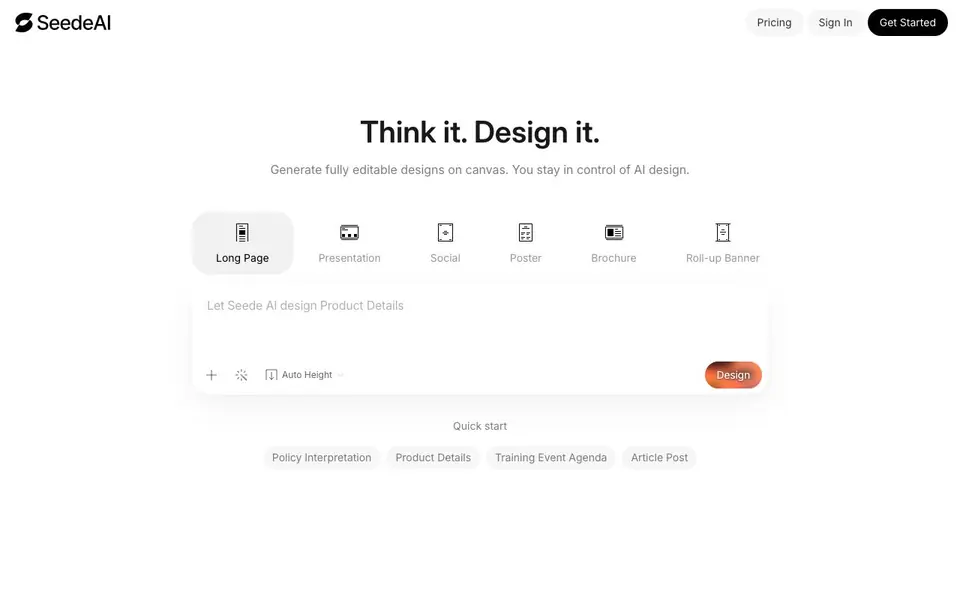
Seede AI turns your text into polished, fully editable designs on a canvas. You paste your content, and it generates layouts while preserving every word you wrote. This means you skip template hunting and start from a design that already fits your message.
Once generated, you can edit text directly inside the design. No need to switch between image editors or recreate graphics. You can also export high-quality images or PDFs, or share to social media in one click. Extra tools include background removal, AI upscaling up to 4x, and 15+ image styles to switch between.
Seede AI suits marketers, founders, content creators, and small teams who need consistent brand assets across platforms. The website shows many use cases like e-commerce, pitch decks, hiring posters, menus, and newsletters. It also supports multiple languages, suggesting a global audience. The site does not mention pricing details, so you would need to check their pricing page for costs.
Seede AI features
- Content-to-design: Paste your text and get a polished design that keeps every word intact.
- Direct text editing: Edit text right inside the design without complex image workflows.
- Multi-format export: Export high-quality images or PDFs, or share to social media instantly.
- Background removal: Accurately remove backgrounds from products, portraits, and complex scenes.
- AI upscaling: Restore details and boost resolution up to 4x for sharper images.
What you can do with Seede AI
- Create social media posts with consistent brand style across platforms.
- Generate pitch decks and presentations from pasted content.
- Design hiring posters and recruitment materials quickly.
- Produce localized posters and product pages for international markets.
How to get started with Seede AI
- Paste your content into Seede AI.
- Let the AI generate a design on canvas.
- Edit text directly, then export or share your design.
Tips for better results with Seede AI
- Paste your full text into Seede AI first, then review the generated layout before editing, so you keep every word intact and avoid rework.
- Use Seede AI's direct text editing to refine wording inside the design, instead of exporting early and losing the editable canvas.
- Export from Seede AI as high-quality images or PDFs for print, and use one-click social sharing when you need quick posts.
- Try Seede AI's background removal and AI upscaling up to 4x on product images to sharpen details before finalizing your design.
- Switch between Seede AI's 15+ image styles to match your brand, but test a few on the same content to see which fits best.
Seede AI pricing
Seede AI’s homepage does not list prices. Check seede.ai for current plans.
What to check before you rely on Seede AI
- Check Seede AI's pricing page because the website does not state any plan costs, limits, or free tier details.
- Verify whether Seede AI's export formats cover your needs, since the site mentions images and PDFs but not vector or other file types.
- Confirm Seede AI's data privacy policy for your content, as the website does not specify how your pasted text or designs are stored or used.
Who Seede AI is for
Seede AI suits marketers, content creators, small business owners and product managers. If that is not you, the AI design tools below may fit better.
Similar tools compared with Seede AI
| Tool | What it is | Pricing |
|---|---|---|
| Seede AI | AI design generator for editable canvas designs | See website |
| Looka | AI logo maker and brand identity platform | Freemium |
| Uizard | AI-powered UI design and prototyping tool | Freemium |
| Clipdrop | AI photo editing and image generation suite | See website |
| Interior AI | AI interior design and virtual staging app | Freemium |
Seede AI FAQ
What can I create with Seede AI?
You can create posters, presentations, social media graphics, brochures, flyers, menus, pitch decks, newsletters, banners, and more. The website lists many templates like e-commerce, hiring, travel, and event promotion.
Is Seede AI free to use?
The website does not state pricing details. You would need to check their pricing page or sign up to see available plans and whether a free tier exists.
Who is Seede AI for?
It is designed for anyone who needs designs without hiring a designer. The website highlights marketers, founders, content creators, product managers, and social media leads as users.
Can I edit the designs after AI generates them?
Yes. Seede AI generates fully editable designs on canvas. You can edit text directly inside the design, which avoids cumbersome image editing workflows.
Does Seede AI require an account to use it?
The Seede AI website does not mention whether an account is required to use the tool. To find out, you would need to check the sign-up or login process on their site, as that information is not provided in the available details.
What file formats can Seede AI export designs in?
Seede AI can export designs as high-quality images or PDFs, and you can also share them directly to social media with one click. The website does not list specific image formats like PNG or JPEG, so you may need to check the export options within the tool for exact formats.
Can Seede AI be used on mobile devices?
The Seede AI website does not specify whether it has a mobile app or a mobile-friendly web version. It is described as a cloud-based AI designer, which suggests it may work in a browser, but you would need to check the site or contact support for confirmation about mobile device compatibility.


