

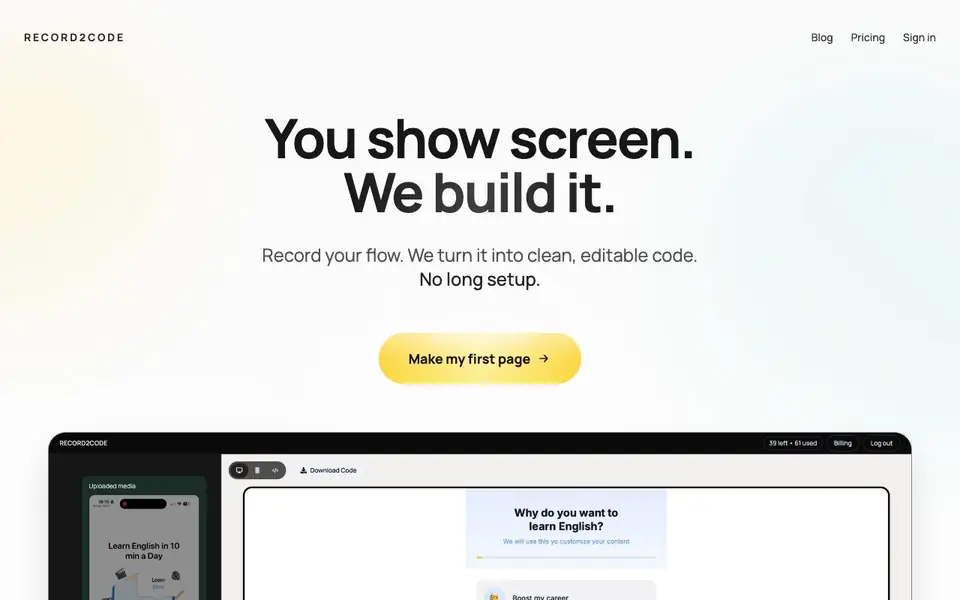
What is Record2Code?
Record2Code is a tool that turns screen recordings into clean, editable code. You record the page or flow you want, and the AI analyzes every frame to map layout, color, and typography. The result is production-ready code you can edit and ship.
To use it, you start by recording your screen to capture your vision in motion. The AI then reads the video, mapping the design details with precision. Finally, you receive clean, editable code that is ready to use.
It suits developers and designers who want to replicate an existing design quickly. The site highlights that it can copy a design exactly from a video, unlike some tools that create functional but visually different sites. It also mentions converting app onboarding flows into web experiences without extra development work.
Record2Code features
- Exact design replication: Copies the original design from your video with pixel-perfect accuracy.
- Video-only input: Works from just a screen recording, no long setup or manual coding required.
- Layout mapping: Analyzes every frame to map layout, color, and typography precisely.
- Editable output: Provides clean, production-ready code that you can modify and ship.
- Web2App conversion: Turns existing app onboarding flows into mobile-friendly web experiences.
What you can do with Record2Code
- Replicate a website design exactly from a video recording.
- Convert your app onboarding flow into a web app without extra development.
- Turn a recorded prototype into clean, editable code for shipping.
- Show a page or flow in motion and get production-ready components back.
How to get started with Record2Code
- Record your screen showing the page or flow you want to build.
- Upload the video to Record2Code and let the AI analyze the frames.
- Receive clean, editable code that is ready to ship.
Tips for better results with Record2Code
- Record a clean, stable screen capture with consistent lighting and no cursor movement to help Record2Code map layout and colors accurately.
- Pause briefly on each section of the page or flow so Record2Code can analyze every frame and capture typography and spacing details.
- Use Record2Code on a simple, single-page design first to verify the output matches your expectations before attempting complex multi-screen flows.
- Review the generated code in your editor immediately after export, and adjust class names or variables to match your existing project structure.
Record2Code pricing
Record2Code’s homepage does not list prices. Check record2code.com for current plans.
What to check before you rely on Record2Code
- Check whether Record2Code offers a free trial or requires a paid plan, since the pricing page is not detailed on the website.
- Verify what export formats and frameworks the generated code supports, as the site does not list specific languages or libraries.
- Confirm how Record2Code handles data privacy for your screen recordings, since the site does not state retention or deletion policies.
Who Record2Code is for
Record2Code suits developers, designers, product teams and no-code builders. If that is not you, the AI app builders below may fit better.
Similar tools compared with Record2Code
| Tool | What it is | Pricing |
|---|---|---|
| Record2Code | Turns screen recordings into editable code | See website |
| SiGameGen | AI game builder from one sentence | Freemium |
| Durable | AI business builder and website maker | Freemium |
| Lovable | AI app and website builder | Freemium |
| Replit | AI app and website builder | Freemium |
Record2Code FAQ
How does Record2Code work?
You record your screen showing the page or flow you want. The AI reads the video, analyzing every frame to map layout, color, and typography. Then you get clean, editable code ready to ship.
Can it copy a design exactly?
Yes. The site says it can replicate a design exactly from a video recording, with pixel-perfect accuracy. It contrasts this with tools that create functional but visually different sites.
Who is Record2Code for?
It suits developers, designers, and product teams who want to turn a recorded flow or existing app design into code quickly. It also helps convert app onboarding into web experiences.
What does pricing look like?
The website does not state specific pricing details on the main page. You would need to check the Pricing page or contact the team via the email listed on the site.
What can Record2Code export or connect to?
Record2Code's website does not mention specific export formats or integrations with other tools. It focuses on delivering clean, editable code from your screen recording. For details on export options or connections, check the site's blog or contact the team at the provided email.
Does Record2Code require an account to use?
The Record2Code website does not state whether an account is required. You can start by recording your screen and following the three steps, but the site doesn't clarify if you need to sign up. For confirmation, check the pricing page or reach out via the contact email.
What devices or platforms does Record2Code run on?
Record2Code's website does not specify which devices or operating systems it supports. It works from a screen recording, so you likely need a device that can record your screen, but the site doesn't list compatible platforms. Check the blog or contact support for more information.


