

What is ReadDocs?
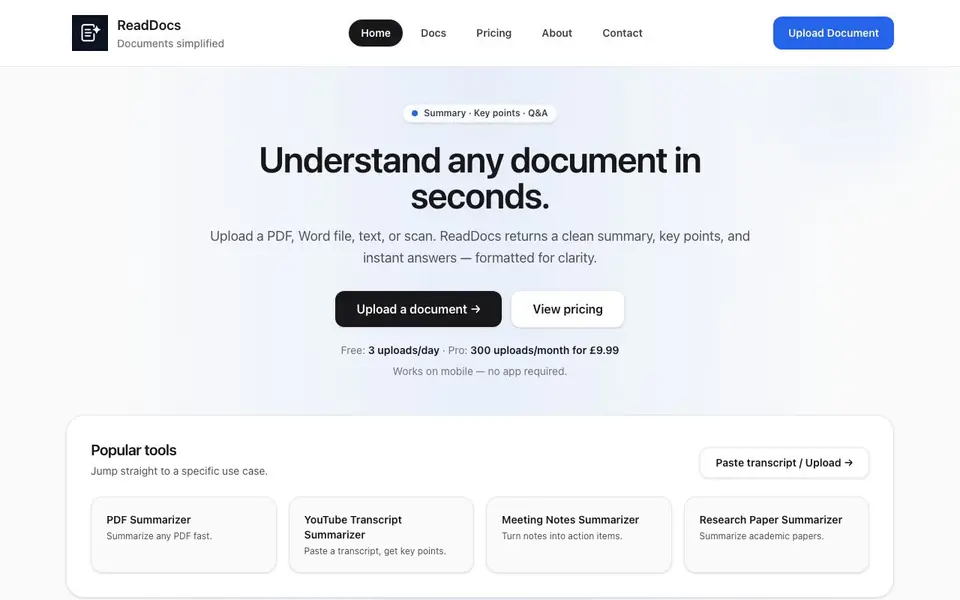
ReadDocs is a web-based AI tool that turns long documents into clear, readable summaries. You upload a PDF, Word file, text file, or even a photo or scan, and it returns a concise overview, bullet-point key points, and direct answers to your questions. It works on mobile without needing an app.
To use it, you upload your file or paste a transcript. The AI analyzes the text and produces three outputs: a clean summary you can read in under a minute, copy-ready key points, and an instant Q&A where you ask and get answers straight from the content. OCR is built in, so text from scans or photos is extracted automatically.
ReadDocs suits students, analysts, and professionals dealing with contracts, reports, briefs, or study notes. The free plan allows 3 uploads per day. A Pro plan costs £9.99 per month for 300 uploads. The website notes that output may be inaccurate or incomplete and should not be relied on as professional advice.
ReadDocs features
- Clean summary: Get a clear overview of any document that you can read in under a minute.
- Key points: Receive copy-ready bullets that highlight the most important details from your file.
- Instant Q&A: Ask a question about the document and get a direct answer from the text.
- OCR support: Upload scans or photos, and text is extracted automatically for summarization.
- No setup required: Upload a file and get clarity instantly without any configuration or signup.
What you can do with ReadDocs
- Summarize a 34-page PDF into action points for a project review.
- Extract key terms and risks from a supplier agreement before signing.
- Turn meeting notes into a list of action items for your team.
- Create revision notes from lecture notes with definitions and pitfalls.
How to get started with ReadDocs
- Go to the ReadDocs website and click 'Upload Document'.
- Choose a PDF, Word file, text file, or photo, or paste a transcript.
- Review the summary, key points, and Q&A that appear in seconds.
Tips for better results with ReadDocs
- Upload clean scans or photos so ReadDocs OCR extracts text accurately, and check the summary against the original for missed sections or errors.
- Ask ReadDocs specific questions in the Q&A box to pull exact details from your document, rather than relying only on the general summary.
- Use ReadDocs on your free plan for up to three uploads daily, and save your Pro plan for heavy days when you need to process many files.
- Paste a transcript directly into ReadDocs if you have one, since it skips file upload and gives you the same summary, key points, and Q&A outputs.
ReadDocs pricing
ReadDocs has a free way to start, with paid plans for heavier use. Check readdocs.co.uk for current limits and prices.
What to check before you rely on ReadDocs
- Check your daily upload limit on the free plan, since ReadDocs allows only three uploads per day, and the website does not state if limits reset at midnight.
- Verify the accuracy of ReadDocs output against the original document, as the website notes results may be inaccurate or incomplete and should not be relied on professionally.
- Confirm whether your file types are supported, since ReadDocs lists PDF, Word, text, and scans, but the website does not specify maximum file size or page count.
Who ReadDocs is for
ReadDocs suits students, analysts, professionals and operations managers. If that is not you, the AI research tools below may fit better.
Similar tools compared with ReadDocs
| Tool | What it is | Pricing |
|---|---|---|
| ReadDocs | AI document summarizer for PDFs, DOCX, and images | Freemium |
| OpenSI | AI model comparison and pricing tool | See website |
| ChatPDF | AI chat and summarizer for PDFs | Freemium |
| Consensus | AI search engine for research papers | See website |
| Scite | AI research assistant with smart citations | Free trial |
ReadDocs FAQ
How does ReadDocs work?
You upload a PDF, Word document, or image. ReadDocs uses AI to analyze the text and generate a clean summary, key points, and answers to your questions in seconds. It works on mobile without needing an app.
Is ReadDocs free?
Yes, you can use ReadDocs for free with a daily upload limit of 3 uploads per day. For higher limits and advanced features, a Pro plan is available at £9.99 per month for 300 uploads.
Is my data safe?
Your documents are processed securely and are not used to train public AI models. The website emphasizes user privacy and data security, though it does not detail specific encryption or storage practices.
What file types does ReadDocs support?
It supports PDF, DOCX, TXT, and photos via OCR. You can also paste a transcript directly. This covers most common document formats for summaries and Q&A.
Can ReadDocs export summaries to Word or PDF?
The ReadDocs website does not mention any export options for summaries, key points, or Q&A answers. You can copy the text directly from the output and paste it into your own document. For details on any export features, check the ReadDocs pricing or contact page.
Does ReadDocs work on iPhone and Android without an app?
Yes, ReadDocs works on mobile through a web browser, and no app is required. You can upload files or paste transcripts directly from your phone or tablet. The website states it works on mobile without needing an app, so you can use it on both iPhone and Android devices.
What does the free plan of ReadDocs include besides 3 uploads per day?
The free plan of ReadDocs includes 3 uploads per day, with access to all core features: clean summary, key points, instant Q&A, and OCR support. There is no signup required for the free plan. The website does not mention any other limitations, such as file size or length, so check the pricing page for full details.


