

What is RapidNative?
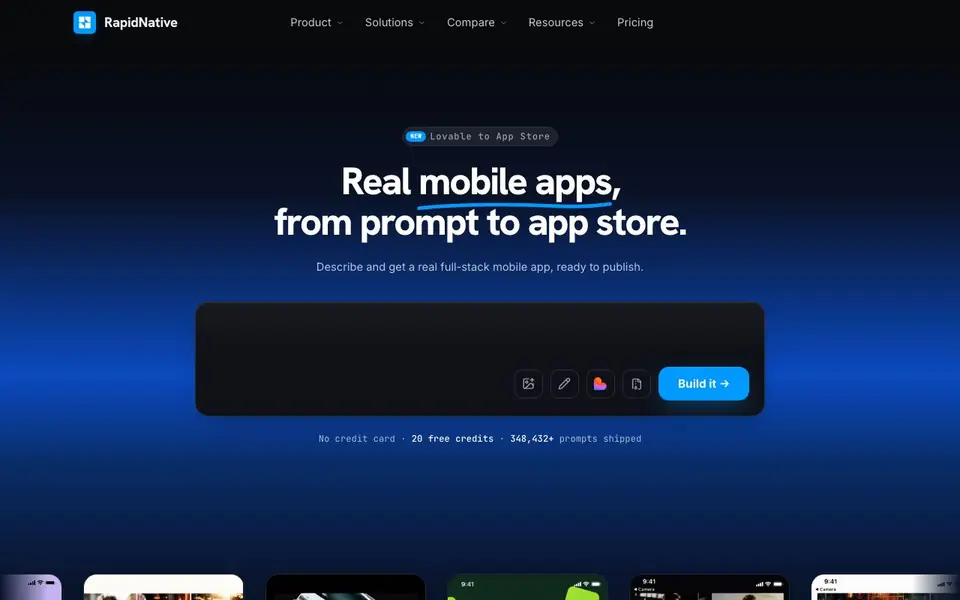
RapidNative is a mobile app builder that turns your ideas into real, full-stack React Native apps. You start with a text prompt, sketch, document, or screenshot, and it generates actual screens with working code. Every project includes authentication, file storage, realtime updates, and a Postgres database from day one, so you don't need to wire up backend plumbing yourself.
You can edit any screen by pointing at it and describing the change, just like working with a design tool. Test your app live on your phone by scanning a QR code, and add native features like camera, location, push notifications, and biometrics by asking for them. Teams can collaborate in one workspace with live synced edits.
When you're ready, RapidNative handles the hard part of shipping: it converts your project into a production app, creates store listings, handles compliance, and submits to both the App Store and Google Play. You pay the balance only when your app is live. If a store rejects it, they fix and resubmit for free until it's approved. You can also import existing web apps from tools like Lovable, Bolt, or Emergent and convert them to native mobile apps.
RapidNative features
- Prompt to app: Describe your idea in plain English and get a full React Native app with real code.
- Full-stack backend: Authentication, file storage, and realtime updates are included in every project.
- Real database: A Postgres database you can query, migrate, and secure, or point to your own Supabase.
- Live device testing: Scan a QR code to preview your app on iPhone or Android without Xcode or Android Studio.
- Store submission: RapidNative creates store listings, handles compliance, and submits to both app stores for you.
What you can do with RapidNative
- Turn a text prompt into a working mobile app in minutes.
- Convert a Lovable web app into a native React Native app for the App Store.
- Collaborate with your team to build and edit app screens in real time.
- Add native device features like camera, push notifications, and biometrics to your app.
How to get started with RapidNative
- Describe your app idea in plain English, or upload a sketch, document, or screenshot.
- Review the generated React Native screens and edit them by pointing and describing changes.
- Test on your phone with a QR code, then submit to the App Store and Google Play when ready.
Tips for better results with RapidNative
- Start with a detailed text prompt or sketch so RapidNative generates screens closer to your vision, reducing back-and-forth edits later.
- Use the point-and-describe editing to refine specific screens in RapidNative, and test on your phone via QR code before building more features.
- Import an existing Lovable or Bolt web app into RapidNative as a.zip to save time, then convert it to a native React Native app.
- Ask RapidNative to add native features like camera or push notifications early, so the backend and permissions are set up from the start.
RapidNative pricing
RapidNative has a free way to start, with paid plans for heavier use. Check rapidnative.com for current limits and prices.
What to check before you rely on RapidNative
- Check the pricing page for what the 20 free credits cover and when you pay the balance, since the site says you pay only when the app is live.
- Verify whether your app's data and user information stay within RapidNative's Postgres or your own Supabase, as the site doesn't state data retention policies.
- Confirm which platforms your final app supports beyond iOS and Android, and whether store submission includes all regions, as the site doesn't specify geographic limits.
Who RapidNative is for
RapidNative suits app developers, product teams, startup founders and no-code builders. If that is not you, the AI app builders below may fit better.
Similar tools compared with RapidNative
| Tool | What it is | Pricing |
|---|---|---|
| RapidNative | AI-native mobile app builder | Freemium |
| SiGameGen | AI game builder from one sentence | Freemium |
| Durable | AI business builder and website maker | Freemium |
| Lovable | AI app and website builder | Freemium |
| Replit | AI app and website builder | Freemium |
RapidNative FAQ
What does RapidNative build?
It builds real, full-stack React Native mobile apps from your prompts, sketches, documents, or screenshots. You get actual code, a Postgres database, authentication, and file storage, not just a prototype.
Is there a free plan?
Yes, you get 20 free credits without needing a credit card. After that, you can see pricing on their website to choose a paid plan that fits your needs.
Can I publish my app to the App Store?
Yes, RapidNative handles the entire submission process, including app icons, screenshots, metadata, privacy policies, certificates, and compliance. You pay the balance only when your app is live on both stores.
Can I import an app built in another tool?
Yes, you can import projects from Lovable, Bolt, Emergent, Rork, and others. Upload your export as a.zip, and RapidNative converts it into a production-ready React Native app.
Does RapidNative let me export the code or connect to my own backend?
RapidNative generates real React Native code, but the website doesn't mention exporting the code directly. It does let you point your Postgres database to your own Supabase from Project Settings. For other export or backend connection options, check the docs or contact support.
What platforms or devices can I test RapidNative apps on?
You can test your RapidNative app live on your phone by scanning a QR code, and it works on both iPhone and Android without needing Xcode or Android Studio. The website doesn't specify if there's a desktop simulator or web preview, so check the docs for more details.
What does the free plan in RapidNative include?
RapidNative offers 20 free credits with no credit card required, which you can use to build and test apps. The website doesn't detail what else the free plan includes, like storage limits or team features. For full plan specifics, visit the pricing page.


