

What is Paperguide?
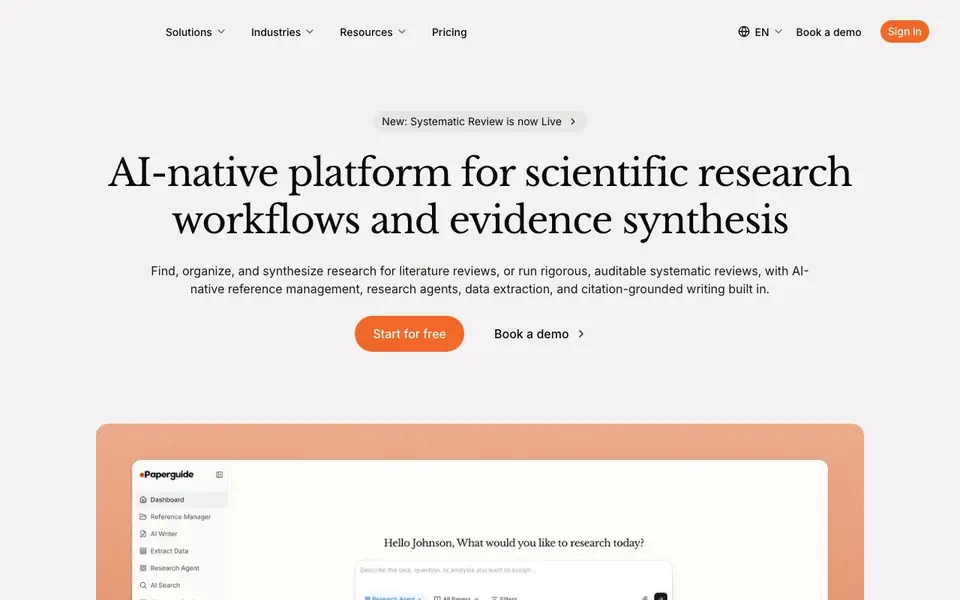
Paperguide is an AI-native platform built for scientific research workflows. It helps you find, organize, and synthesize research for literature reviews, and run rigorous systematic reviews. The platform includes reference management, research agents, data extraction, and citation-grounded writing, all in one workspace.
You start by asking a research question in plain language. AI Search returns a synthesized answer from over 200 million papers, with every claim linked to its source. You can import papers from Zotero or Mendeley, or add them by DOI. Your library feeds into search, review, extraction, and writing.
The Research Agent compares studies and maps a field. Extract Data pulls details from many papers into a structured, cited table. For systematic reviews, you get PRISMA reporting, dual review with conflict resolution, and evidence attached to every screening decision. AI never decides; it prepares cited evidence for human reviewers.
Paperguide features
- AI Search: Ask a research question and get a synthesized answer from 200M+ papers, with every claim linked to its source.
- Reference Manager: Import from Zotero or Mendeley, add by DOI, and fetch metadata and open-access PDFs automatically.
- Research Agent: Explore topics, chat with papers, and generate literature reviews of up to 50 papers, cited throughout.
- Extract Data: Define your own columns and AI fills them across papers, with every value linked to its source statement.
- Systematic Review: Run auditable reviews with PRISMA reporting, dual review, and evidence for every screening criterion.
What you can do with Paperguide
- Run a systematic review with PRISMA reporting and dual reviewer screening.
- Generate a citation-grounded literature review from your collected papers.
- Extract study details and outcomes into a structured table for comparison.
- Chat with a single paper or several at once to understand methods and results.
How to get started with Paperguide
- Start for free on the Paperguide website.
- Import your papers from Zotero, Mendeley, or by DOI.
- Ask a research question or set up a systematic review protocol.
Tips for better results with Paperguide
- Start with a clear, specific research question in plain language to get the most relevant synthesized answers from Paperguide's AI Search across its 200M+ paper database.
- Import your existing Zotero or Mendeley library into Paperguide before searching, so your saved papers feed directly into review, extraction, and writing workflows.
- Use Extract Data with your own column definitions to pull study details into a structured table, and verify each cited value before relying on it in your synthesis.
- For systematic reviews, set up dual review with conflict resolution in Paperguide, and let the AI prepare cited evidence for each screening criterion before your reviewers start.
Paperguide pricing
Paperguide has a free way to start, with paid plans for heavier use. Check paperguide.ai for current limits and prices.
What to check before you rely on Paperguide
- Check whether the free plan includes systematic review features or if they require a paid tier, as the website does not state specific plan limits.
- Verify that Paperguide supports the export format you need for your final report, since the website does not list available export options.
- Confirm your institution's data privacy policies allow uploading papers to Paperguide, as the website does not detail data storage or retention practices.
Who Paperguide is for
Paperguide suits researchers, academics, students and review teams. If that is not you, the AI research tools below may fit better.
Similar tools compared with Paperguide
| Tool | What it is | Pricing |
|---|---|---|
| Paperguide | AI platform for research and reviews | Freemium |
| OpenSI | AI model comparison and pricing tool | See website |
| ChatPDF | AI chat and summarizer for PDFs | Freemium |
| Consensus | AI search engine for research papers | See website |
| Scite | AI research assistant with smart citations | Free trial |
Paperguide FAQ
What does Paperguide do?
Paperguide helps you find, organize, and synthesize research papers. It includes AI Search, a reference manager, a research agent, data extraction, and tools for systematic reviews with PRISMA reporting.
Is Paperguide free?
The website says you can start for free, and it is trusted by over 1 million researchers. Pricing details are not fully stated on the homepage, so check the Pricing page for plan options.
Who is Paperguide for?
It is built for researchers, academics, and teams at institutions. It suits anyone doing literature reviews, systematic reviews, or managing large paper collections for research.
Can I import my existing papers?
Yes. You can import from Zotero or Mendeley, or add papers by DOI. Paperguide fetches metadata and open-access PDFs for you automatically.
Can Paperguide export my references or citations to other tools?
The Paperguide website does not mention specific export options for references or citations. You can check inside the app after signing up, or contact their support team for details on exporting your library to other reference managers or formats.
Does Paperguide run on Windows, Mac, or as a web app?
Paperguide is a web-based platform, so you can access it from any device with a browser, including Windows, Mac, and Linux computers. The website does not mention dedicated desktop or mobile apps, but the web app should work on most modern browsers.
What does the free plan of Paperguide include?
The Paperguide website labels the product as freemium and offers a 'Start for free' option, but it does not list the specific limits of the free plan. To see what features and usage limits apply, you can sign up for a free account or check the pricing page for more details.


