

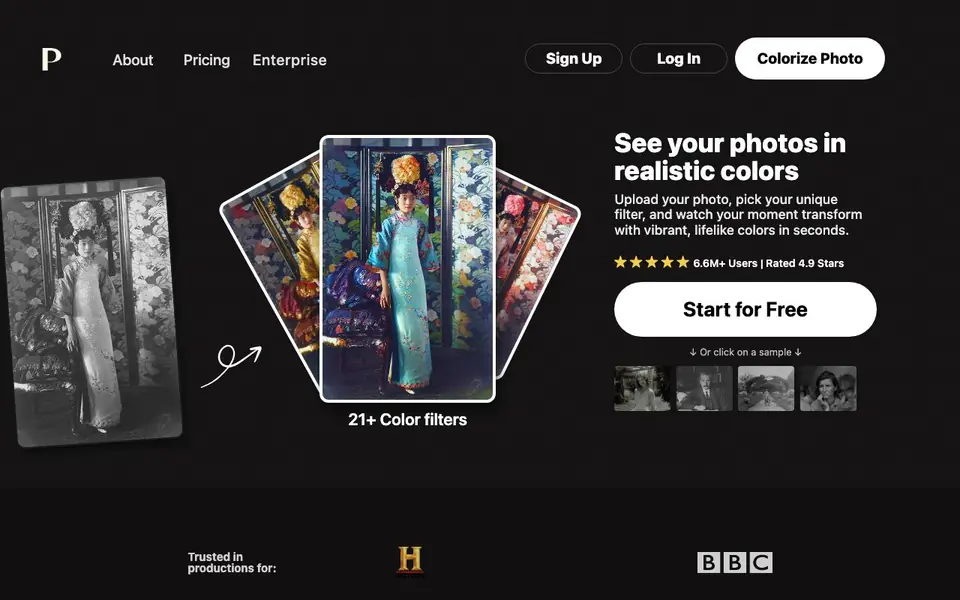
What is Palette App?
Palette App is an AI tool that adds realistic colors to black and white photos. It offers over 21 color filters, so you can choose the look you want. The tool is designed to catch small details like hands and lips, giving your photos a natural, lively feel.
To use it, you upload your photo, pick a filter, and then download the result. You can also customize colors further by adjusting keywords. The tool supports uploading multiple images at once, and you can preview colors unlimited times before committing.
Palette App is trusted by over 6.6 million users and is praised by experts like Kevin Kelly and PiXimperfect. It offers a free trial credit, so you can test it without signing up. Paid plans include subscriptions and one-time payments, with options for watermark-free, full-resolution downloads.
Palette App features
- 21+ color filters: Choose from a variety of filters to get the exact look you want.
- Realistic colors: AI adds lifelike tones, catching details like skin and lips.
- Unlimited previews: Try different filters on your photo without using credits.
- Batch upload: Upload multiple photos at once to colorize them together.
- Customizable colors: Adjust colors by tweaking keywords after applying a filter.
What you can do with Palette App
- Restore old family photos by adding realistic colors.
- Colorize historical images for presentations or projects.
- Enhance black and white portraits with natural skin tones.
- Give vintage fashion photos a fresh, colorful look.
How to get started with Palette App
- Upload your photo by clicking the upload button or dragging and dropping it.
- Pick a color filter from the options shown.
- Download the colorized photo or customize colors further with keywords.
Tips for better results with Palette App
- Start with Palette App's free trial credit to test a few filters on your own photos before committing to a paid plan.
- Use Palette App's batch upload feature to colorize multiple black and white photos at once, saving time on large projects.
- After applying a filter in Palette App, tweak the keywords to fine-tune colors on tricky areas like skin tones or clothing.
- Preview different Palette App filters unlimited times before downloading, so you can compare looks without using credits.
Palette App pricing
Palette App has a free way to start, with paid plans for heavier use. Check palette.fm for current limits and prices.
What to check before you rely on Palette App
- Check whether the free trial credit covers full-resolution downloads or only watermarked previews, as the website doesn't specify.
- Verify if Palette App's paid plans include one-time payment options for watermark-free downloads, since pricing details aren't listed.
- Confirm how Palette App handles your uploaded photos' privacy and data retention, as the website doesn't state its data policy.
Who Palette App is for
Palette App suits families, historians, photographers and content creators. If that is not you, the AI photo editors below may fit better.
Similar tools compared with Palette App
| Tool | What it is | Pricing |
|---|---|---|
| Palette App | AI photo colorizer with realistic filters | Freemium |
| SiPhotoEditor | AI photo editor by description | Paid |
| SiImageGen | AI image generator and photo editor | Freemium |
| Clipdrop | AI photo editing and image generation suite | See website |
| Photoroom | AI photo editor for e-commerce product visuals | Freemium |
Palette App FAQ
How accurate is the colorization?
Palette App is praised for its accuracy, with experts calling it 'remarkably accurate' and the 'world's best AI to color B&W photos'. It catches small details like hands and lips, giving natural results.
Is there a free plan?
Yes, you get one free trial credit when you sign up. This lets you colorize one photo without paying. You can also preview colors unlimited times for free, though previews have a watermark.
How do credits and payments work?
One photo equals one credit. You can buy credits with a subscription (like $72 per year for 480 credits) or a one-time payment (like $49 for 75 credits). The website details these options on its pricing page.
Can I use it for professional work?
Yes, Palette App is trusted in productions and offers pro features with paid plans, like watermark-free previews and faster processing. The website mentions enterprise options for larger teams.
What file formats can Palette App export or download?
Palette App lets you download your colorized photos, but the website does not specify which file formats are available for export. You can check the app's download options after you upload a photo, or contact support for details on supported formats.
Does Palette App work on mobile devices or only on desktop?
Palette App is a web-based tool, so you can use it in any browser on a computer, tablet, or phone. The website does not mention dedicated mobile apps, but the drag-and-drop upload works on touch screens as well.
Can I use Palette App without creating an account?
Yes, Palette App offers a free trial credit that you can use without signing up. After that, you will need to create an account to continue using the service, as paid plans require registration for managing credits and downloads.


