

What is Paintit.ai?
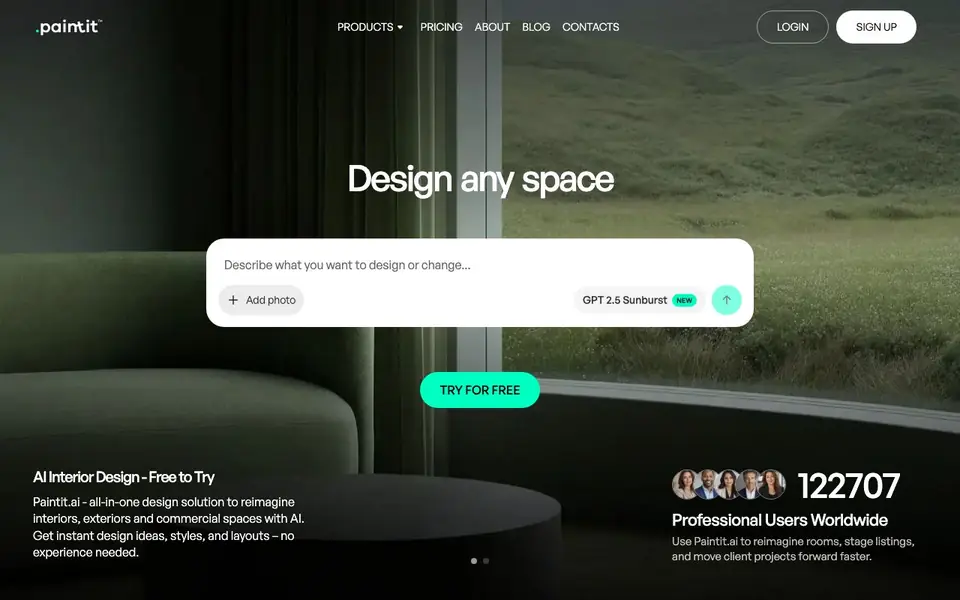
Paintit.ai is an all-in-one AI design tool for reimagining interiors, exteriors, and commercial spaces. You can start with a photo, a preset, or a text prompt, and the tool generates design ideas, styles, and layouts in minutes. It is built for professionals and homeowners who want to visualize rooms faster without complex software.
To get started, you describe what you want to design or change, add a photo, and choose a direction. The chat-first workflow lets you iterate with small edits instead of restarting. You can test paint colors, swap furniture, and stage listings, saving the versions you like. Video guides walk you through creating your first design, choosing AI models, and organizing your work.
Paintit.ai suits design professionals creating client-ready concepts, real estate agents staging listings, short-term rental hosts refreshing spaces, and DIY homeowners planning renovations. It also works for commercial spaces like cafes and offices, and for creators generating content-ready visuals. The website does not mention specific limits, but user reviews note that some renders may be slightly off and the next iteration usually fixes it.
Paintit.ai features
- Chat-first workflow: Start from a photo or text brief and iterate with small edits without restarting.
- Multiple AI models: Choose the right model for your design task, with options like GPT 2.5 Sunburst.
- Repaint Expert: Refine wall colors precisely to find the exact paint color you want.
- Pinterest board integration: Design directly from your Pinterest boards for inspiration.
- Design organization: Save, organize, and reuse your designs for different projects.
What you can do with Paintit.ai
- Upload a room photo and get instant redesign ideas in multiple styles.
- Stage a listing photo to show buyers the potential of a property.
- Test paint colors and furniture swaps before spending money on changes.
- Mock up design updates for a cafe or office to align stakeholders.
How to get started with Paintit.ai
- Sign up for a free account on Paintit.ai.
- Describe your design goal or upload a room photo.
- Choose a style or preset, then iterate on the results until you are happy.
Tips for better results with Paintit.ai
- Start with a clear photo and a specific prompt describing the change you want, then use Paintit.ai's chat to make small edits instead of regenerating from scratch.
- Choose the right AI model for your task, like GPT 2.5 Sunburst for detailed renders, and switch models if the output style doesn't match your vision.
- Use Repaint Expert in Paintit.ai to fine-tune wall colors precisely, and save multiple versions to compare before committing to a final design.
- Iterate on any slightly off render by sending a follow-up message in the chat, as the next iteration usually fixes the issue rather than starting over.
Paintit.ai pricing
Paintit.ai has a free way to start, with paid plans for heavier use. Check paintit.ai for current limits and prices.
What to check before you rely on Paintit.ai
- Check the freemium plan's limits on renders or features, as the website does not state specific usage caps or what the paid tier includes.
- Verify whether your uploaded photos are stored or used for training, since the website does not mention data privacy or retention policies.
- Confirm the export formats and resolution for final images, as the website does not list downloadable file types or quality options.
Who Paintit.ai is for
Paintit.ai suits design professionals, real estate agents, homeowners and short-term rental hosts. If that is not you, the AI design tools below may fit better.
Similar tools compared with Paintit.ai
| Tool | What it is | Pricing |
|---|---|---|
| Paintit.ai | AI interior and exterior design tool | Freemium |
| Looka | AI logo maker and brand identity platform | Freemium |
| Uizard | AI-powered UI design and prototyping tool | Freemium |
| Clipdrop | AI photo editing and image generation suite | See website |
| Interior AI | AI interior design and virtual staging app | Freemium |
Paintit.ai FAQ
Is Paintit.ai free to use?
Yes, Paintit.ai is free to try. The website says 'Try free AI interior design online' and 'Free to Try'. There are also paid plans, as indicated by a pricing page, but the free tier lets you start without paying.
Who is Paintit.ai for?
It is built for design professionals, real estate agents, short-term rental hosts, homeowners doing DIY projects, and creators or marketers. Anyone who wants to visualize rooms faster without complex software can use it.
How do I create a design with Paintit.ai?
You start by describing what you want to design or change, or by adding a photo. Then you pick a direction, iterate quickly, and save the version you like. Video guides on YouTube walk you through the process step by step.
Can I use Paintit.ai for commercial spaces?
Yes. The website lists commercial spaces as a use case, including cafes, restaurants, hotels, showrooms, and offices. You can mock up design updates for approvals and brand consistency.
Can Paintit.ai export my designs or connect to other apps?
The Paintit.ai website does not mention any export formats or integrations with other apps. It focuses on creating and saving designs within the tool. To see if exporting or connecting to your workflow is possible, check the in-app options or contact Paintit.ai support directly.
Does Paintit.ai work on my phone or tablet?
The Paintit.ai website does not specify which devices or platforms it supports. It is a web-based tool, so you can likely access it through a browser on most devices. For the best experience, check the site's system requirements or contact Paintit.ai support for details.
What does the free plan of Paintit.ai include?
The Paintit.ai website says you can try it for free and start with an image, preset, or prompt. It does not list specific limits of the free plan. To know exactly what you get for free, sign up and see what's available, or check the pricing page for more details.


