

What is neural.love?
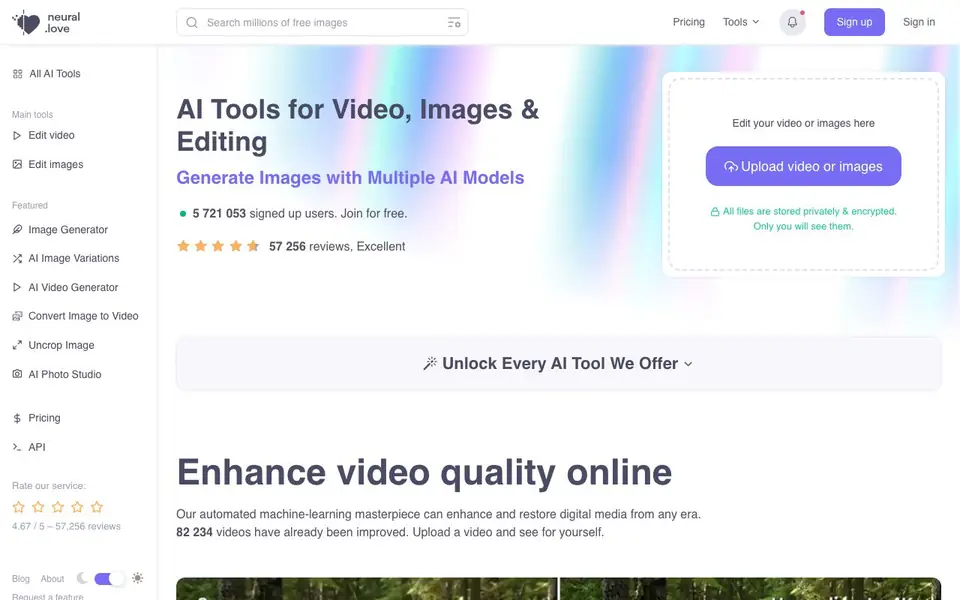
neural.love is a browser-based AI toolkit for working with images and video. You can enhance and restore old photos, upscale and smooth videos, generate new images from text prompts, and edit existing images by describing the change. The platform also offers tools like uncropping images, background removal, and turning static photos into animated MP4 videos.
To get started, you upload a video or image directly to the site. Files are stored privately and encrypted, so only you can see them. For image editing, you simply describe what you want changed—like moving the camera, replacing objects, or turning night into day—and the AI handles it instantly. For generation, you can pick a style and add a text prompt, or even restyle an existing image without text.
The service suits creators, marketers, and anyone who needs quick visual fixes without installing software. It reports over 5.7 million signed-up users and more than 57,000 reviews. There is a free tier, and paid plans unlock the full range of tools. The site also offers an API and an affiliate program.
neural.love features
- Video enhancement: Improve and restore video quality from any era automatically.
- Text-based image editing: Describe changes like object replacement or lighting shifts and the AI applies them.
- AI image generation: Create images from 2-3 word prompts using multiple AI models.
- Photo enhancement: Resize and improve web or printed images, from portraits to digital art.
- Image to video: Animate static photos into MP4 videos with AI technology.
What you can do with neural.love
- Restore old family photos and enhance their quality.
- Upscale low-resolution videos to higher quality.
- Generate unique artwork from simple text prompts.
- Create professional headshots for CVs or LinkedIn profiles.
How to get started with neural.love
- Sign up for a free account on neural.love.
- Upload an image or video, or choose a generation tool.
- Describe your edit or prompt, then generate and download the result.
Tips for better results with neural.love
- Start with the free tier to test neural.love on a low-resolution image or short video, then upgrade only if the output meets your quality expectations for the task.
- For image edits, write a specific prompt that names the object and the change, like 'replace the red car with a blue truck,' because neural.love responds better to clear instructions.
- Use neural.love's image-to-video tool on a high-contrast, well-lit photo, since animated results look sharper when the original has clear edges and minimal blur.
- When generating images, try a 2-3 word prompt first, then refine by adding a style name or a descriptive adjective, as neural.love's models favor concise inputs over long sentences.
neural.love pricing
neural.love has a free way to start, with paid plans for heavier use. Check neural.love for current limits and prices.
What to check before you rely on neural.love
- Confirm which tools the free tier actually includes, because the website lists features but does not state a per-tool credit limit or what the paid plans cost.
- Check the export formats for video and image outputs, as the site mentions MP4 for animations but does not list all file types for downloads.
- Verify how long uploaded files are stored and whether deletion is automatic, since the site says files are private and encrypted but does not state a retention period.
Who neural.love is for
neural.love suits creators, marketers, photographers and social media users. If that is not you, the AI photo editors below may fit better.
Similar tools compared with neural.love
| Tool | What it is | Pricing |
|---|---|---|
| neural.love | AI toolkit for images and video | Freemium |
| SiPhotoEditor | AI photo editor by description | Paid |
| SiImageGen | AI image generator and photo editor | Freemium |
| Clipdrop | AI photo editing and image generation suite | See website |
| Photoroom | AI photo editor for e-commerce product visuals | Freemium |
neural.love FAQ
Is neural.love free to use?
Yes, you can join for free and use some tools without charge. The site also offers paid plans that unlock every AI tool. Specific free limits are not detailed on the homepage.
What can I do with neural.love?
You can enhance and restore videos, upscale and edit images, generate new images from text, uncrop photos, remove backgrounds, and turn static images into videos. It is a broad AI toolkit for visual media.
Who is neural.love for?
It is designed for anyone who works with images or video, including creators, marketers, and photographers. The tools are browser-based, so you do not need to install software or have technical skills.
Are my uploaded files private?
Yes, the website states that all files are stored privately and encrypted, and only you can see them. This applies to uploaded videos and images used with the tools.
What file formats can neural.love export or download?
The neural.love website does not specify which file formats you can export or download. It mentions that image-to-video results are MP4, but for other tools, you would need to check the tool itself after processing. For exact details, look for export options in the interface or contact support.
Does neural.love have a mobile app or is it only browser-based?
The neural.love website does not mention a mobile app. The platform is described as browser-based, meaning you can access it through a web browser on your device. If you need to use it on a phone or tablet, you can try the website, but there is no dedicated app mentioned.
What does the free plan on neural.love include?
The neural.love website says you can join for free and that the free AI art generator is free to use. It also says paid plans unlock the full range of tools. The exact limits of the free plan are not listed on the site, so check the pricing page or your account for specifics.


