

What is MockAnything AI?
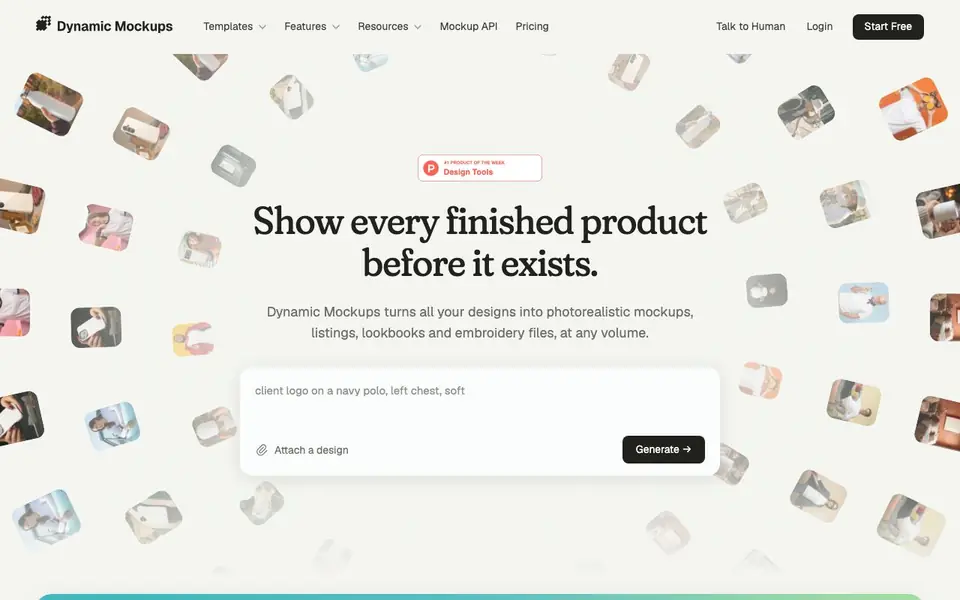
Dynamic Mockups is an AI-powered tool that creates realistic product mockups for e-commerce sellers, print shops, and promo teams. It takes your design files and places them on products like t-shirts, mugs, totes, and more, producing images that look like finished products. The platform also generates embroidery files, lookbooks, and social media layouts.
You start by describing the mockup you want and attaching a design (PNG, JPEG, WebP, or SVG, up to 10 MB). The tool then generates mockups for multiple products and colors at once, about one second each. Batch mode can create around 100 mockups in 100 seconds and push them directly to Etsy or Shopify. Layouts feature resizes mockups for different social channels, and Stitch AI plans embroidery stitches and outputs DST files.
This tool suits print-on-demand sellers who want to list entire catalogs quickly, print shops that need to quote jobs with visual proofs, and promo teams pitching products to clients. It integrates with Adobe Photoshop, Etsy, Shopify, WordPress, Zapier, Make, and AI assistants like Claude and Cursor. The website mentions a 4.9/5 average rating from 45,000+ accounts, but does not specify pricing details beyond a free start option.
MockAnything AI features
- MockAnything: Generates mockups for many products and colors from one prompt, about a second each.
- Batch mode: Creates around 100 mockups in 100 seconds and pushes them to Etsy or Shopify.
- Layouts: Resizes mockups into posts, stories, pins, and ads at exact channel sizes, with motion video option.
- Stitch AI: Plans embroidery stitches and outputs DST machine files and production sheets.
- Lookbooks: Puts client logos on products in one link or PDF, and notifies you when opened.
What you can do with MockAnything AI
- List your entire product catalog with realistic mockups in one run.
- Create social media posts and ads from your mockups in channel-specific sizes.
- Quote embroidery jobs with stitch counts and machine files before production.
- Send clients a lookbook with their logo on your products and track opens.
How to get started with MockAnything AI
- Describe the mockup you want and attach your design file.
- Generate mockups for multiple products and colors at once.
- Export to Etsy, Shopify, or download layouts for social channels.
Tips for better results with MockAnything AI
- Start with a clear, specific prompt describing the product, angle, and background you want, then attach a design file under 10 MB to get accurate mockups from MockAnything AI.
- Use batch mode to generate around 100 mockups in 100 seconds and push them directly to Etsy or Shopify, saving hours when listing your full catalog.
- Try Layouts to resize hundreds of mockups into exact social channel dimensions in one download, and enable Motion Mockups if you need video posts for ads or stories.
- For embroidery orders, use Stitch AI to get stitch counts, DST files, and production sheets before quoting a job, so you can say yes to every request with confidence.
- Connect MockAnything AI to your existing tools like Photoshop, Zapier, or Make to automate mockup generation and keep your store or client pitches in sync without manual work.
MockAnything AI pricing
MockAnything AI has a free way to start, with paid plans for heavier use. Check dynamicmockups.com for current limits and prices.
What to check before you rely on MockAnything AI
- Check whether the free plan includes batch mode and Etsy or Shopify pushes, since the website only says free start and does not list specific limits.
- Verify if your design files meet the 10 MB size limit and supported formats (PNG, JPEG, WebP, SVG) before relying on MockAnything AI for production work.
- Confirm data and privacy policies for your uploaded designs, as the website does not state how your files are stored or used beyond generating mockups.
Who MockAnything AI is for
MockAnything AI suits print-on-demand sellers, print shops, promo and merch teams and e-commerce store owners. If that is not you, the AI design tools below may fit better.
Similar tools compared with MockAnything AI
| Tool | What it is | Pricing |
|---|---|---|
| MockAnything AI | AI mockup generator for e-commerce | Freemium |
| Looka | AI logo maker and brand identity platform | Freemium |
| Uizard | AI-powered UI design and prototyping tool | Freemium |
| Clipdrop | AI photo editing and image generation suite | See website |
| Interior AI | AI interior design and virtual staging app | Freemium |
MockAnything AI FAQ
What file formats can I upload for my designs?
You can attach PNG, JPEG, WebP, or SVG files up to 10 MB each. The tool then places your design on various products and generates photorealistic mockups.
Can I use my own Photoshop templates?
Yes, Dynamic Mockups works with your own Adobe Photoshop templates. You can drop your designs onto them, and the tool generates mockups using those templates.
Does it integrate with my e-commerce store?
It has native integrations with Etsy and Shopify, pushing mockups directly into your listings. It also connects with WordPress, Zapier, Make, and AI assistants like Claude and Cursor via MCP.
Is there a free plan?
The website offers a 'Start Free' option, but it does not detail what the free plan includes or whether there are paid tiers. Check the pricing page on the site for specifics.
What devices or platforms can I run MockAnything AI on?
MockAnything AI runs in your web browser, so you can use it on any device with an internet connection, including Windows, Mac, Linux, tablets, and phones. The website does not mention dedicated mobile apps or offline use. Check the site's system requirements for the latest supported browsers.
Does MockAnything AI offer a free plan, and what does it include?
MockAnything AI has a free start option, but the website does not specify what the free plan includes, such as the number of mockups or access to features like Batch or Stitch AI. For exact details on the free tier, visit the pricing page on the official site.
Can MockAnything AI export files for use in other software like Adobe Illustrator or CorelDRAW?
MockAnything AI exports DST files for embroidery and generates mockups as images, but the website does not mention exporting to vector formats like AI or CDR. For a full list of export options, check the tool's documentation or contact support.


