

What is MiriCanvas?
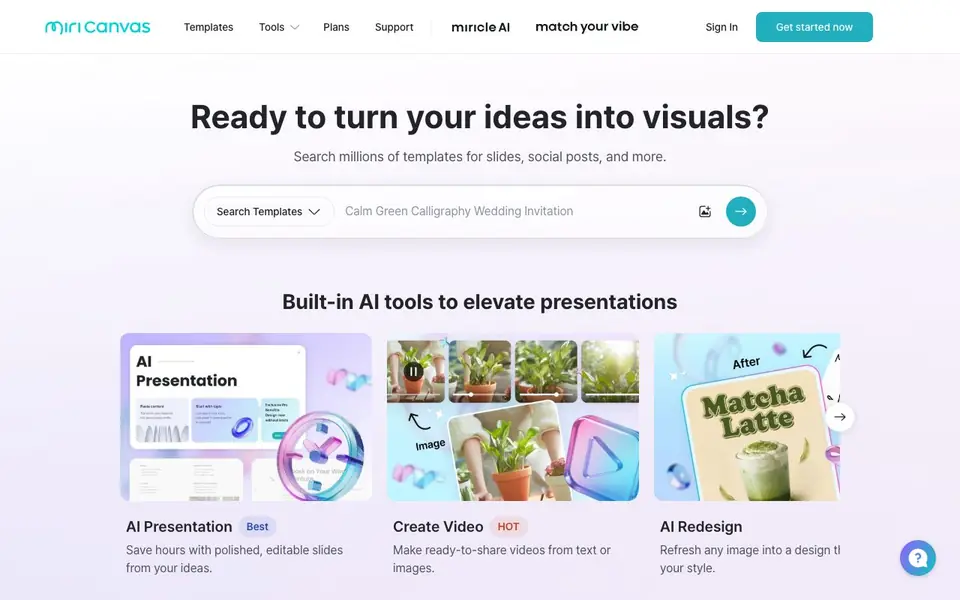
MiriCanvas is an online design platform that combines a large template library with built-in AI tools. You can search over 800,000 templates for slides, social media posts, posters, and more. The platform also offers AI features like presentation generation, image creation, background removal, and video making.
To get started, you sign in and pick a template or use an AI tool. For presentations, you enter a topic and the AI drafts slides for you. For images, you can remove backgrounds in one click, generate visuals from text prompts, or upscale existing photos. Everything is editable, so you can customize colors, text, and elements to fit your style.
MiriCanvas works on desktops, tablets, and mobile devices, so you can design anywhere. It suits individuals and businesses looking for quick, professional-looking visuals without starting from scratch. The site mentions over 2 million monthly active users and 600 million designs downloaded, but does not specify pricing details on its homepage.
MiriCanvas features
- AI Presentation: Generate a full presentation draft by simply entering your topic.
- AI Image Generator: Create visuals from a single text prompt without design skills.
- Background Remover: Remove any image background in one click for transparent designs.
- AI Object Remover: Clean up unwanted objects from your photos easily.
- Animation Effects: Add animated effects to text and elements with one click.
What you can do with MiriCanvas
- Create a polished presentation deck from a topic in minutes.
- Design eye-catching YouTube thumbnails to boost your channel.
- Make social media posts that fit your business branding.
- Produce product photos with professional-quality visuals.
How to get started with MiriCanvas
- Sign in or click 'Get started now' on the MiriCanvas website.
- Choose a template or select an AI tool like AI Presentation or Background Remover.
- Customize your design and download or share it directly.
Tips for better results with MiriCanvas
- Start with the AI Presentation tool by entering a detailed topic, then edit the generated slides to add your own examples and data for a more tailored deck.
- Use the Background Remover on product photos first, then place the cutout on a branded template from MiriCanvas to create consistent social media posts quickly.
- Combine the AI Image Generator with the Animation Effects feature: generate a visual, add one-click motion, and export it for engaging video content without extra software.
- Search the 800,000-plus template library before using AI tools, then apply AI Redesign to refresh a chosen template so your final design matches your brand style.
- Test MiriCanvas on your tablet or mobile device when editing templates, since the platform works across devices, and adjust layouts to ensure they look right on smaller screens.
MiriCanvas pricing
MiriCanvas has a free way to start, with paid plans for heavier use. Check miricanvas.com for current limits and prices.
What to check before you rely on MiriCanvas
- Check the Plans page for pricing details, since the homepage labels MiriCanvas as freemium but does not list specific limits or costs for free versus paid tiers.
- Verify what export formats are available for your designs, such as PNG, JPG, or PDF, because the website does not state these options clearly.
- Review the privacy policy to understand how your uploaded images and generated content are stored or used, as the homepage does not mention data handling practices.
Who MiriCanvas is for
MiriCanvas suits marketers, small business owners, content creators and students. If that is not you, the AI design tools below may fit better.
Similar tools compared with MiriCanvas
| Tool | What it is | Pricing |
|---|---|---|
| MiriCanvas | Online design tool with AI templates | Freemium |
| Looka | AI logo maker and brand identity platform | Freemium |
| Uizard | AI-powered UI design and prototyping tool | Freemium |
| Clipdrop | AI photo editing and image generation suite | See website |
| Interior AI | AI interior design and virtual staging app | Freemium |
MiriCanvas FAQ
What can I create with MiriCanvas?
You can create presentations, social media posts, posters, YouTube thumbnails, resumes, invoices, business cards, and more. The platform offers templates for many formats and includes AI tools for generating images and videos.
Is MiriCanvas free to use?
The website does not state specific pricing details on its homepage. It mentions a free design tool, but you should check the Plans section on their site for exact free and paid options.
How does the AI presentation tool work?
You enter a topic, and the AI generates a presentation draft for you. The slides are editable, so you can adjust the content and design to match your needs before presenting.
Can I use MiriCanvas on my phone?
Yes, MiriCanvas works on desktops, tablets, and mobile devices. You can access your designs and continue working whether you are at home, in the office, or on the go.
What can I export from MiriCanvas, and to which platforms can I connect?
The MiriCanvas website does not list specific export formats or direct integrations with platforms like Canva, Figma, or social media schedulers. You can download your finished designs as files, but for exact formats and any connection options, check the Plans or Support pages on miricanvas.com.
What does the free plan of MiriCanvas include?
The MiriCanvas homepage does not detail what the free plan includes, such as the number of templates, AI credits, or download limits. It only mentions that the tool is freemium. To see the exact free features, visit the Plans page on miricanvas.com and compare the options.
Does MiriCanvas work on Windows, Mac, and Linux?
MiriCanvas works on desktops, tablets, and mobile devices, as stated on its website. This means you can use it on Windows, Mac, and Linux through a web browser, as well as on iOS and Android tablets and phones. No specific operating system restrictions are mentioned.


