

What is Magic Eraser by Magic Studio?
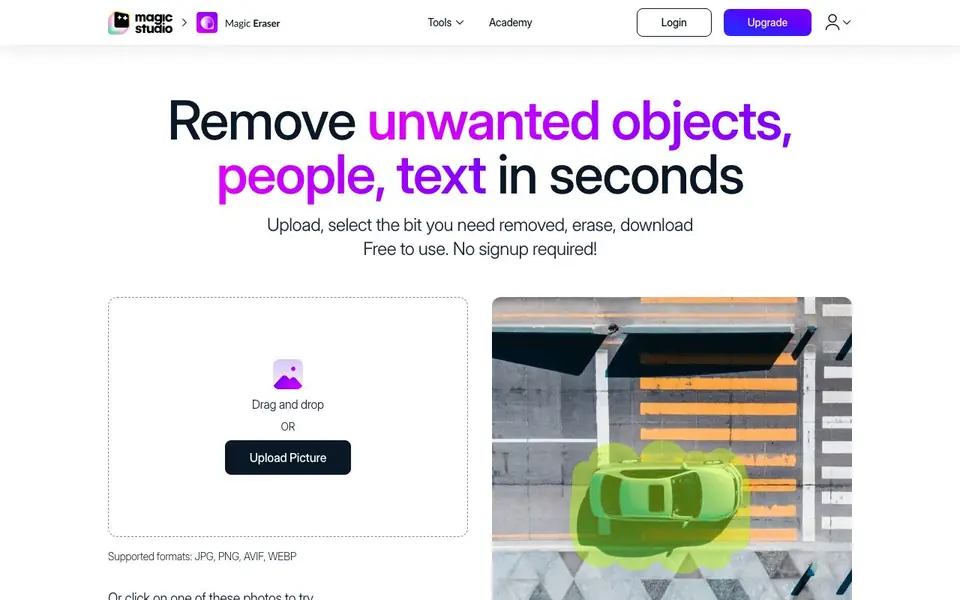
Magic Eraser by Magic Studio is a free online tool that cleans up your photos by removing unwanted elements. You upload an image, brush over the object, person, or text you want gone, and the AI fills in the space naturally. It works with JPG, PNG, AVIF, and WEBP files, and there is no resolution limit on uploads.
To use it, you drag and drop your image or click to upload. Then you select the area with a brush, adjusting size and zoom for precision. Hit erase, and the AI removes the selection. If the result is not perfect, you can erase again or undo and reselect. Finally, download the edited image in your preferred format.
It suits anyone from casual users to professionals. Real estate agents clean up property photos, photographers remove distractions, and e-commerce sellers tidy product shots. You can even edit up to 50 pictures at once with the bulk edit feature. The site says it is free to use with no signup required.
Magic Eraser by Magic Studio features
- Brush selection: Paint over the object you want removed, with adjustable brush size and zoom.
- AI filling: The AI fills the erased area with realistic background content automatically.
- Bulk editing: Edit up to 50 images at once to remove unwanted things from multiple pictures.
- Multiple formats: Supports JPG, PNG, AVIF, and WEBP uploads, with downloads in various formats.
- No signup needed: Start editing immediately without creating an account or paying anything.
What you can do with Magic Eraser by Magic Studio
- Clean up property photos by removing people, furniture, or trash cans.
- Remove photobombers or unwanted objects from your personal pictures.
- Tidy product images for e-commerce listings by erasing backgrounds or props.
- Edit social media photos to delete text, blemishes, or distracting elements.
How to get started with Magic Eraser by Magic Studio
- Upload your image by dragging and dropping or clicking to select a file.
- Use the brush to select the area you want removed, adjusting size and zoom as needed.
- Click erase, review the result, and download your edited image.
Tips for better results with Magic Eraser by Magic Studio
- Cover both the object and its shadow with your brush stroke in Magic Eraser before erasing, so the AI removes the whole trace cleanly.
- If the filled area looks wrong, don't undo the step. Select just the unwanted part and erase again, letting Magic Eraser refine the result.
- Erase multiple objects one at a time, not all at once. This gives Magic Eraser clearer context and produces cleaner fills.
- For long or thin objects like cables or poles, erase in short sections across multiple steps. This helps Magic Eraser handle each part accurately.
Magic Eraser by Magic Studio pricing
Magic Eraser by Magic Studio is free to use according to its website.
What to check before you rely on Magic Eraser by Magic Studio
- Check the website's pricing page or FAQ for any hidden limits on free use, since the homepage only says free and no signup required.
- Verify whether your original image resolution is preserved in the downloaded file, as the site does not state export resolution details.
- Confirm the privacy policy for how your uploaded photos are stored or used, since the site does not mention data handling explicitly.
Who Magic Eraser by Magic Studio is for
Magic Eraser by Magic Studio suits real estate agents, photographers, e-commerce sellers and social media users. If that is not you, the AI photo editors below may fit better.
Similar tools compared with Magic Eraser by Magic Studio
| Tool | What it is | Pricing |
|---|---|---|
| Magic Eraser by Magic Studio | AI photo object remover | Free |
| SiPhotoEditor | AI photo editor by description | Paid |
| SiImageGen | AI image generator and photo editor | Freemium |
| Clipdrop | AI photo editing and image generation suite | See website |
| Photoroom | AI photo editor for e-commerce product visuals | Freemium |
Magic Eraser by Magic Studio FAQ
Is Magic Eraser really free?
Yes, the website states it is free to use with no signup required. You can upload and edit images without paying or creating an account.
What image formats does Magic Eraser support?
It supports JPG, PNG, AVIF, and WEBP for uploads. Downloads are available in formats like JPG, JPEG, PNG, HEIC, WEBP, or others as needed.
Can I remove multiple objects from one photo?
Yes, but the site recommends erasing one thing at a time in multiple steps for best results. You can also erase again if the first attempt fills with something you don't want.
Is there a limit on image resolution?
The website says there is no resolution limit on uploaded images. You can edit high-resolution photos without restrictions.
Does Magic Eraser by Magic Studio work on my phone?
Magic Eraser by Magic Studio is a browser-based tool, so it works on any device with a web browser, including phones and tablets. You can upload photos from your gallery and download the edited image directly to your device. The website does not mention a dedicated mobile app.
What can I do with Magic Eraser by Magic Studio on the free plan?
With Magic Eraser by Magic Studio, the free plan includes unlimited image uploads with no resolution limit, support for JPG, PNG, AVIF, and WEBP files, and bulk editing of up to 50 images at once. No signup or payment is required to use these features.
Does Magic Eraser by Magic Studio save or store my uploaded images?
The Magic Eraser by Magic Studio website does not specify how long uploaded images are stored or whether they are saved after editing. For details on data handling and privacy, check the site's privacy policy or terms of service.


