

What is Magic Eraser?
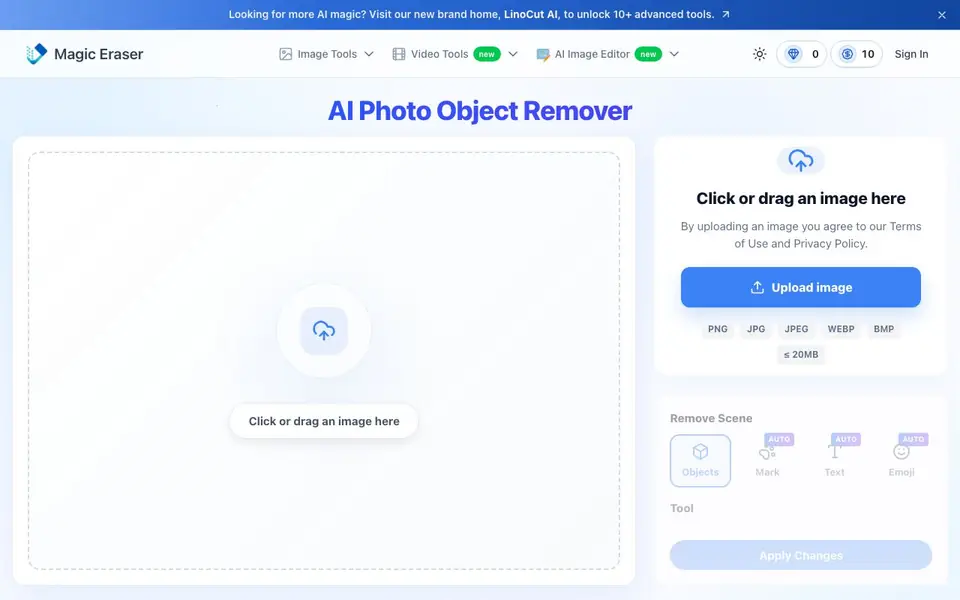
Magic Eraser is a free online tool that removes unwanted elements from your photos using AI. It handles objects, people, text, watermarks, logos, and stickers. You can upload JPG, PNG, WEBP, or BMP files up to 20MB. No registration is required.
To use it, you upload an image, then brush over the area you want to remove. You can choose between auto-detection modes or manually mark the object. The AI then reconstructs the background so the edit looks natural. You can adjust brush size, resolution, and processing mode before applying changes.
It suits photographers cleaning up shots, sellers preparing product images, and social media users removing watermarks or stickers. The website mentions over 10 million users and highlights its use for portraits, travel photos, memes, and posters. It also offers a separate AI image editor for more advanced touch-ups.
Magic Eraser features
- Object removal: Brush over any unwanted object and the AI fills the area naturally.
- Watermark remover: Detects and erases watermarks from photos and videos.
- Text removal: Removes timestamps, captions, or text without blurring the background.
- Person remover: Deletes photobombers or crowds from backgrounds while keeping the scene intact.
- Format support: Accepts JPG, PNG, WEBP, and BMP files up to 20MB.
What you can do with Magic Eraser
- Remove a photobomber from a selfie or group photo.
- Erase watermarks from images before sharing them online.
- Clean up product photos by removing logos or props.
- Delete text or stickers from memes and screenshots.
How to get started with Magic Eraser
- Upload your image by clicking or dragging it into the tool.
- Brush over the objects, people, or text you want to remove.
- Let the AI process the image, then download your clean result.
Tips for better results with Magic Eraser
- Upload the highest resolution image you have, up to 20MB, so the AI has more detail to reconstruct the background naturally after removal.
- Use the brush tool to mark the entire unwanted object, including a small border around it, to help Magic Eraser detect the full area and blend edges cleanly.
- Try the different processing modes (V1, V2) and resolution settings on a copy of your image, then compare results before applying the final edit.
- For watermarks or text, switch the detection mode to AUTO and let Magic Eraser identify the overlay, then manually refine with the lasso if needed.
Magic Eraser pricing
Magic Eraser is free to use according to its website.
What to check before you rely on Magic Eraser
- Check the credits system: the interface shows 'Credits Required: 3' per edit, but the website does not state how many credits you get or if free usage is limited.
- Verify your image file type and size: Magic Eraser accepts JPG, PNG, WEBP, and BMP up to 20MB, so confirm your file meets these limits before uploading.
- Review the privacy policy and terms of use before uploading sensitive images, as the website does not clearly explain how uploaded photos are stored or used.
Who Magic Eraser is for
Magic Eraser suits photographers, e-commerce sellers, social media creators and casual users. If that is not you, the AI photo editors below may fit better.
Similar tools compared with Magic Eraser
| Tool | What it is | Pricing |
|---|---|---|
| Magic Eraser | Free AI photo object remover | Free |
| SiPhotoEditor | AI photo editor by description | Paid |
| SiImageGen | AI image generator and photo editor | Freemium |
| Clipdrop | AI photo editing and image generation suite | See website |
| Photoroom | AI photo editor for e-commerce product visuals | Freemium |
Magic Eraser FAQ
Is Magic Eraser really free?
Yes, the website states it is free to use and requires no sign-up. You can upload images and remove objects without paying or creating an account.
What image formats and sizes are supported?
The tool supports JPG, PNG, WEBP, and BMP files, with a maximum size of 20MB. This covers most common photo formats for everyday use.
Can I remove watermarks from videos too?
Yes, the website mentions it can remove watermarks from videos as well as photos. The tool is described as a professional-grade watermark remover for both.
Do I need to create an account to use it?
No, the site says no registration is needed. You can upload an image and start erasing objects right away without signing in.
Can Magic Eraser export edited images in the same format as the original?
Magic Eraser accepts JPG, PNG, WEBP, and BMP files up to 20MB. The website does not specify which formats it exports. To check what formats you can download, try uploading a sample image and see the available export options.
Does Magic Eraser work on mobile phones and tablets?
Magic Eraser is an online tool, so you can use it on any device with a web browser, including phones and tablets. The website does not list specific device requirements, but it should work as long as you can upload an image and use the brush controls.
What does the free plan include and are there any limits?
Magic Eraser is free and requires no account. The website mentions that processing uses credits, but it does not state how many credits you get or if there are daily limits. For details on usage limits, check the website's pricing or terms section.


