

What is Literfy?
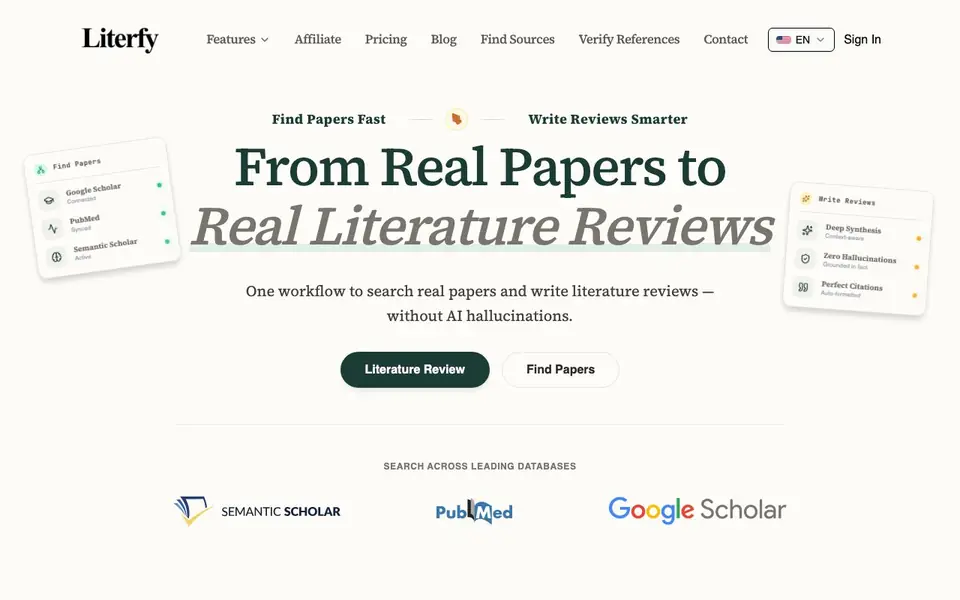
Literfy is a research workflow tool for academics. It combines paper search with AI-assisted review writing. You start by typing a research question, and Literfy auto-generates search expressions to query Google Scholar, PubMed, and Semantic Scholar at once. You can filter results by year, venue, and citations, then shortlist the papers you need.
After selecting papers, Literfy helps you build a literature review outline grounded in those real sources. The outline is editable, and you can drag-and-drop sections to reorganize. When you generate the full review, every paragraph comes with citations tied to actual papers. The tool aims to prevent AI hallucinations by basing all writing on your selected sources.
You can export citations in BibTeX format for Overleaf and save PDFs. The workflow suits graduate students, PhD candidates, and researchers who want to move from searching to drafting faster. The website mentions a free trial, but does not state specific pricing or plan details.
Literfy features
- Multi-database search: Queries Google Scholar, PubMed, and Semantic Scholar in one place with auto-generated expressions.
- Filter and shortlist: Narrow results by year, venue, and citation count to find key papers.
- Outline builder: Generates literature review outlines from your selected papers, with editable sections and drag-and-drop reordering.
- Grounded writing: Produces review paragraphs with citations linked to real sources, avoiding invented facts.
- BibTeX export: Exports citations in BibTeX format for direct use in Overleaf and other LaTeX editors.
What you can do with Literfy
- Search for seminal papers across multiple academic databases at once.
- Build a structured literature review outline from your saved sources.
- Generate draft review sections with citations you can trust and click through.
- Export BibTeX citations to Overleaf for your manuscript.
- Identify gaps in your sources by reviewing topic clusters before peer review.
How to get started with Literfy
- Type your research question into the search box to get auto-generated search expressions.
- Filter results by year, venue, and citations, then shortlist the papers you want to save.
- Generate an outline from your selected papers, refine it, and produce the full review with linked citations.
Tips for better results with Literfy
- Start with a precise research question in Literfy to get better auto-generated search expressions across Google Scholar, PubMed, and Semantic Scholar, then refine filters by year and venue.
- Use Literfy's filter options to shortlist papers by citation count, focusing on seminal works first, which improves the quality of your literature review outline.
- After generating an outline in Literfy, manually review and drag-and-drop sections to match your narrative flow before generating the full review paragraphs.
- Export citations from Literfy in BibTeX format early in your workflow, then import into Overleaf to save time on formatting and ensure consistency.
Literfy pricing
Literfy offers a free trial before you pay. Check literfy.ai for current plans.
What to check before you rely on Literfy
- Check whether your institution or personal plan includes access to all three databases, since Literfy's website lists them as connected but does not state any access limits.
- Verify the free trial's duration and feature restrictions, as the Literfy website mentions a trial but does not list specific plan details or pricing.
- Confirm that the exported BibTeX and PDF files match your citation style requirements, since Literfy's website does not specify supported formats beyond BibTeX.
Who Literfy is for
Literfy suits graduate students, PhD candidates, academic researchers and industry analysts. If that is not you, the AI research tools below may fit better.
Similar tools compared with Literfy
| Tool | What it is | Pricing |
|---|---|---|
| Literfy | AI literature review and paper search tool | Free trial |
| OpenSI | AI model comparison and pricing tool | See website |
| ChatPDF | AI chat and summarizer for PDFs | Freemium |
| Consensus | AI search engine for research papers | See website |
| Scite | AI research assistant with smart citations | Free trial |
Literfy FAQ
What does Literfy do?
Literfy is an AI-powered literature review tool. It searches Google Scholar, PubMed, and Semantic Scholar, helps you shortlist papers, builds outlines, and writes review sections with citations grounded in real sources.
Is Literfy free?
The website says you can start a free trial, but it does not state whether there is a permanent free plan or what paid plans cost. Check the pricing page on the site for details.
Who is Literfy for?
It is aimed at academics, including graduate students, PhD candidates, and researchers at universities. The testimonials mention users in fields like oncology, history, and information science.
Can I export citations from Literfy?
Yes. Literfy supports BibTeX export, which drops straight into Overleaf. You can also export PDFs of your results when you need them.
Can Literfy export citations to formats other than BibTeX?
Literfy's website mentions BibTeX export for Overleaf and other LaTeX editors, and saving PDFs. It does not list other export formats like RIS or Word. For the most current information on available export options, check the Literfy website's features or contact support.
Does Literfy work on mobile devices or tablets?
The Literfy website does not specify whether it has dedicated mobile apps or if the platform is fully responsive for tablets and phones. You can likely access it through a web browser, but for confirmation, check the Literfy website or contact their support team.
What does the free trial of Literfy include?
Literfy's website mentions a free trial but does not detail what it includes, such as the number of searches, papers, or exports allowed. To understand the trial's limitations, you should visit the Literfy website or contact their sales team for specifics.


