

What is Lensa?
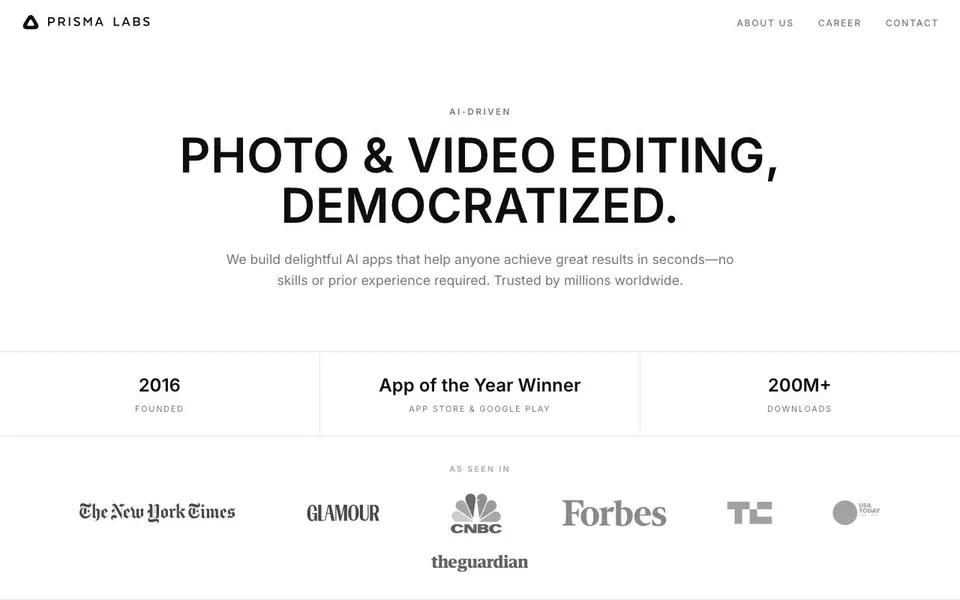
Prisma Labs builds AI photo and video editing apps used by millions worldwide. Their two main apps, Lensa and Prisma, focus on making professional-looking results easy for anyone, with no prior skills needed. The company was founded in 2016 and has won App of the Year on both the App Store and Google Play, with over 200 million downloads.
With Lensa, you can perfect portraits, replace backgrounds, and add standout effects using a single tap. Prisma offers hundreds of art and portrait styles inspired by famous artists, letting you reimagine your photos as artwork. Both apps are designed to deliver great results in seconds, so you don't need to learn complex editing tools.
These apps suit anyone who wants quick photo improvements—whether you're enhancing selfies, creating social media content, or experimenting with artistic styles. The website doesn't list specific pricing details, so you'd need to check the app stores for current costs or free features.
Lensa features
- One-tap portrait enhancement: Improve your photos with a single tap, no editing skills required.
- Background replacement: Swap out photo backgrounds easily to change the scene or setting.
- Art style filters: Apply hundreds of styles inspired by famous artists to turn photos into art.
- Portrait styles: Choose from various portrait looks to reimagine your selfies and people photos.
- Fast results: Get polished edits in seconds, designed for quick, effortless use.
What you can do with Lensa
- Enhance your selfies with perfect portrait lighting and skin retouching.
- Replace backgrounds in photos for a cleaner or more creative look.
- Turn everyday photos into artwork using famous art styles.
- Create standout social media images with unique effects and filters.
How to get started with Lensa
- Download Lensa or Prisma from the App Store or Google Play.
- Open the app and select a photo from your gallery or take a new one.
- Choose a feature like portrait enhancement, background swap, or an art style, then tap to apply it.
Tips for better results with Lensa
- Start with a well-lit, high-resolution photo so Lensa has clear details to work with, which improves the quality of one-tap enhancements and background swaps.
- Experiment with different portrait styles in Lensa to find looks that suit your subject, and compare a few before settling on the final edit.
- Use Lensa's background replacement on photos with simple, uncluttered backgrounds, as this helps the tool detect edges more accurately and produce cleaner results.
- For social media content, apply Lensa's effects to a test image first, then review the output on your phone screen to ensure it matches your intended aesthetic before sharing.
Lensa pricing
Lensa’s homepage does not list prices. Check prisma-ai.com for current plans.
What to check before you rely on Lensa
- Check the app store listing for Lensa's current pricing and free features, since the website does not state any costs or plan limits.
- Review Lensa's privacy policy to understand how your photos are stored and used, as the website does not detail data handling practices.
- Verify which platforms Lensa supports, such as iOS or Android, and confirm export formats, because the website does not list these specifics.
Who Lensa is for
Lensa suits casual photo editors, social media users, art enthusiasts and selfie takers. If that is not you, the AI photo editors below may fit better.
Similar tools compared with Lensa
| Tool | What it is | Pricing |
|---|---|---|
| Lensa | AI photo and video editing apps | See website |
| SiPhotoEditor | AI photo editor by description | Paid |
| SiImageGen | AI image generator and photo editor | Freemium |
| Clipdrop | AI photo editing and image generation suite | See website |
| Photoroom | AI photo editor for e-commerce product visuals | Freemium |
Lensa FAQ
What does Lensa do?
Lensa is an AI photo editing app that helps you perfect portraits, replace backgrounds, and add standout effects with a single tap. It's designed for quick, easy results without needing any editing skills.
What does Prisma do?
Prisma turns your photos into art by applying hundreds of art and portrait styles inspired by famous artists. You just pick a style, and your photo gets reimagined in seconds.
Are Lensa and Prisma free to use?
The website doesn't state specific pricing for either app. To find out about free features or subscription costs, you should check the app listings on the App Store or Google Play.
Who are these apps for?
They're for anyone who wants to improve photos quickly—no prior experience needed. Whether you're enhancing selfies, creating social content, or exploring artistic styles, both apps aim to give you great results in seconds.
Does Lensa require an account to use?
The Lensa website does not mention whether you need an account to use the app. To find out, check the app store listing for Lensa or the sign-up process within the app itself. The website focuses on features and company information rather than account requirements.
What devices and platforms does Lensa run on?
The Lensa website does not specify which devices or platforms Lensa supports. However, Prisma Labs has won App of the Year on both the App Store and Google Play, which suggests Lensa is available on iOS and Android. For exact compatibility, check the app stores.
Can Lensa export photos in high resolution or specific formats?
The Lensa website does not mention export options like resolution or file formats. It highlights one-tap enhancements, background replacement, and effects. To learn about export settings, check the app's settings or help section, or contact Prisma Labs support for details.


