

What is Legasite - Website Redesigner?
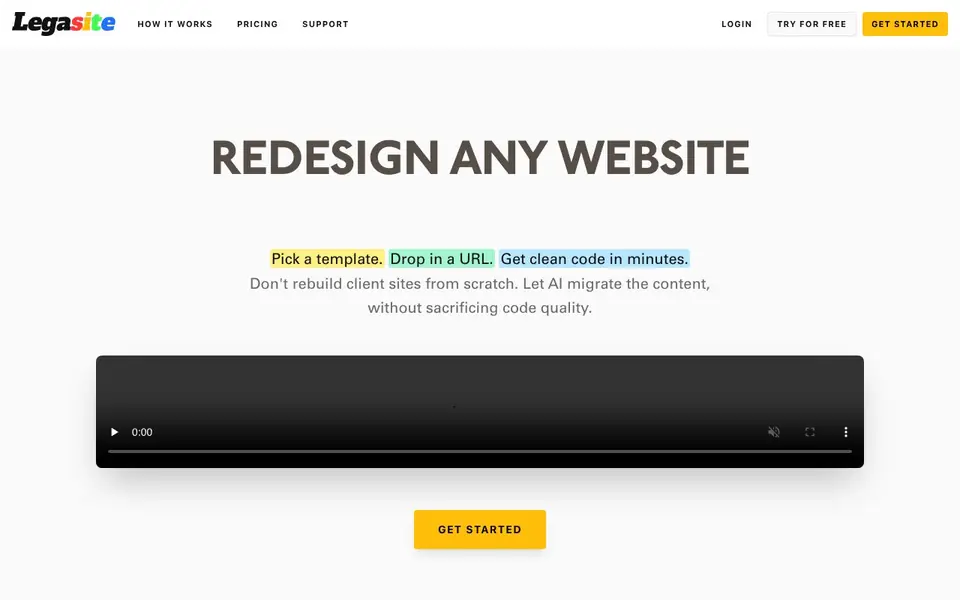
Legasite is an AI-powered tool that turns legacy websites into clean, modern code. You pick a template, drop in a URL, and get a downloadable React or Next.js project in 10–20 minutes. It automates content extraction and migration, so you don't have to copy text or images by hand.
To use it, you choose one of the available templates, enter your existing website's URL, and wait for the code to be generated. The output includes your content and images, mapped into a professional layout. You can then customize and deploy the code anywhere you like.
It's built for web agencies, freelance developers, and dev teams who want to redesign client sites faster. The free plan lets you try one page per project. Paid plans start at $49 for up to 40 pages. the website doesn't mention any limits on code ownership or deployment.
Legasite - Website Redesigner features
- Automated content extraction: Pulls text and images from your old site and maps them to the new template.
- Template selection: Choose from a library of professional, human-written templates.
- Clean code generation: Produces high-quality React and Next.js code you can download and modify.
- Multi-page migration: Paid plans support up to 40 pages per project, with full content migration.
- Fast turnaround: Generates a complete website in 10–20 minutes, compared to weeks of manual work.
What you can do with Legasite - Website Redesigner
- Redesign a client's outdated website in a single afternoon.
- Migrate a legacy site to a modern React or Next.js codebase.
- Quote a redesign project and complete it with far less manual effort.
- Take on more client projects by automating the content migration step.
How to get started with Legasite - Website Redesigner
- Create an account on Legasite's website.
- Choose a template and enter your existing website's URL.
- Wait 10–20 minutes, then download your generated code.
Tips for better results with Legasite - Website Redesigner
- Pick a template that closely matches your target layout before entering the URL, as Legasite maps content into that structure and you'll save time on post-generation edits.
- Run a small test page through Legasite first to see how it handles your content and images, then adjust your template choice before committing to a paid multi-page project.
- Review the generated React or Next.js code for any broken links or missing assets, since Legasite automates extraction but you're responsible for final quality checks.
- Use Legasite's free one-page plan to validate the workflow on a client site, then upgrade to the $49 plan only when you're confident the output matches your standards.
- checks
Legasite - Website Redesigner pricing
Legasite - Website Redesigner has a free way to start, with paid plans for heavier use. Check legasite.io for current limits and prices.
What to check before you rely on Legasite - Website Redesigner
- Check whether the free plan's one-page limit and one generation per month are enough for your project, since the website doesn't state if you can upgrade mid-project.
- Verify that your source website's technology is supported, as Legasite's FAQ mentions handling old sites but doesn't list specific limitations or unsupported formats.
- Confirm the code ownership and deployment terms before client work, since the website says you own the code but doesn't explicitly state any restrictions on commercial use.
Who Legasite - Website Redesigner is for
Legasite - Website Redesigner suits web agencies, freelance developers and dev teams. If that is not you, the AI app builders below may fit better.
Similar tools compared with Legasite - Website Redesigner
| Tool | What it is | Pricing |
|---|---|---|
| Legasite - Website Redesigner | AI website redesign and migration tool | Freemium |
| SiGameGen | AI game builder from one sentence | Freemium |
| Durable | AI business builder and website maker | Freemium |
| Lovable | AI app and website builder | Freemium |
| Replit | AI app and website builder | Freemium |
Legasite - Website Redesigner FAQ
What exactly does Legasite do?
It's an AI-powered tool that extracts content from an existing website and generates a modern React or Next.js codebase. You select a template, provide your URL, and download the new code. It's designed for developers who want to redesign sites without starting from scratch.
Is there a free trial or free plan?
Yes, there's a free plan that lets you try one page per project with no commitment. It includes full AI content migration and source code download. Paid plans start at $49 for up to 40 pages per project.
How long does it take to generate a website?
The generation process takes about 10–20 minutes. After that, your code is ready to download. You can then customize it further as needed.
Do I own the generated code?
The website doesn't explicitly state ownership terms. However, it mentions that you can use it for client projects and download the website code. For full details, check the pricing or terms of service on Legasite's website.
Can Legasite export the generated code to a zip file or directly to GitHub?
Legasite provides a downloadable source code project after generation. The website does not mention direct export to GitHub or other version control platforms. You can download the code and then push it to your own repository manually. For specific export options, check the support or documentation section on legasite.io.
Does Legasite run on Windows, macOS, or Linux?
Legasite is a web-based tool, so it runs in any modern web browser on Windows, macOS, or Linux. You don't need to install any software locally. The generated code is a React or Next.js project that you can work with on any operating system that supports Node.js and your preferred code editor.
What does the Legasite free plan include besides one page per project?
The free plan includes one page per project, full AI content migration, and source code download. It also offers one free generation per month. This lets you try the tool without commitment. For multi-page migrations, you would need to upgrade to a paid plan starting at $49 for up to 40 pages.


