

What is LandingPage AI?
LandingPage AI is a website builder that turns a short description of your product, service, or campaign into a complete landing page. It generates headlines, sections, visuals, and calls to action, aiming for layouts that encourage visitors to convert. The tool also supports building full websites, including blogs, product pages, and multi-page sites.
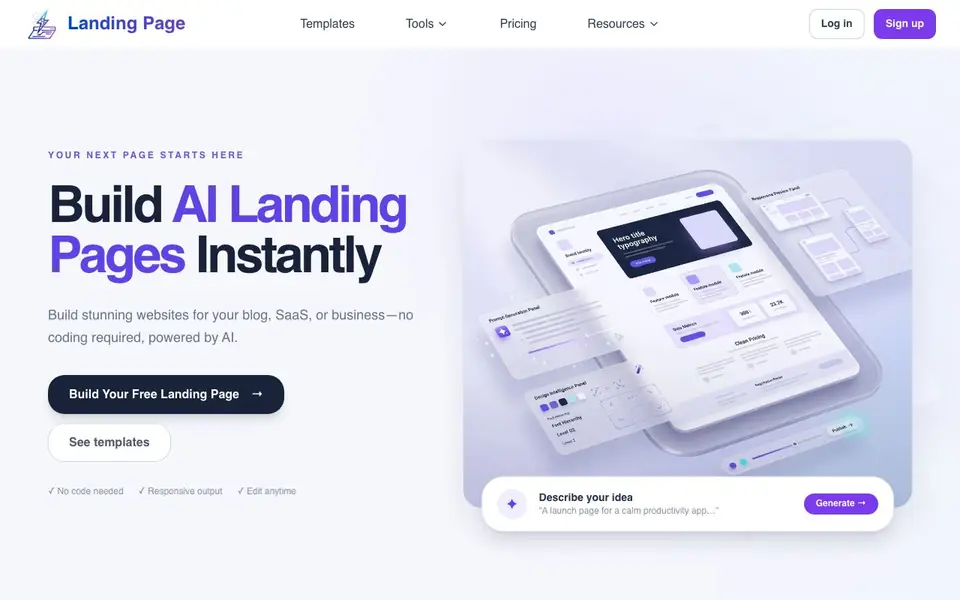
You start by describing your idea, such as "a launch page for a calm productivity app." The AI then produces a first draft instantly. After that, you can edit text, design, and layout using simple commands or the built-in editor, which gives you control over colors, images, and other elements. When you are satisfied, you publish with one click, and the page goes live, SEO-ready and mobile-friendly.
This tool suits entrepreneurs, marketers, and small business owners who want a professional-looking page without coding or design skills. The website mentions a free AI website builder for testing ideas or launching a first campaign. It also highlights industry-specific templates, such as for SaaS, restaurants, portfolios, and ecommerce, to help you start with a structure tailored to your audience.
LandingPage AI features
- Instant generation: Creates a complete landing page draft from a simple text description in seconds.
- AI-powered editing: Modify text, design, and layout using simple commands without needing coding skills.
- Built-in editor: Manually adjust colors, images, and text to match your brand after AI generation.
- One-click publishing: Launch your page live, with SEO and mobile-friendly output handled automatically.
- Industry templates: Start with page structures designed for blogs, SaaS, restaurants, portfolios, and ecommerce.
What you can do with LandingPage AI
- Launch a marketing campaign page for a new product quickly.
- Build a professional blog with articles, categories, and newsletter signups.
- Create a SaaS page with features, pricing, and a trial call-to-action.
- Showcase your work with a portfolio page including testimonials and services.
How to get started with LandingPage AI
- Describe your product, service, or campaign in a sentence or two.
- Generate the first draft and then edit text, design, and layout with commands or the editor.
- Publish with one click to go live with an SEO-ready, mobile-friendly page.
Tips for better results with LandingPage AI
- Describe your product, service, or campaign in one clear sentence before generating, as LandingPage AI builds the entire first draft from that brief, so specifics improve relevance.
- Use the AI-powered editing commands to refine headlines, sections, and calls to action after generation, since LandingPage AI lets you adjust text and layout without coding.
- Start with an industry template for your niche, such as SaaS or restaurant, to get a structure tailored to your audience, then customize colors and images in the built-in editor.
- Publish with one click when satisfied, and remember LandingPage AI outputs SEO-ready, mobile-friendly pages, so you can launch quickly and test variations for better conversion.
LandingPage AI pricing
LandingPage AI has a free way to start, with paid plans for heavier use. Check landing-page.io for current limits and prices.
What to check before you rely on LandingPage AI
- Check the free plan's limits before relying on LandingPage AI for real work, since the website mentions freemium but does not state specific page counts or feature restrictions.
- Verify whether the generated content is original and accurate for your product, as AI-written headlines and sections may need fact-checking before going live.
- Confirm export and hosting options, because the site does not list whether you can download your page or must keep it hosted on their platform.
Who LandingPage AI is for
LandingPage AI suits entrepreneurs, marketers, small business owners and bloggers. If that is not you, the AI app builders below may fit better.
Similar tools compared with LandingPage AI
| Tool | What it is | Pricing |
|---|---|---|
| LandingPage AI | AI landing page and website builder | Freemium |
| SiGameGen | AI game builder from one sentence | Freemium |
| Durable | AI business builder and website maker | Freemium |
| Lovable | AI app and website builder | Freemium |
| Replit | AI app and website builder | Freemium |
LandingPage AI FAQ
What can I create with LandingPage AI?
You can create landing pages, blogs, SaaS pages, small business sites, restaurant pages, portfolios, and ecommerce product pages. The AI generates a complete page structure from your description, and you can edit it afterward.
Is LandingPage AI free to use?
The website mentions a free AI website builder for testing ideas or launching a first campaign without upfront costs. It does not state whether there are paid plans, so check the pricing section on the site for details.
Do I need coding skills to use this tool?
No. The tool is designed for people without coding or design skills. You describe your idea, and the AI generates the page. You can then edit using simple commands or the built-in editor.
Can I customize the pages after AI generates them?
Yes. The platform includes a powerful editor that gives you full control over layouts, colors, images, and text. You can tweak every element or start from a generated template and adjust it to match your brand.
Can LandingPage AI export my page or connect to my existing domain?
LandingPage AI lets you publish your page with one click, and the output is SEO-ready and mobile-friendly. The website does not mention exporting files or connecting a custom domain. To check if these options are available, look at the settings or help section after you sign up.
Does LandingPage AI work on mobile devices or tablets?
LandingPage AI generates pages that are mobile-friendly, meaning the pages you create will look good on phones and tablets. However, the website does not specify whether the builder itself can be used on a mobile device or tablet. You can try accessing the site from your device to see if it works.
What does the free plan of LandingPage AI include?
LandingPage AI offers a free AI website builder for testing ideas or launching your first campaign without upfront costs. The website does not list specific limits, such as the number of pages or features included in the free plan. For exact details, check the pricing page or sign up to see what’s available.


