

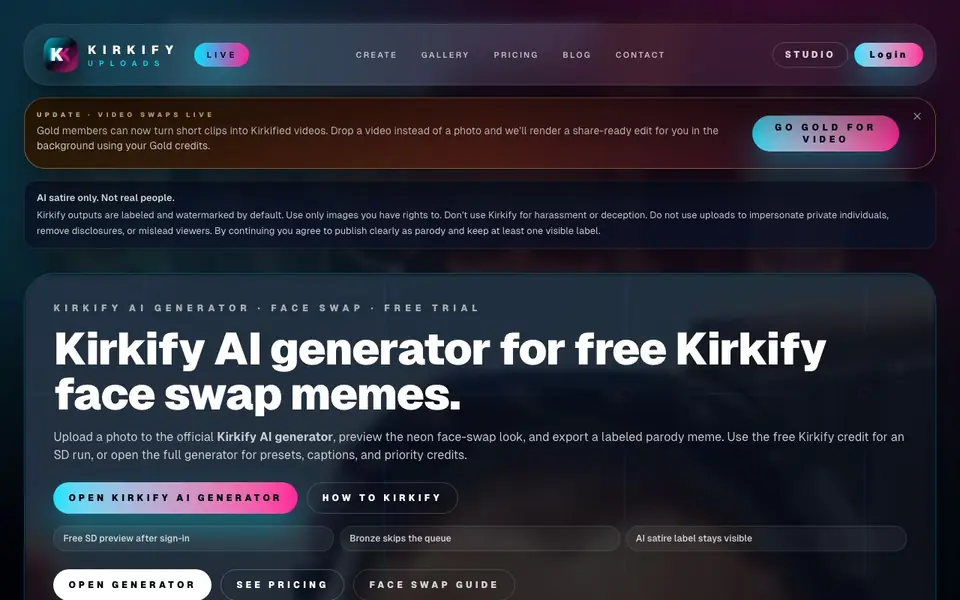
What is Kirkify AI?
Kirkify AI is a face-swap meme generator that turns your photos into labeled, neon-styled parody images. It focuses on satire only, not real people, and adds visible watermarks and AI satire labels by default. You can upload PNG, JPG, WEBP, or MP4 files, and the tool processes them in a queue.
To use it, you upload a clear face photo or short clip, wait for a slot in the queue, and the tool applies the Kirkify neon template. After processing, you get a result feed where you can preview and export your meme. The free path gives you a watermarked SD run after sign-in, while paid plans like Bronze, Silver, and Gold offer priority queueing, HD/UHD quality, watermark removal, and video support for Gold members.
This tool suits meme creators, social media users, and anyone making parody content. The site emphasizes safety: you must only upload images you have rights to, avoid impersonating private individuals, and keep the satire label visible. Video swaps are available for Gold members, and the site notes that budget mode releases a slot roughly every four hours.
Kirkify AI features
- Face swap generator: Upload a photo or clip and get a neon-styled Kirkify meme.
- Free SD preview: Sign in to claim a free watermarked standard-definition run.
- Priority queueing: Bronze and higher plans skip the queue for faster processing.
- HD/UHD quality: Paid plans unlock higher-resolution output without watermarks.
- Video swaps: Gold members can turn short clips into Kirkified videos.
What you can do with Kirkify AI
- Create a labeled parody meme of a public figure for social media.
- Turn a short video clip into a share-ready Kirkified edit.
- Preview a face swap for free before deciding on a paid plan.
- Export a watermarked SD meme to test the tool's output quality.
How to get started with Kirkify AI
- Upload a PNG, JPG, WEBP, or MP4 file up to 8 MB via drag-and-drop or the upload button.
- Wait for a queue slot; budget mode releases one about every four hours.
- Preview the result, then export your labeled meme or upgrade for faster HD output.
Tips for better results with Kirkify AI
- Upload a clear, well-lit face photo with no obstructions so Kirkify AI can map the swap accurately and produce a sharper neon meme output.
- Use your free SD run after sign-in to test Kirkify AI's watermark and label placement before committing to a paid plan.
- Check the queue timing before uploading, since Kirkify AI budget mode releases a slot roughly every four hours, so plan your meme creation around that delay.
- Keep the satire label visible in your final export from Kirkify AI, as the tool defaults to it and removing it violates their usage terms.
Kirkify AI pricing
Kirkify AI has a free way to start, with paid plans for heavier use. Check kirkify.net for current limits and prices.
What to check before you rely on Kirkify AI
- Confirm the free plan only offers a watermarked SD run after sign-in, and verify whether that single run is enough for your testing needs.
- Check the pricing page for exact Bronze, Silver, and Gold costs, since the homepage labels the tool freemium but does not list specific prices.
- Verify video support is Gold-only before uploading an MP4, and note the site does not state file size limits for video clips.
Who Kirkify AI is for
Kirkify AI suits meme creators, social media users and parody content makers. If that is not you, the AI photo editors below may fit better.
Similar tools compared with Kirkify AI
| Tool | What it is | Pricing |
|---|---|---|
| Kirkify AI | AI face swap meme generator | Freemium |
| SiPhotoEditor | AI photo editor by description | Paid |
| SiImageGen | AI image generator and photo editor | Freemium |
| Clipdrop | AI photo editing and image generation suite | See website |
| Photoroom | AI photo editor for e-commerce product visuals | Freemium |
Kirkify AI FAQ
What does Kirkify AI do?
It's a face-swap meme generator. You upload a photo or short video clip, and it applies a neon-styled Kirkify look with a visible AI satire label. The output is meant for parody, not real impersonation.
Is Kirkify AI free to use?
Yes, there's a free path. After signing in, you get a free watermarked SD run. Paid plans like Bronze, Silver, and Gold offer priority queueing, HD/UHD quality, watermark removal, and video access for Gold members.
Who is Kirkify AI for?
It's for meme creators and social media users who want to make labeled parody face swaps. The site stresses that you should only use images you have rights to and keep the satire label visible.
What file types and sizes can I upload?
You can upload PNG, JPG, WEBP, or MP4 files. Photos must be up to 8 MB. Video swaps are available for Gold members, but the site doesn't specify a video size limit.
What devices or platforms can I use Kirkify AI on?
Kirkify AI runs in your web browser, so you can use it on any device with an internet connection, including desktops, laptops, tablets, and phones. The website does not mention dedicated apps for iOS or Android. For the best experience, use a modern browser.
What can I export from Kirkify AI and in which formats?
Kirkify AI lets you export the meme images it creates. The website does not specify the exact file formats for export, but you can preview and download your results from the feed. For details on export options, check the generator or contact support.
Does Kirkify AI require an account to use it?
Yes, Kirkify AI requires you to sign in to claim your free SD run or use credits. You can preview your upload before signing in, but to actually process and export, you need an account. The website does not mention using it without an account.


