

What is Kaggle?
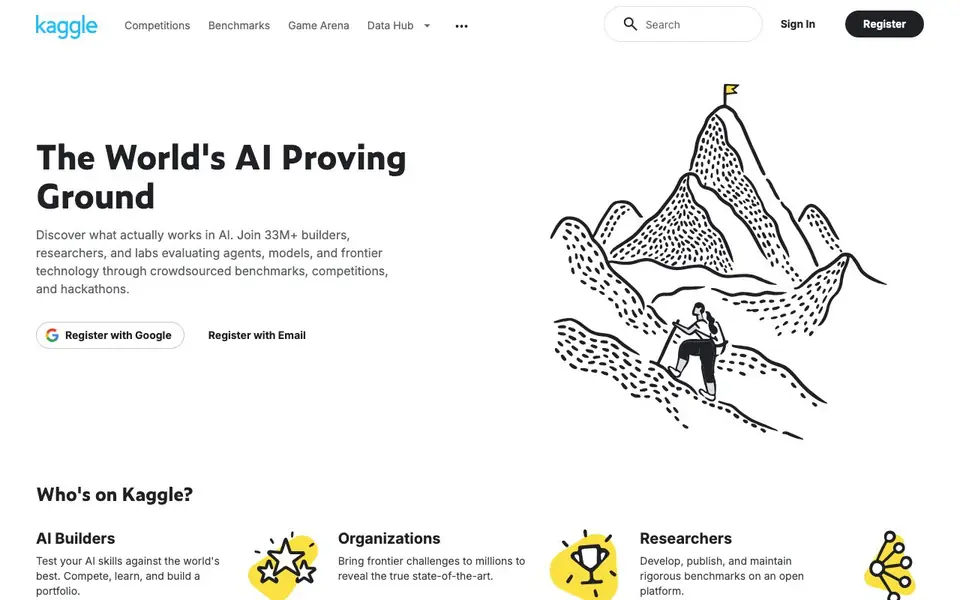
Kaggle is a large online community for people who work with data and AI. It brings together over 33 million builders, researchers, and labs. They use it to test AI models, join competitions, and share knowledge. You can think of it as a proving ground where ideas are put to the test.
You start by creating a free account. Then you can browse hundreds of thousands of public datasets, like Bitcoin prices or fruit images. You can also use their notebooks, which are online coding environments with free GPUs and TPUs. This lets you write and run code without owning expensive hardware. You can join competitions to solve real-world problems, or use the Benchmarks tool to evaluate how different AI models perform on your own tests.
Kaggle suits many people. Beginners can learn through courses and simple notebooks. Experienced data scientists can compete for prizes and build a portfolio. Researchers can publish benchmarks and get grants. Organizations can host private hackathons to find talent. The site is free to use, and many resources are open to everyone.
Kaggle features
- Competitions: Join contests to solve data problems and compare your skills against others worldwide.
- Benchmarks: Use the open-source SDK to run custom evaluations for LLMs and GenAI at no cost.
- Datasets: Access 752K public datasets covering topics from avocado prices to video game sales.
- Notebooks: Write and run code in a browser with free GPUs and TPUs available.
- Models: Browse 51,600 pre-trained machine learning models ready for deployment.
What you can do with Kaggle
- Compete in AI challenges to test your skills and build a portfolio.
- Evaluate different AI models using custom benchmarks before choosing one.
- Find and download public datasets for your next machine learning project.
- Learn AI by following public notebooks and taking free courses.
How to get started with Kaggle
- Register for a free account with Google or email.
- Explore competitions, datasets, or notebooks from the home page.
- Join a competition or start a notebook to begin working on a project.
Tips for better results with Kaggle
- Start with public notebooks to see how others structure code and handle datasets, then adapt their approach to your own project to save time and avoid common mistakes.
- Use Kaggle's free GPUs and TPUs in notebooks for heavy training jobs, but keep your code efficient and test on small samples first to avoid wasting compute hours.
- Join competitions that match your skill level, and study the winning solutions afterward to learn advanced techniques like feature engineering and model ensembling.
- When evaluating models with Kaggle Benchmarks, define your test cases clearly and use the SDK to run comparisons so you get consistent, reproducible results.
Kaggle pricing
Kaggle is free to use according to its website.
What to check before you rely on Kaggle
- Check whether your competition or notebook usage falls under Kaggle's free tier limits, as the website does not state specific quotas for GPU or TPU hours.
- Verify that any dataset you plan to use has a license permitting your intended use, since Kaggle hosts user-uploaded data with varying terms.
- Confirm that Kaggle's export formats for notebooks and models meet your needs, as the site does not list all supported file types or integration options.
Who Kaggle is for
Kaggle suits AI builders, data scientists, researchers and organizations. If that is not you, the AI research tools below may fit better.
Similar tools compared with Kaggle
| Tool | What it is | Pricing |
|---|---|---|
| Kaggle | AI competitions, datasets, and benchmarks | Free |
| OpenSI | AI model comparison and pricing tool | See website |
| ChatPDF | AI chat and summarizer for PDFs | Freemium |
| Consensus | AI search engine for research papers | See website |
| Scite | AI research assistant with smart citations | Free trial |
Kaggle FAQ
Is Kaggle free to use?
Yes, Kaggle is free. You can register with Google or email at no cost. The site offers free access to datasets, notebooks, and competitions. Free GPUs and TPUs are also available in the notebook environment.
What can I do on Kaggle?
You can join competitions and hackathons, run and share notebooks, access hundreds of thousands of datasets, and use the Benchmarks SDK to evaluate AI models. You can also take learning courses and browse pre-trained models.
Who is Kaggle for?
Kaggle is for AI builders, data scientists, researchers, and organizations. Beginners can learn through courses and notebooks, while experts can compete and publish benchmarks. Organizations can host private hackathons to find talent.
Does Kaggle provide free computing resources?
Yes, Kaggle's notebook environment includes free GPUs and TPUs. This lets you run machine learning code without needing your own hardware. The exact limits are not stated on the site, so check the notebook documentation for details.
Does Kaggle require you to create an account before you can use it?
Yes, you need to create a free account on Kaggle to access its features. The registration options are with Google or with your email address. Once you have an account, you can browse datasets, run notebooks, join competitions, and use the Benchmarks tool.
Can Kaggle export your notebooks or datasets to other platforms?
The Kaggle website does not mention specific export options for notebooks or datasets to other platforms. You can download public datasets from the site, but for details on exporting your work or integrating with external tools, check the Kaggle documentation or help pages.
What devices or operating systems does Kaggle support for running notebooks?
Kaggle notebooks run in your web browser, so they work on any device with a modern browser, including Windows, macOS, Linux, and Chromebooks. You do not need to install software locally. The website does not list specific mobile app support, but the browser-based environment is accessible from most devices.


