

What is Joobee?
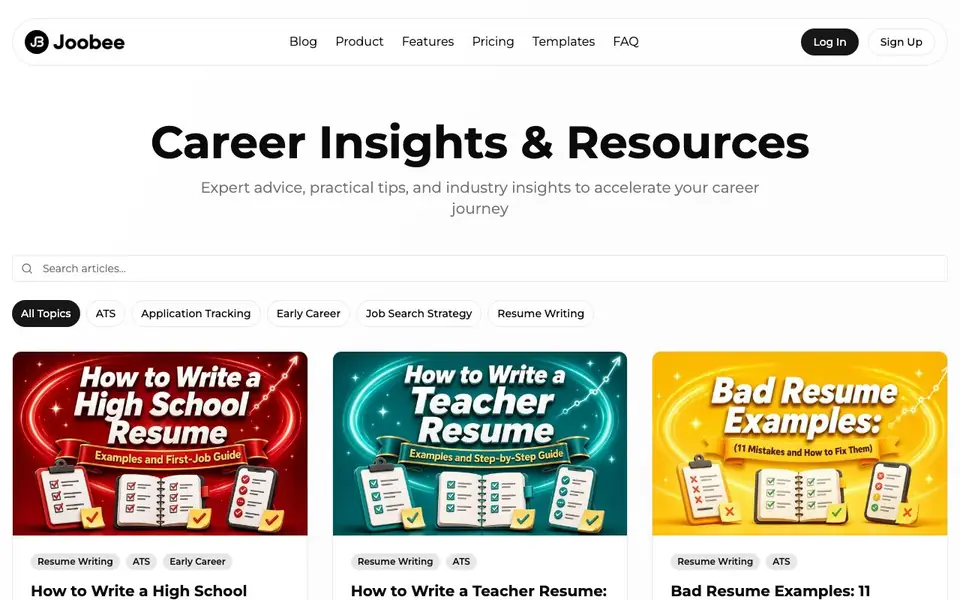
Joobee is an AI resume builder with a blog full of career advice. The blog covers resume writing, ATS optimization, job search strategy, and early career tips. You get step-by-step guides with before-and-after examples for different roles like teachers, programmers, and high school students.
The blog posts walk you through writing resumes that pass applicant tracking systems. They show you how to turn projects, coursework, volunteering, and service work into credible proof of your skills. You also learn how to organize your job search with a data-driven system that tracks applications and follow-ups.
Joobee suits job seekers at any stage, especially students and people without formal experience. The articles are written by the Head of Product and focus on practical, honest advice. The site also has product pages for features, pricing, templates, and FAQs, but the blog itself does not detail those.
Joobee features
- Resume guides: Step-by-step articles with complete before-and-after examples for various job roles.
- ATS advice: Clear explanations of how applicant tracking systems parse and evaluate resumes.
- Job search system: A data-driven method to track applications and follow-ups in one place.
- Early career tips: Practical guidance for students and people with no formal work experience.
- Role-specific examples: Detailed resume samples for teachers, programmers, and high school students.
What you can do with Joobee
- Write a high school resume for a first job or internship.
- Turn programming projects into a credible resume for a developer role.
- Fix weak bullets and formatting in a resume that fails ATS checks.
- Organize a job search with a tracking system that reduces chaos.
How to get started with Joobee
- Read the blog articles that match your situation, like high school or teacher resumes.
- Follow the before-and-after examples to rewrite your own resume bullets and structure.
- Use the job search tracking system described in the guides to manage applications.
Tips for better results with Joobee
- Use Joobee's before-and-after resume examples as templates, then replace the content with your own projects, coursework, and volunteering to match your actual experience.
- Follow Joobee's ATS guides to rewrite weak bullets into specific, measurable achievements, focusing on keywords and formatting that applicant tracking systems can parse reliably.
- Apply Joobee's data-driven job search system to log every application and follow-up, so you can spot stalled roles and prioritize outreach without losing track.
- Read Joobee's role-specific guides for your target job, like teacher or programmer, to see how to frame your skills in language employers in that field expect.
- checks
Joobee pricing
Joobee’s homepage does not list prices. Check joobee.app for current plans.
What to check before you rely on Joobee
- Check whether Joobee's pricing page lists a free plan or trial, since the blog does not mention any costs or subscription details.
- Verify if Joobee exports resumes in formats like PDF or DOCX, as the blog only covers writing advice, not file output options.
- Confirm Joobee's data privacy policy before uploading personal details, because the website does not state how your resume data is stored or used.
Who Joobee is for
Joobee suits job seekers, students, early career professionals and career changers. If that is not you, the AI resume builders below may fit better.
Similar tools compared with Joobee
| Tool | What it is | Pricing |
|---|---|---|
| Joobee | AI resume builder and career blog | See website |
| Rezi | AI resume builder and job search assistant | Freemium |
| Kickresume | AI resume and cover letter builder | Freemium |
| Final Round AI | AI interview assistant with live answers | Freemium |
| Teal | AI resume builder and job tracker | Freemium |
Joobee FAQ
What does Joobee's blog cover?
The blog covers resume writing, ATS optimization, job search strategy, and early career advice. Articles include step-by-step guides with before-and-after examples for roles like teachers, programmers, and high school students.
Is Joobee free to use?
The blog does not state pricing details. The website has separate pages for pricing and templates, so you would need to check those pages for current plans and costs.
Who is Joobee for?
Joobee is for job seekers at any stage, especially students and people without formal experience. The guides focus on turning projects, coursework, and volunteering into credible resume content.
Does Joobee help with ATS?
Yes. The blog explains how applicant tracking systems parse resumes and what actually matters for passing them. It also shows how to fix weak bullets and formatting that hurt ATS readability.
Can Joobee export my resume to PDF or Word?
The Joobee website does not mention specific export formats like PDF or Word. To find out what export options are available, check the product or pricing pages on joobee.app, or contact their support team directly.
Does Joobee have a mobile app or work on tablets?
Joobee's website does not mention a mobile app or tablet compatibility. The blog and product pages are accessible through a browser, but for details on device support, review the product information on joobee.app or reach out to Joobee's support.
What does Joobee's free plan include?
Joobee's website does not specify what the free plan includes. The pricing page on joobee.app is the best place to check for plan details, or you can sign up to see what features are available without paying.


