

What is Final Round AI?
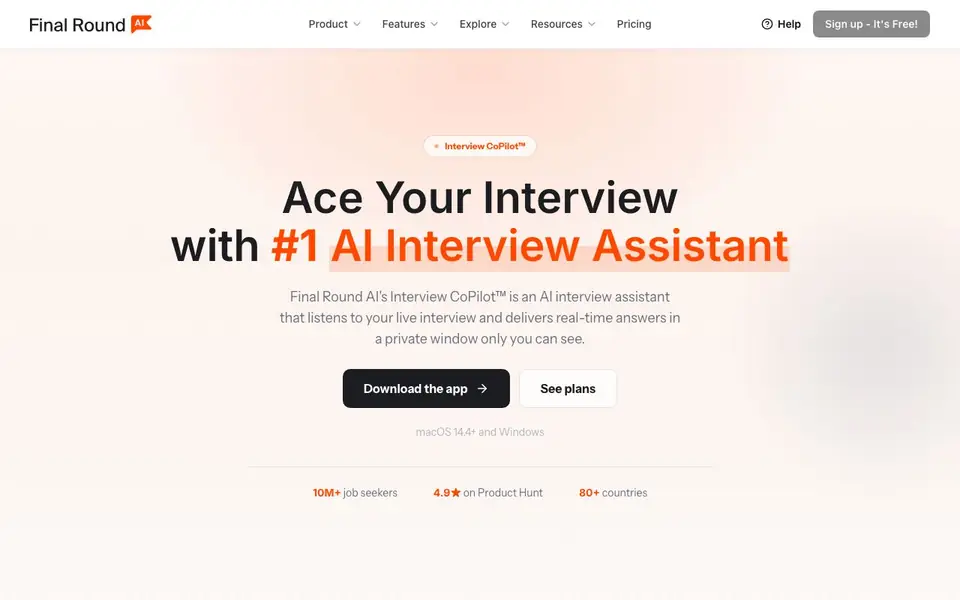
Final Round AI's Interview CoPilot™ is an AI interview assistant that helps you prepare for and perform in job interviews. It listens to the live call and delivers suggested answers in a private window only you can see. The app works on macOS and Windows and supports formats like Zoom, Meet, Teams, Webex, HackerRank, CoderPad, and phone screens.
You start by setting up a Goal for each job, adding your resume and materials. A checklist shows what is missing. During the live interview, the CoPilot detects behavioral, coding, system design, case, and domain questions without mode switching. A suggested answer appears seconds after the question, written in a natural speaking style. Stealth Mode is on by default, hiding windows from screen sharing and recording, and no bot joins your call.
After the session, an automatic debrief is written for you, covering clarity, structure, depth, signals, and follow-up. This feeds back into your next round. The free plan lets you set up Goals and prepare materials. The Pro plan, at $25 per month, unlocks live CoPilot sessions, Stealth Mode, practice interviews, and screen help with auto-capture. There is no free trial for live sessions.
Final Round AI features
- Live Interview: Streams a suggested answer privately seconds after the question during real calls.
- Practice Interview: Lets you rehearse with mock interviews and get detailed feedback on your answers.
- Interview Debrief: Automatically writes a review of your performance after each session ends.
- Stealth Mode: Keeps CoPilot windows hidden from screen sharing and recording by default.
- Screen Help: Provides on-screen assistance with auto-capture during interviews.
What you can do with Final Round AI
- Prepare for a technical coding interview with real-time suggested answers.
- Practice behavioral questions for a product manager role using mock interviews.
- Review your performance after a system design interview with an automatic debrief.
- Use stealth mode during a live Zoom interview to get private answer suggestions.
How to get started with Final Round AI
- Download the desktop app for macOS 14.4+ or Windows.
- Create a Goal for the job you want, adding your resume and materials.
- Go live or practice, then review the automatic debrief to improve for the next round.
Tips for better results with Final Round AI
- Set up one Goal per job and upload your resume plus materials before the interview, so the checklist shows exactly what is missing and your answers stay relevant.
- Run a Practice Interview before your live call to test how the suggested answers sound, then adjust the answer language and code language in Preflight for your specific role.
- Keep Stealth Mode on by default during live Zoom, Meet, or Teams calls, and glance at the private window only when you need it, so you stay natural and undetectable.
- After each session, review the automatic debrief for clarity, structure, and depth, then use that feedback to refine your Goal and materials for the next round with Final Round AI.
Final Round AI pricing
Final Round AI has a free way to start, with paid plans for heavier use. Check finalroundai.com for current limits and prices.
What to check before you rely on Final Round AI
- Confirm your device meets the macOS 14.4+ or Windows requirement, since the app only works on those platforms and the website lists no other options.
- Check whether your interview platform is supported, as Final Round AI lists Zoom, Meet, Teams, Webex, HackerRank, CoderPad, and phone screens, but not all tools.
- Verify your plan covers live sessions, because the free plan only prepares materials and the website states there is no free trial for live CoPilot use.
Who Final Round AI is for
Final Round AI suits job seekers, tech candidates, students and professionals switching careers. If that is not you, the AI resume builders below may fit better.
Similar tools compared with Final Round AI
| Tool | What it is | Pricing |
|---|---|---|
| Final Round AI | AI interview assistant with live answers | Freemium |
| Rezi | AI resume builder and job search assistant | Freemium |
| Kickresume | AI resume and cover letter builder | Freemium |
| Teal | AI resume builder and job tracker | Freemium |
| COACH: AI-powered Career Coach | AI career coach for guidance | Freemium |
Final Round AI FAQ
How does the live interview feature work?
The CoPilot listens to your live interview call and streams a suggested answer in a private window within seconds. You glance at it and say it in your own words. It works on platforms like Zoom, Meet, Teams, and phone screens via another device.
Is there a free plan?
Yes, the Free plan costs $0 and lets you set up unlimited Goals with resume and materials, parse job descriptions, and get a prep checklist. However, live CoPilot sessions require an active Pro subscription, and there is no free trial for live sessions.
Who is this tool for?
It's designed for job seekers preparing for interviews across roles like general, coding, system design, product managers, data scientists, marketing, finance, healthcare, and operations. It's used by candidates in 80+ countries, with over 10 million job seekers.
Does it work with screen sharing?
Yes, Stealth Mode is on by default. CoPilot's windows are hidden from screen sharing and recording in Zoom, Google Meet, Teams, and more. No bot joins your call, and it never speaks for you, so it's invisible to others.
Does Final Round AI work on Linux or mobile devices?
The Final Round AI website mentions the app runs on macOS 14.4+ and Windows. It does not mention Linux or mobile versions. For the latest platform support, check the official website or contact their support team.
What can Final Round AI export from an interview debrief?
The Final Round AI website describes the automatic debrief covering clarity, structure, depth, signals, and follow-up, but it does not specify export options like PDF or CSV. To see what export features are available, check the app's interface or the website's help section.
Does Final Round AI require an account to use the free plan?
Yes, the Final Round AI website shows a 'Sign up - It's Free!' button, indicating you need to create an account to use the tool. The free plan lets you set up Goals and prepare materials, but live sessions require a Pro subscription.


