

What is Reztune?
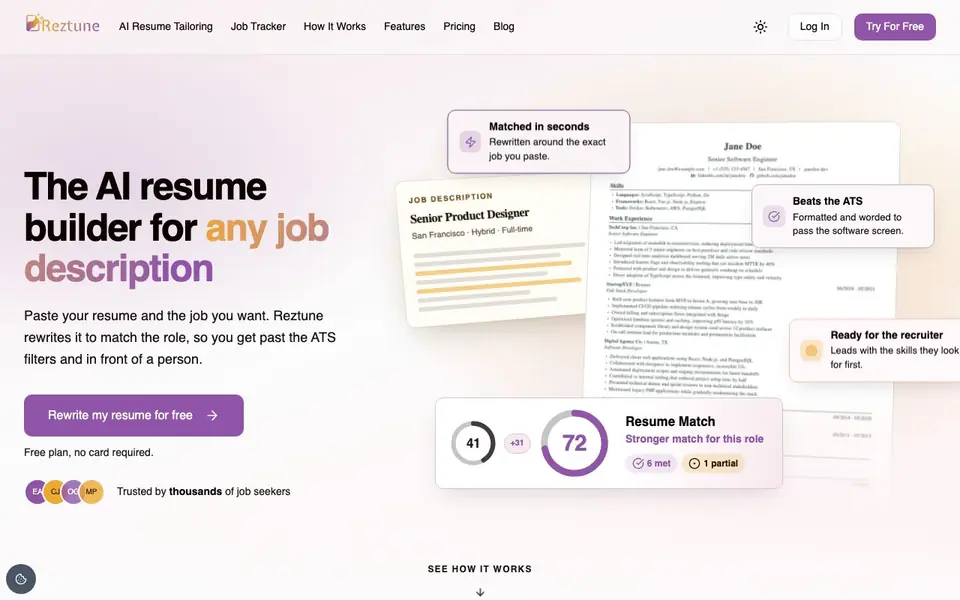
Reztune is an AI resume builder that rewrites your existing resume to fit any job description you paste. It focuses on getting you past applicant tracking systems (ATS) and in front of recruiters. The tool works from one base resume, so you can tailor it to many different roles without starting over each time.
You start by uploading your current resume or building one in the editor. Then you paste the job description for the role you want. Reztune rewrites your summary, bullets, and skills using only what is already in your resume, so it never invents experience you don't have. You see a match score, the role's key skills, and a list of changes. You can edit everything before downloading a clean, ATS-readable PDF.
Every job you match is added to an automatic tracker, where you can add notes like salary or interview times. A cover letter is also generated for each match, drawn from your resume and the job description. Reztune is suited for job seekers who apply to many roles and want to keep applications organized. The site says your data is encrypted, never used to train AI models, and can be deleted anytime.
Reztune features
- Resume match score: See requirements met, partial, and missing before you apply, with the score updating as you edit.
- Automatic application tracking: Every job you match appears in your tracker with the resume used and application status.
- Rewriting without fabrication: Reworks your summary, bullets, and skills using only what is already in your resume.
- Cover letters included: Each match comes with a cover letter drawn from your resume and job description, editable in the app.
- ATS-ready PDFs: Download clean PDFs that parse correctly, with no scrambled layouts or blank fields.
What you can do with Reztune
- Tailor your resume to a specific job description before applying.
- Check your resume's match score against a role's requirements.
- Track all your job applications and notes in one place.
- Generate a personalized cover letter for each application.
- Build a new resume from scratch in the editor and match it to a job.
How to get started with Reztune
- Upload your current resume or start one in the editor.
- Paste the job description you are applying for.
- Review your rewritten resume, match score, and cover letter, then download the ATS-ready PDF.
Tips for better results with Reztune
- Start with a clean, complete base resume in Reztune so every rewrite pulls from accurate, current details and avoids gaps that lower your match score.
- Paste the full job description into Reztune, not a summary, so the match score and keyword list reflect the actual requirements you need to hit.
- Review each rewritten bullet in Reztune before downloading, since the tool only reworks existing content and may miss context only you know about your work.
- Use Reztune's tracker for every application you send, adding salary or interview notes right after matching so your pipeline stays organized and current.
Reztune pricing
Reztune has a free way to start, with paid plans for heavier use. Check reztune.com for current limits and prices.
What to check before you rely on Reztune
- Check whether the free plan includes unlimited resume matches or limits how many job descriptions you can paste per day or month, since the site doesn't state these limits.
- Verify that the ATS-ready PDF exports preserve your formatting and parse correctly in a real ATS, since the site claims clean output but doesn't guarantee every system.
- Confirm your data deletion process works as described, because the site says data can be deleted anytime but doesn't explain how long deletion takes or if backups remain.
Who Reztune is for
Reztune suits job seekers, career changers, recent graduates and professionals applying to many roles. If that is not you, the AI resume builders below may fit better.
Similar tools compared with Reztune
| Tool | What it is | Pricing |
|---|---|---|
| Reztune | AI resume tailor and job tracker | Freemium |
| Rezi | AI resume builder and job search assistant | Freemium |
| Kickresume | AI resume and cover letter builder | Freemium |
| Final Round AI | AI interview assistant with live answers | Freemium |
| Teal | AI resume builder and job tracker | Freemium |
Reztune FAQ
What does Reztune do with my resume?
Reztune rewrites your resume to match a job description you paste in. It uses only the experience already in your resume, so it doesn't add skills or jobs you don't have. You see what changed and can edit everything before downloading.
Is Reztune free to use?
Reztune has a free plan with no card required, according to its website. The site also mentions pricing as a section, but doesn't list specific paid plan details. Check the pricing page for more information.
Who is Reztune for?
Reztune is for job seekers who want to tailor their resume to specific roles and get past ATS filters. It's especially useful if you apply to many jobs and want to track each application, since every match is added to a tracker automatically.
Does Reztune generate cover letters?
Yes. Each resume match comes with a cover letter drawn from your resume and the job description. The site says it's personal enough to send as is, and you can edit every word in the app before sending.
What file formats can Reztune export my resume in?
Reztune lets you download your matched resume as a clean, ATS-ready PDF. The website does not mention other export formats like Word or text. If you need a different format, check the app's download options or contact Reztune support.
Does Reztune work on mobile devices or only on a computer?
Reztune is a web-based tool, so you can use it in any browser on a computer, tablet, or phone. The website does not mention dedicated mobile apps for iOS or Android. For the best experience, use a modern browser on any device.
What does the Reztune free plan include?
Reztune offers a free plan with no card required, and you can rewrite your resume for free. The website does not detail exactly how many resumes or matches the free plan allows. Check the pricing page or sign up to see the current limits.


