

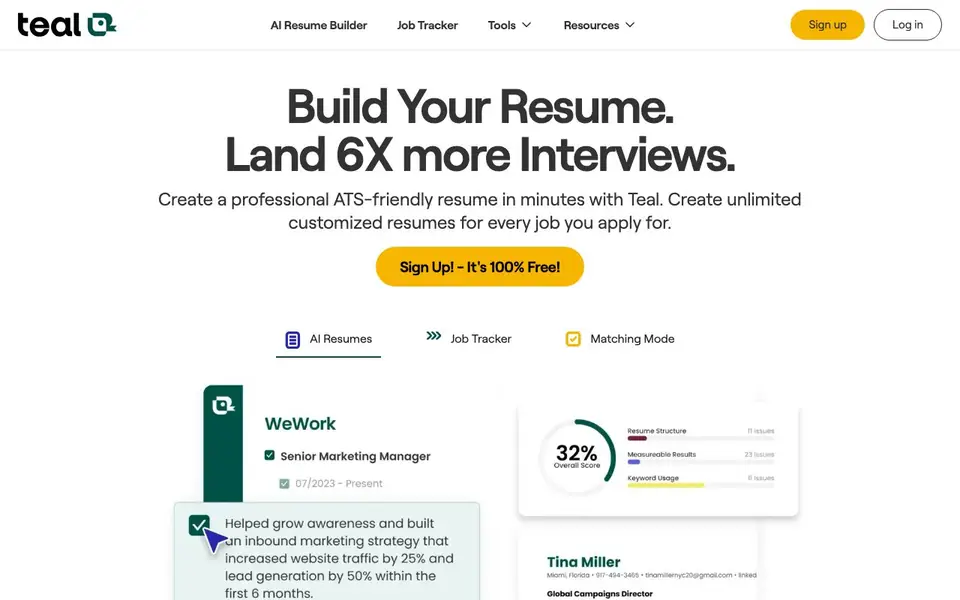
What is Teal?
Teal is an AI-powered resume builder and job search organizer. It helps you create professional, ATS-friendly resumes in minutes. You can make unlimited customized resumes for every job you apply for. The tool also includes a job tracker and cover letter generator.
You start by signing up for a free account and setting your goals. Then you can search for jobs and bookmark them from over 40 popular job boards using Teal's Chrome extension. When you find a job, you can tailor your resume using keywords from the job description. Teal gives you recommendations to improve your resume and land more interviews.
Teal suits anyone actively job hunting, from recent graduates to experienced professionals. It helps you stay organized and save time. The site mentions it is loved by over 4 million members and has 100+ free templates and 2,000+ resume examples. It also offers job insights to automate parts of your search.
Teal features
- AI Resume Builder: Tailor your resume for each job using keywords from the job description.
- Job Tracker: Organize and manage all your job opportunities in one place.
- Chrome Extension: Bookmark jobs from over 40 popular job boards to save time.
- Job Insights: Get recommendations and insights to improve your resume and never miss an opportunity.
- Cover Letter Generator: Draft cover letters quickly with AI assistance.
What you can do with Teal
- Create a tailored resume for a specific job posting.
- Track all your job applications and their statuses in one place.
- Bookmark jobs from various job boards while browsing.
- Generate a cover letter that matches your resume and the job description.
How to get started with Teal
- Sign up for a free Teal account and set your job search goals.
- Search for jobs and bookmark them using the Chrome extension.
- Use the AI resume builder to tailor your resume for each application.
Tips for better results with Teal
- Start by setting clear job search goals in Teal, then use the Chrome extension to bookmark roles from multiple boards so your tracker stays organized from day one.
- Paste the full job description into Teal's AI resume builder and let it surface keywords, then manually review each suggestion to ensure your experience genuinely matches before applying.
- Use Teal's job insights to spot gaps in your resume compared to target roles, and update your bullet points to address those missing skills before you send applications.
- Create a fresh tailored resume for every application using Teal's templates, and pair it with a cover letter generated from the same job description to keep your materials consistent.
Teal pricing
Teal has a free way to start, with paid plans for heavier use. Check tealhq.com for current limits and prices.
What to check before you rely on Teal
- Confirm whether Teal's free plan includes unlimited resumes and job tracking, since the site advertises free signup but does not clearly state feature limits for the free tier.
- Check if Teal's Chrome extension supports the specific job boards you use, as the site mentions over 40 boards but does not list them individually.
- Review Teal's data privacy policy to understand how your resume and job search data are stored or shared, as the website does not provide explicit privacy details on the main page.
Who Teal is for
Teal suits job seekers, career changers, recent graduates and professionals. If that is not you, the AI resume builders below may fit better.
Similar tools compared with Teal
| Tool | What it is | Pricing |
|---|---|---|
| Teal | AI resume builder and job tracker | Freemium |
| Rezi | AI resume builder and job search assistant | Freemium |
| Kickresume | AI resume and cover letter builder | Freemium |
| Final Round AI | AI interview assistant with live answers | Freemium |
| COACH: AI-powered Career Coach | AI career coach for guidance | Freemium |
Teal FAQ
Is Teal free to use?
Yes, Teal offers a free plan. The website says 'Sign Up! - It's 100% Free!' and mentions free templates and a free Chrome extension. There may be paid plans, but the site does not state details.
How does the AI resume builder work?
You upload or create your resume, then Teal analyzes the job description and suggests relevant keywords to highlight. It gives you recommendations to improve your resume for each specific job.
Can I track my job applications with Teal?
Yes, Teal includes a job tracker that lets you organize and manage all your job opportunities in one place. You can bookmark jobs from over 40 job boards using the Chrome extension.
Does Teal help with cover letters?
Yes, Teal can draft cover letters for you. Several user testimonials mention that the AI-enabled cover letters are excellent and help speed up the application process.
Does Teal have a mobile app?
The Teal website does not mention a mobile app. You can use Teal through your web browser on any device. For the job bookmarking feature, you need the Chrome extension, which works on desktop Chrome. Check the Teal website or contact support for the latest information on mobile availability.
Can I export my resume from Teal to other formats?
The Teal website does not specify which file formats you can export your resume in. It focuses on building ATS-friendly resumes and tailoring them for each job. For details on export options, you should check the Teal help center or contact their support team.
Does Teal work for people in non-tech industries?
Yes, Teal is designed for anyone actively job hunting, from recent graduates to experienced professionals. It offers resume examples and templates across many fields, including administrative, customer service, design, marketing, finance, and more. You can tailor your resume with keywords from any job description.


