
What is UseResume.ai?
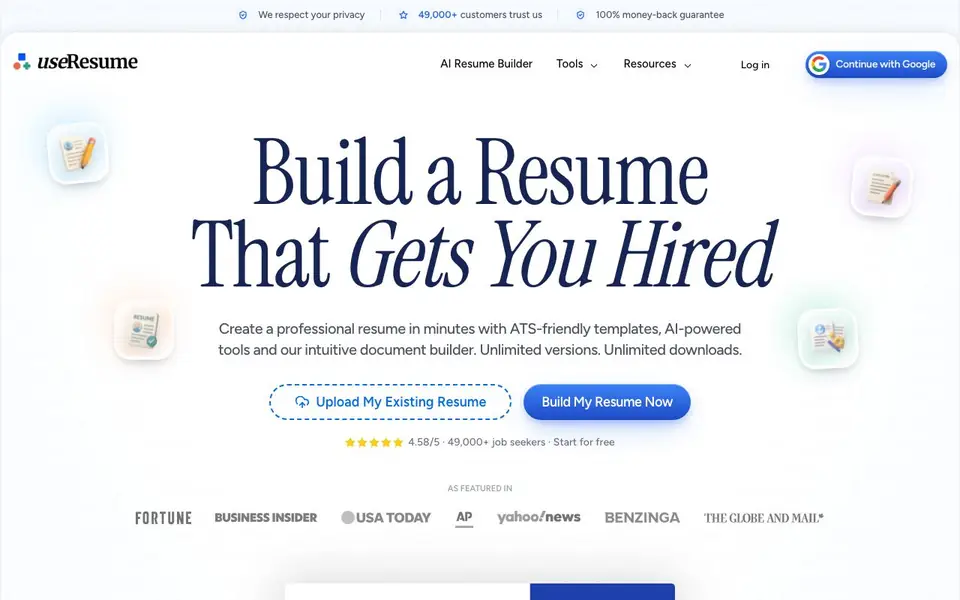
UseResume is an online resume builder that helps you create professional, ATS-friendly resumes and cover letters. It combines an intuitive drag-and-drop editor with AI tools that analyze job descriptions and tailor your content to match. The platform is designed to help your application pass automated screening systems and reach human recruiters.
To get started, you upload an existing resume or build a new one from scratch. Then you paste the job description you're targeting, and the AI identifies relevant keywords, rewrites your bullet points, and suggests professional summaries. You can also choose from ATS-optimized templates and use the AI assistant to polish your final document, checking for weak phrasing and inconsistencies.
UseResume is built for job seekers in any role or industry, from software engineers to nurses. It supports US resume and EU CV standards, and includes a cover letter generator and resignation letter builder. The website mentions over 49,000 customers trust the platform, and it offers a 100% money-back guarantee.
UseResume.ai features
- ATS-optimized templates: Templates tested against real screening systems to help you pass automated filters.
- AI keyword matching: Automatically detects skills and keywords from a job posting and matches them to your resume.
- AI content rewriting: Rewrites bullet points and summaries to be more professional and ATS-compatible.
- Cover letter generator: Creates a cover letter aligned to the same job posting you're targeting.
- Spell and grammar check: Goes beyond basic spell-check to refine your resume's language.
What you can do with UseResume.ai
- Tailor your resume to a specific job description with matched keywords.
- Generate a professional cover letter that matches the tone of a job posting.
- Polish your existing resume to fix weak phrasing and inconsistencies.
- Create a resignation letter to leave your job professionally.
How to get started with UseResume.ai
- Upload your existing resume or start a new one with the drag-and-drop editor.
- Paste the job description you're targeting and let the AI tailor your content.
- Choose an ATS-optimized template, then polish your resume with the AI assistant.
Tips for better results with UseResume.ai
- Paste the exact job description into UseResume's AI chat before editing, so the keyword matching and bullet rewrites target that specific posting rather than generic phrasing.
- Upload an existing resume first if you have one, then let UseResume extract your details, and review every parsed field like name, contact info, and skills before relying on the output.
- Use the AI assistant to polish your finished resume, asking it to check for weak phrasing and inconsistencies, then read the final version aloud to catch anything it missed.
- Generate your cover letter from the same job description you used for the resume, so both documents stay aligned in tone and keyword focus for that application.
UseResume.ai pricing
UseResume.ai has a free way to start, with paid plans for heavier use. Check useresume.ai for current limits and prices.
What to check before you rely on UseResume.ai
- Check whether the free plan includes unlimited downloads and versions, since the site advertises those but does not state what the free tier actually allows.
- Verify if the 100% money-back guarantee applies to your plan and what the refund conditions are, as the website does not list those details.
- Confirm that your resume exports in the file format recruiters or application portals require, since the site does not specify available export formats.
Who UseResume.ai is for
UseResume.ai suits job seekers, career changers, professionals and students. If that is not you, the AI resume builders below may fit better.
Similar tools compared with UseResume.ai
| Tool | What it is | Pricing |
|---|---|---|
| UseResume.ai | AI resume and cover letter builder | Freemium |
| Rezi | AI resume builder and job search assistant | Freemium |
| Kickresume | AI resume and cover letter builder | Freemium |
| Final Round AI | AI interview assistant with live answers | Freemium |
| Teal | AI resume builder and job tracker | Freemium |
UseResume.ai FAQ
How does UseResume work?
You upload your resume or start from scratch, paste a job description, and the AI matches keywords, rewrites bullets, and suggests improvements. You can then pick a template and polish the final document.
Is UseResume free?
The website says you can 'Start for free' and offers a 100% money-back guarantee, but it doesn't detail specific free or paid plan features. Check the pricing page for exact limits.
Who is UseResume for?
It's for job seekers in any role or industry, including software engineers, data scientists, nurses, product managers, and executive assistants. It supports both US resume and EU CV formats.
What can I create with UseResume?
You can build tailored resumes, auto-generated cover letters, and resignation letters. The AI also helps you add keyword-rich bullet points and professional summaries.
Can UseResume export my resume to PDF or Word?
UseResume lets you download your finished resume, but the website does not specify which file formats are available. To confirm whether PDF or Word export is supported, check the download options inside the editor or contact UseResume support directly.
Does UseResume work on my phone or tablet?
UseResume is an online resume builder, so you can access it through a web browser on any device with internet. The website does not mention dedicated mobile apps, so for the best experience on a phone or tablet, use the mobile browser version.
What does the free plan of UseResume include?
UseResume is freemium, meaning there is a free version, but the website does not list exactly what it includes. To know which features are free and what limits apply, check the pricing page or start with the free plan to see what you can do.


