

What is InstaWebAIv3.0.0?
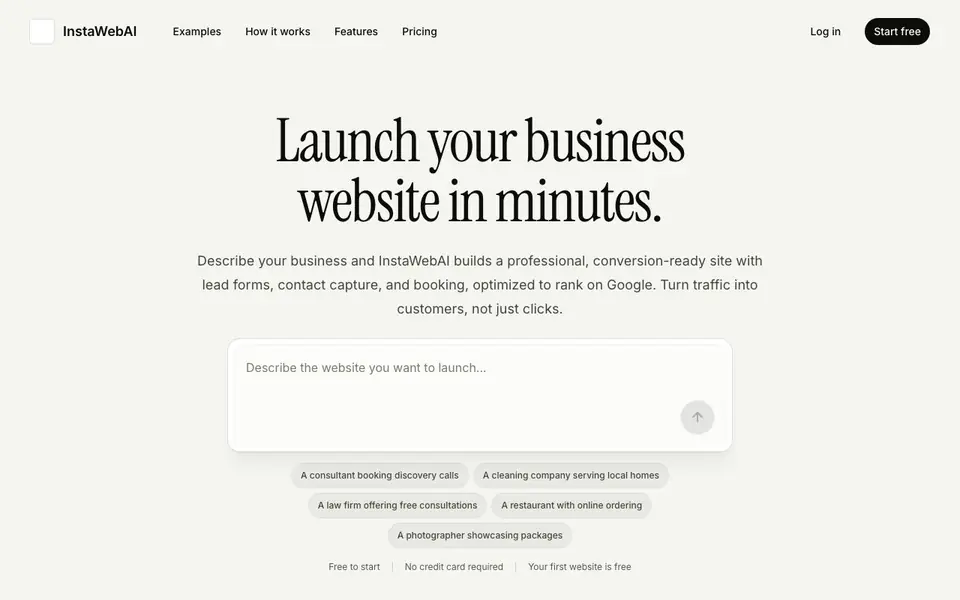
InstaWebAI builds professional, multipage websites from a short description of your business. It focuses on conversion, adding lead forms, contact capture, and booking options so visitors can easily reach you. The tool also includes SEO basics to help your site rank on Google.
You start by describing what you offer, who you serve, and what visitors should do next. The planner asks smart follow-up questions if anything is missing. Then you get a complete site with structure, copy, calls to action, imagery direction, and lead forms. You can edit everything in a visual editor, changing text, sections, images, layout, and SEO settings.
It suits consultants, local services, restaurants, studios, and professional firms. You can publish on an InstaWebAI subdomain for free, or connect your own domain on a paid plan. The site includes a submission inbox for leads and mobile-ready layouts.
InstaWebAIv3.0.0 features
- High-converting copy: Built-in text and CTAs designed to turn visitors into inquiries.
- Lead capture built in: Contact forms and submission inbox come with your first version.
- SEO basics included: Page titles, meta descriptions, and search-friendly structure are generated for you.
- Easy editing: Change wording, CTAs, sections, and images without needing a developer.
- Publishing handled: Host your site, update it, and connect a domain without technical setup.
What you can do with InstaWebAIv3.0.0
- Generate a complete website from a short business description.
- Add lead forms and booking options to capture customer inquiries.
- Edit site copy, images, and SEO settings after generation.
- Publish your site on a subdomain or connect your own domain.
How to get started with InstaWebAIv3.0.0
- Describe your business, including what you offer and who you serve.
- Answer smart follow-up questions if the planner needs more details.
- Edit the generated site in the visual editor, then publish it.
Tips for better results with InstaWebAIv3.0.0
- Describe your business with specific details about what you offer, who you serve, and the action you want visitors to take, so InstaWebAI can generate a more targeted site.
- Answer the planner's follow-up questions thoroughly, even if they seem obvious, because InstaWebAI uses those answers to fill gaps in your site structure and copy.
- After InstaWebAI generates your site, review and edit the SEO titles and meta descriptions in the visual editor to match your exact keywords and local search terms.
- Use the visual editor to refine your calls to action and lead forms, testing different wording and placements to improve conversion before you publish with InstaWebAI.
InstaWebAIv3.0.0 pricing
InstaWebAIv3.0.0 has a free way to start, with paid plans for heavier use. Check instawebai.com for current limits and prices.
What to check before you rely on InstaWebAIv3.0.0
- Check whether the free plan includes all features you need, since the website says freemium but does not list specific limits for the free version.
- Verify if your own domain can be connected on the free plan or only on paid plans, as the site mentions domain connection on a paid plan.
- Confirm the export options for your site content and lead data, because the website does not state if you can export your site or leads to other platforms.
Who InstaWebAIv3.0.0 is for
InstaWebAIv3.0.0 suits consultants, local service providers, restaurants and studios and professional firms. If that is not you, the AI app builders below may fit better.
Similar tools compared with InstaWebAIv3.0.0
| Tool | What it is | Pricing |
|---|---|---|
| InstaWebAIv3.0.0 | AI website builder for businesses | Freemium |
| SiGameGen | AI game builder from one sentence | Freemium |
| Durable | AI business builder and website maker | Freemium |
| Lovable | AI app and website builder | Freemium |
| Replit | AI app and website builder | Freemium |
InstaWebAIv3.0.0 FAQ
What does InstaWebAI build?
It builds complete, multipage business websites from a short description. Each site includes conversion-focused copy, lead forms, calls to action, SEO metadata, and editable sections like hero, services, gallery, and contact.
Is there a free plan?
Yes. Your first website is free, and you can start without a credit card. Publishing on an InstaWebAI subdomain is free, while connecting your own domain requires a paid plan.
Who is InstaWebAI for?
It is built for businesses that rely on customer contact, such as consultants, local services, restaurants, studios, and professional firms. The site structure matches how customers decide to reach you, like booking calls or requesting quotes.
Can I edit the website after it is generated?
Yes. You can use the visual editor to change text, calls to action, sections, images, layout, and SEO settings. There is also an AI design assistant that lets you request changes in plain English.
Can InstaWebAI export my website or connect to other tools like email or CRM?
The InstaWebAI website does not mention exporting your site or connecting to external tools like email services or CRM platforms. It focuses on building, editing, and publishing your site with built-in lead capture. For details on integrations, check the pricing or features pages on instawebai.com.
What devices or platforms does InstaWebAI run on?
InstaWebAI is a web-based tool, so you can use it on any device with a modern browser, including desktops, laptops, and tablets. The website does not specify dedicated mobile apps, but the generated sites are mobile-ready. For the latest browser requirements, check the site's help or FAQ section.
Does the free plan of InstaWebAI include a custom domain?
No, the free plan lets you publish on an InstaWebAI subdomain. To connect your own domain, you need a paid plan. The free plan includes your first website at no cost and no credit card is required. For full plan details, visit the pricing page on instawebai.com.


