

What is Infographics AI?
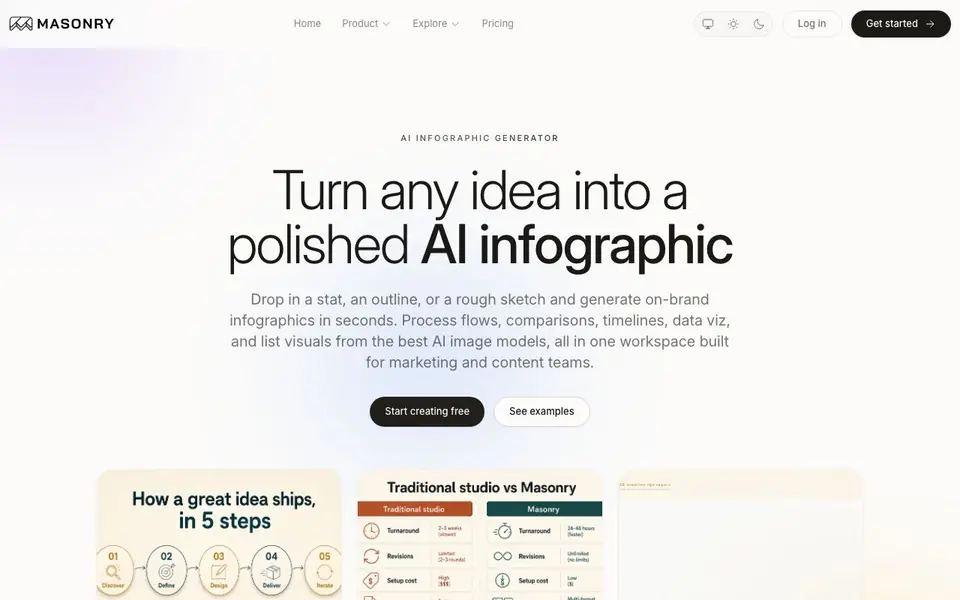
Infographics AI, part of Masonry, turns a rough idea into a finished infographic quickly. You paste a stat, outline, transcript, or sketch, and it generates visuals using over 60 AI models. It supports many formats like process flows, comparisons, timelines, data viz, and lists, with styles ranging from editorial to hand-drawn.
You start by dropping in your content and adding a brand reference if you have one. Then you choose a format and style, and the tool generates multiple concepts side by side. You can refine by tweaking the prompt, swapping the palette, or regenerating parts, then export in high resolution up to 4K.
It is built for marketing and content teams who want on-brand, commercial-ready visuals without template lock-in. The tool lets you compare models like Ideogram, Recraft, and Nano Banana Pro, each strong at different tasks like typography or illustration. The website does not detail specific pricing plans beyond offering a free start.
Infographics AI features
- Model comparison: Run the same brief through multiple top AI models and keep the best result.
- Format variety: Generate process flows, comparisons, timelines, lists, data viz, and more.
- Style control: Restyle content across looks like flat, isometric, hand-drawn, or dark mode.
- Brand anchoring: Use a reference image or palette to keep a consistent look across visuals.
- High-resolution export: Export up to 4K for decks, campaigns, and printed materials.
What you can do with Infographics AI
- Create a step-by-step process flow for a product launch.
- Build a side-by-side comparison of two plans or options.
- Turn a long list into a numbered visual for social media.
- Design a timeline for a roadmap or milestone story.
- Generate a stat strip leading with a headline figure for a campaign.
How to get started with Infographics AI
- Paste your content, like a stat, outline, or sketch, and add a brand reference if you have one.
- Choose a format such as process flow, comparison, or timeline, and pick a style.
- Generate multiple concepts, compare them side by side, then refine and export in high resolution.
Tips for better results with Infographics AI
- Start with a clear, specific prompt that names the exact format and style you want, like a comparison or timeline, to avoid vague outputs from Infographics AI.
- Use Infographics AI to run the same brief through Ideogram, Recraft, and Nano Banana Pro, then compare results side by side to pick the strongest visual.
- Add a brand reference image or palette before generating, so Infographics AI keeps your colors and look consistent across all concepts and exports.
- Refine iteratively by tweaking the prompt or swapping the palette, then regenerate only the parts you dislike instead of starting over from scratch.
Infographics AI pricing
Infographics AI has a free way to start, with paid plans for heavier use. Check masonry.so for current limits and prices.
What to check before you rely on Infographics AI
- Check whether your free plan includes commercial use and export rights, since the website does not list specific plan limits or pricing details.
- Verify that your data and uploaded content are handled securely, as the website does not state its data privacy or retention policies.
- Confirm the export formats available beyond high-resolution up to 4K, because the site does not specify file types like PNG, PDF, or SVG.
Who Infographics AI is for
Infographics AI suits marketers, content teams, designers and campaign managers. If that is not you, the AI design tools below may fit better.
Similar tools compared with Infographics AI
| Tool | What it is | Pricing |
|---|---|---|
| Infographics AI | AI infographic generator with multiple models | Freemium |
| Looka | AI logo maker and brand identity platform | Freemium |
| Uizard | AI-powered UI design and prototyping tool | Freemium |
| Clipdrop | AI photo editing and image generation suite | See website |
| Interior AI | AI interior design and virtual staging app | Freemium |
Infographics AI FAQ
What can I create with Infographics AI?
You can create process flows, comparisons, timelines, statistical strips, lists, data viz, hierarchical charts, geographic maps, and anatomy breakdowns. Styles include editorial, minimal, isometric, hand-drawn, flat illustration, and dark mode.
Is Infographics AI free to use?
The website says you can start creating free, which suggests a free plan or free credits. It does not state specific pricing details, so check the pricing page on Masonry's site for exact limits and paid options.
Who is Infographics AI for?
It is built for marketing and content teams who need on-brand, commercial-ready visuals quickly. It suits anyone who wants to turn a brief or data into a polished infographic without using design software or templates.
Which AI models does it use?
It includes Ideogram, Recraft, Nano Banana Pro, Seedream, FLUX.2 Pro, and GPT Image 2, among over 60 models. Each is strong at different tasks like typography, vector-style design, or photo-heavy content.
Can I export my Infographics AI designs in formats other than 4K, like PNG or PDF?
Infographics AI lets you export in high resolution up to 4K, which is suitable for decks, campaigns, and printed materials. The website does not specify other export formats like PNG or PDF. For details on available file types, check the export options within the tool or contact Masonry support.
Does Infographics AI work on mobile devices or only on desktop?
The Infographics AI website does not mention specific device or platform requirements. It is a web-based tool, so you can likely access it through a browser on desktop or mobile. For the best experience, especially with complex infographics, a desktop is recommended. Check the tool's help or FAQ for more details.
What does the free plan of Infographics AI include, and are there usage limits?
Infographics AI offers a free start, but the website does not detail what the free plan includes or any usage limits. To know exactly what you get for free, such as the number of generations or export resolution, visit the pricing page or sign up and check your account settings.


