

What is ImgEnhancer.app?
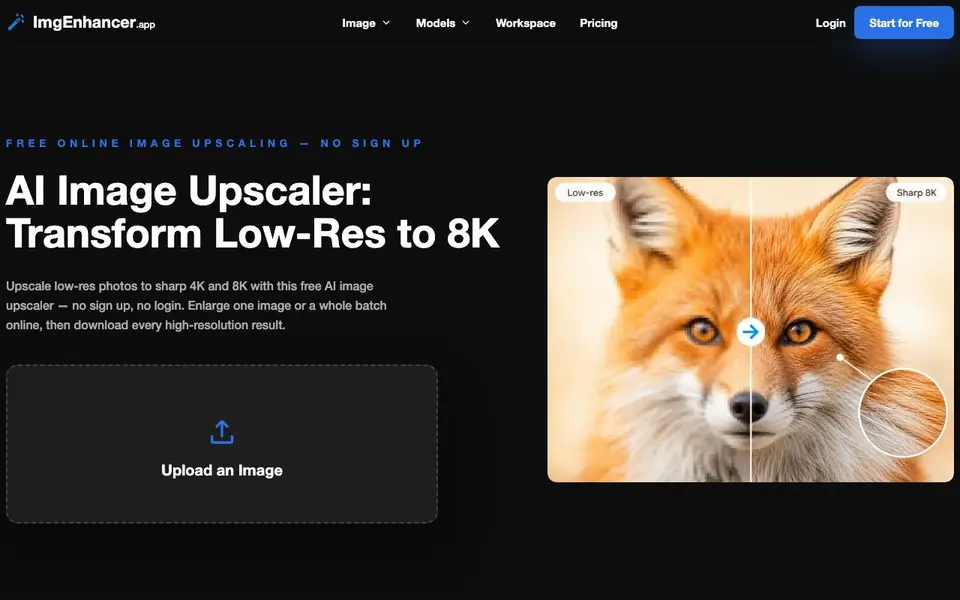
ImgEnhancer.app is a free online AI image upscaler that turns low-resolution photos into sharp, high-resolution images up to 8K. You can upload one image or a whole batch, choose a target resolution, and download watermark-free results. It runs entirely in your browser, so there is nothing to install and no account to create.
To use it, you drag in JPG, PNG, or WebP files, pick a resolution tier from 1K up to 8K, and let the AI rebuild detail as it enlarges. The tool previews the sharper result, and you download the high-resolution image in seconds. Batch upscaling lets you queue multiple photos and process them all in one pass.
This tool suits ecommerce sellers, social media designers, photographers, and anyone preparing images for print or large displays. The website notes it is free with no sign-up or login, and downloads carry no watermark. It works on desktop or mobile in any browser.
ImgEnhancer.app features
- Upscale to 8K: Choose a target resolution from 1K up to 8K for print, display, or zoom.
- Batch image upscaling: Queue multiple photos and upscale the whole set in one pass.
- No sign-up required: Start from the upload step without creating an account.
- Watermark-free downloads: Every upscaled image downloads clean at full resolution.
- Browser-based operation: Runs online in any browser on desktop or mobile, no install.
What you can do with ImgEnhancer.app
- Upscale product photos for ecommerce listings that stay sharp on zoom.
- Enlarge social media graphics into high-resolution covers and thumbnails.
- Prepare low-res photos for posters, slide decks, and large-format prints.
- Restore old or scanned pictures into cleaner high-resolution images.
How to get started with ImgEnhancer.app
- Drag in a JPG, PNG, or WebP file, or add several files for batch upscaling.
- Select a target resolution tier from 1K up to 8K to fit your project.
- Run the AI upscaler, preview the sharper result, and download the high-resolution image.
Tips for better results with ImgEnhancer.app
- Start with a 2K or 4K target for web images, then test 8K only when you truly need maximum detail, since larger outputs take longer to process.
- For batch upscaling, upload all your images at once and pick one resolution tier for the whole set to save time, rather than processing each file separately.
- Use ImgEnhancer.app on a desktop browser with a stable connection for large batches, since it runs entirely online and mobile may be slower for 8K outputs.
- Before upscaling, check your original image quality and resolution; ImgEnhancer.app works best on clear low-res photos, not heavily compressed or blurry files.
ImgEnhancer.app pricing
ImgEnhancer.app is free to use according to its website.
What to check before you rely on ImgEnhancer.app
- Verify the free plan's actual limits, since the website does not state a maximum file size, number of images per batch, or daily usage cap.
- Confirm the output format and whether you can choose it, as the website only mentions downloading high-resolution images without specifying file types.
- Check the privacy policy for how uploaded images are handled, since the tool runs in your browser but the site does not state data retention or deletion practices.
Who ImgEnhancer.app is for
ImgEnhancer.app suits ecommerce sellers, social media designers, photographers and presentation designers. If that is not you, the AI photo editors below may fit better.
Similar tools compared with ImgEnhancer.app
| Tool | What it is | Pricing |
|---|---|---|
| ImgEnhancer.app | Free AI image upscaler to 8K | Free |
| SiPhotoEditor | AI photo editor by description | Paid |
| SiImageGen | AI image generator and photo editor | Freemium |
| Clipdrop | AI photo editing and image generation suite | See website |
| Photoroom | AI photo editor for e-commerce product visuals | Freemium |
ImgEnhancer.app FAQ
Is ImgEnhancer.app really free?
Yes, the website states it is a free AI image upscaler with no sign-up or login required. You can upload images and download high-resolution results without creating an account or paying.
What file formats can I upload?
The website says you can drag in JPG, PNG, or WebP files. You can also add several files at once for batch upscaling.
Do upscaled images have watermarks?
No, the website states that every upscaled image downloads clean at full resolution with no watermark. The results are ready to use as-is.
What resolution options are available?
You can choose a target resolution tier from 1K up to 8K. The website mentions 4K and 8K as common options for print, display, or zoom.
Can I use ImgEnhancer.app on my phone or tablet?
Yes, ImgEnhancer.app runs entirely in your browser, so it works on desktop or mobile in any browser. You can upload images, choose a resolution, and download results directly from your phone or tablet without installing anything.
Does ImgEnhancer.app require an account or login to use?
No, ImgEnhancer.app does not require an account or login. You can start from the upload step, upscale your images, and download the results without signing up. The website states it is free with no sign-up or login needed.
What can I do with ImgEnhancer.app if I have a batch of images?
ImgEnhancer.app supports batch image upscaling, so you can queue multiple photos and process them all in one pass. This is useful for ecommerce sellers, real estate listings, or photographers who need to enlarge several images at once.


