

What is Home Design AI?
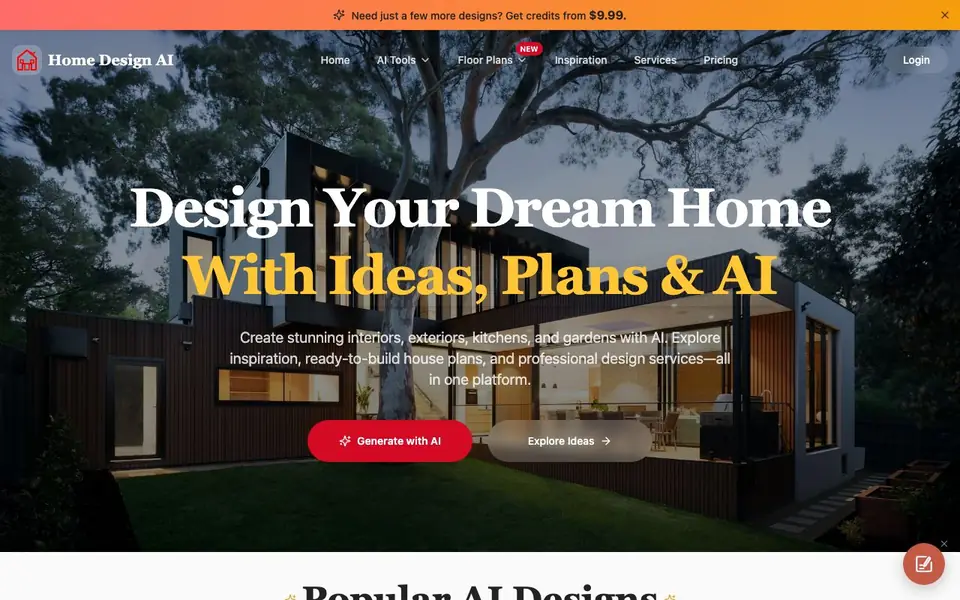
Home Design AI is a platform that brings together AI-powered design tools, inspiration galleries, and professional services for home projects. You can create interiors, exteriors, landscapes, kitchens, floor plans, and 3D models. It also offers curated design ideas across styles like modern, minimalist, and Scandinavian, plus ready-made house plans and one-on-one designer consultations.
To get started, you pick a tool such as Interior Design AI or Floor Plan Generator. You describe your idea, upload an image, or choose a style, and the AI produces design concepts or accurate layouts in seconds. For 3D models, you upload a photo or sketch and receive a GLB file you can use in design previews or other 3D workflows.
The platform suits homeowners planning a remodel, designers needing quick concept visuals, and anyone exploring style ideas. The website mentions you can buy extra credits starting at $9.99, and it offers professional house plans for purchase. It does not detail specific free plan limits or credit amounts on the homepage.
Home Design AI features
- Interior Design AI: Redesign any room by describing your idea or uploading a photo and picking a style.
- Exterior Design AI: Generate new facade concepts for modern or classic home styles in seconds.
- Floor Plan Generator: Turn your ideas into accurate, editable home layouts without complex software.
- AI 3D Model Generator: Convert photos, sketches, or text into production-ready GLB 3D models.
- Professional House Plans: Browse and buy ready-made floor plans designed by professionals for various home types.
What you can do with Home Design AI
- Visualize a kitchen remodel before you start any construction work.
- Generate a modern exterior look for your house to share with a contractor.
- Create a garden layout that fits your outdoor space and style preferences.
- Turn a sketch of furniture into a 3D model for digital staging.
- Find inspiration for a minimalist living room from curated design galleries.
How to get started with Home Design AI
- Choose an AI tool like Interior Design, Exterior Design, or Floor Plan Generator from the homepage.
- Describe your idea, upload an image, or select a preferred style to generate your design.
- Refine the result or explore ready-made house plans and professional designer services for further help.
Tips for better results with Home Design AI
- Start with a clear description or a well-lit photo of your room, and pick a specific style like minimalist or Scandinavian to get more relevant design concepts from Home Design AI.
- Use Home Design AI's Floor Plan Generator for layout ideas first, then refine the output by adjusting room sizes and placements before you commit to any construction work.
- For 3D models, upload a sketch or photo with good contrast and simple backgrounds, so Home Design AI can convert it into a cleaner GLB file for your workflows.
- Compare several generated designs for the same prompt, and mix elements from different outputs to create a final concept that better matches your taste and practical needs.
Home Design AI pricing
Home Design AI has a free way to start, with paid plans for heavier use. Check home-design.ai for current limits and prices.
What to check before you rely on Home Design AI
- Check whether the free plan includes enough credits for your project, since the website does not list specific free limits or credit amounts on the homepage.
- Verify if the GLB files from the 3D model generator work in your target software, as compatibility with other tools is not stated on the site.
- Confirm the pricing for extra credits and professional house plans before purchasing, as the website only mentions credits starting at $9.99 without full details.
Who Home Design AI is for
Home Design AI suits homeowners, interior designers, architects and DIY renovators. If that is not you, the AI design tools below may fit better.
Similar tools compared with Home Design AI
| Tool | What it is | Pricing |
|---|---|---|
| Home Design AI | AI home design and floor plan platform | Freemium |
| Looka | AI logo maker and brand identity platform | Freemium |
| Uizard | AI-powered UI design and prototyping tool | Freemium |
| Clipdrop | AI photo editing and image generation suite | See website |
| Interior AI | AI interior design and virtual staging app | Freemium |
Home Design AI FAQ
What can I create with Home Design AI?
You can generate interior, exterior, landscape, and kitchen designs, plus floor plans and 3D models. You can also browse inspiration galleries and buy professionally designed house plans.
How do I use the AI design tools?
Pick a tool like Interior Design AI or Floor Plan Generator. Then describe your idea, upload an image, or choose a style. The AI creates a design concept or layout in seconds.
Is there a free plan or trial?
The website mentions you can buy extra credits starting at $9.99, which suggests a credit-based system. It does not state whether a free plan or trial is available, so check the pricing page for details.
Can I get professional help for my home project?
Yes, the platform lets you work one-on-one with professional designers for personalized advice and custom design plans tailored to your space and lifestyle.
What file formats can Home Design AI export for 3D models?
Home Design AI exports 3D models as GLB files, which you can use in design previews or other 3D workflows. The website does not mention other export formats, so if you need a different file type, check the tool's documentation or contact support.
Does Home Design AI work on mobile devices?
The Home Design AI website does not specify whether it works on mobile devices. You can access it through a web browser on any device, but for the best experience, check the site on your phone or tablet to see if all features function properly.
What does the free plan of Home Design AI include?
Home Design AI offers a freemium model, but the website does not detail the specific limits of the free plan or how many credits you get. You can start using the tools without paying, and if you need more designs, you can buy credits starting at $9.99. For exact free plan details, check the pricing page.


