

What is Hairstyle AI?
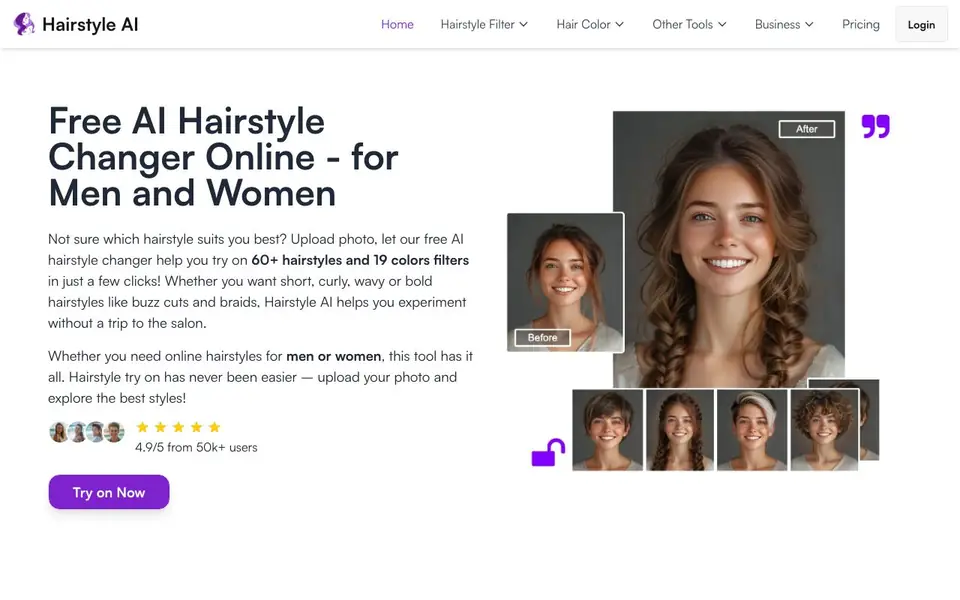
Hairstyle AI is a free online tool that lets you preview different hairstyles and hair colors on your own photo. It works for both men and women, with options ranging from classic cuts like bob and pixie to bold styles like buzz cuts, braids, and dreadlocks. You can also experiment with 19 color filters to see how a new shade might look.
Using it is simple. First, upload a clear photo of yourself. Next, browse the collection of hairstyle filters and pick the ones you like, optionally adding a hair color. The AI then applies the style to your image, and you can download the result to compare looks or share with your barber or stylist.
The tool is designed for anyone curious about a new look without committing to a salon visit. It is especially helpful for people who want to match a hairstyle to their face shape, as the site offers guidance on which cuts suit round, square, heart-shaped, or oval faces. The website mentions a 4.9/5 rating from over 50,000 users, but does not specify any limits on usage or image quality.
Hairstyle AI features
- 60+ hairstyle filters: Try on a wide range of styles for men and women, from bobs to buzz cuts.
- 19 hair color options: Change your hair color alongside the style to see the full effect.
- Face shape guidance: Get tips on which hairstyles suit round, square, heart, or oval faces.
- Instant preview: Upload a photo and see the new hairstyle applied in seconds.
- Free to use: The tool is free, with no mention of paid plans on the website.
What you can do with Hairstyle AI
- Test a new haircut before visiting the salon to avoid regret.
- Compare different hair colors to decide on a dye job.
- Find a hairstyle that flatters your face shape.
- Experiment with bold styles like braids or buzz cuts virtually.
How to get started with Hairstyle AI
- Upload your photo to the tool.
- Choose a hairstyle filter and optionally a hair color from the options.
- Download the transformed photo to see your new look.
Tips for better results with Hairstyle AI
- Upload a front-facing photo with your hair pulled back and good lighting, so Hairstyle AI can map your face shape accurately and apply the filter cleanly.
- Try several Hairstyle AI filters in one session, comparing each against your face shape guidance, to narrow down cuts that flatter your features before downloading.
- Combine a hairstyle filter with one of the 19 color options in Hairstyle AI to see the full effect, since changing both together gives a more realistic preview.
- Download your top two or three results and share them with your barber or stylist, so you can discuss the look with a concrete visual reference.
Hairstyle AI pricing
Hairstyle AI is free to use according to its website.
What to check before you rely on Hairstyle AI
- Check whether the free plan limits the number of uploads or downloads per day, since the website does not state any usage caps.
- Check the resolution and quality of downloaded images, as the site does not specify export formats or image size limits.
- Check the privacy policy for how your uploaded photos are stored or used, since the website does not mention data handling or deletion options.
Who Hairstyle AI is for
Hairstyle AI suits men and women considering a haircut, people curious about hair color changes and anyone seeking hairstyle inspiration. If that is not you, the AI photo editors below may fit better.
Similar tools compared with Hairstyle AI
| Tool | What it is | Pricing |
|---|---|---|
| Hairstyle AI | AI hairstyle try-on and color changer | Free |
| SiPhotoEditor | AI photo editor by description | Paid |
| SiImageGen | AI image generator and photo editor | Freemium |
| Clipdrop | AI photo editing and image generation suite | See website |
| Photoroom | AI photo editor for e-commerce product visuals | Freemium |
Hairstyle AI FAQ
Is Hairstyle AI really free?
Yes, the website says it is a free AI hairstyle changer. There is no mention of paid plans or a trial, so you can use the core features without paying.
How do I try on hairstyles with my own face?
You upload a photo of yourself, then pick from over 60 hairstyle filters. The AI applies the style to your face, and you can download the result. It works for both men and women.
What hairstyles are available?
The tool includes styles like bob, pixie, buzz cut, slicked back, braids, dreadlocks, ponytail, curly waves, and many more. There are options for different lengths and textures.
Can I change hair color too?
Yes, you can choose from 19 hair color filters. You can combine a hairstyle and a color to see the full look before deciding.
Does Hairstyle AI require creating an account to use it?
The Hairstyle AI website does not mention needing an account to try on hairstyles. You can upload a photo and use the tool directly from the site. If you have questions about saving your results or accessing them later, check the website's login or pricing pages for more details.
Can I download the result from Hairstyle AI, and in what format?
Yes, Hairstyle AI lets you download the photo with your new hairstyle after the AI applies it. The website does not specify the file format or resolution of the download. For exact details on file types or quality, look for any download instructions on the site or contact their support.
Does Hairstyle AI work on my phone or tablet?
The Hairstyle AI website does not explicitly state which devices it supports. Since it is an online tool, it likely works in a web browser on most devices, including phones and tablets. To confirm compatibility with your specific device, try accessing the site from your browser or check the website's help section.


