

What is Gist AI?
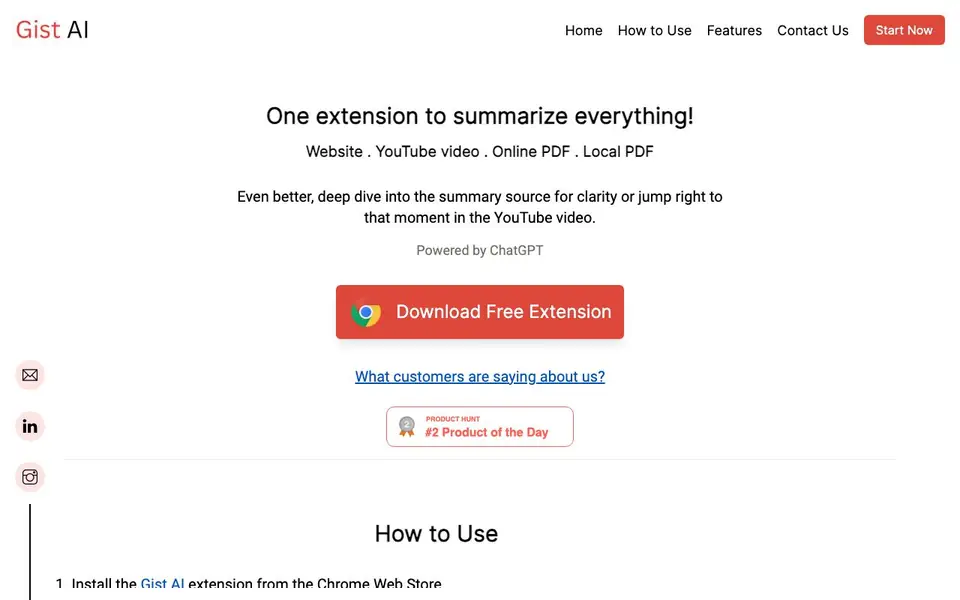
Gist AI is a free Chrome extension that summarizes websites, YouTube videos, and PDFs. It uses ChatGPT to extract key points from long content, saving you time. You can summarize online articles, YouTube videos, and both online and local PDF files.
To use it, install the extension from the Chrome Web Store, pin it to your toolbar, and click the icon on any page. For local PDFs, upload them in the PDF tab. The summary appears instantly, and you can use the Read More feature to dive deeper into parts that interest you.
It suits students, professionals, and researchers who need quick insights. The extension does not collect user data; only article content is shared with the AI model to generate summaries. It also lets you jump to specific moments in YouTube videos.
Gist AI features
- One-click summarization: Instantly extracts key points from articles, videos, or PDFs.
- Read More feature: Dive deeper into summary sources that interest you most.
- YouTube video jumping: Skim summaries and watch only relevant video segments.
- PDF support: Summarize both online PDFs and files stored on your device.
- Research-backed comprehension: Breaks long content into smaller parts for better focus.
What you can do with Gist AI
- Summarize long articles for business reports or presentations.
- Extract key points from YouTube videos without watching fully.
- Get quick overviews of research papers or technical PDFs.
- Save time reading tech articles as a student or professional.
How to get started with Gist AI
- Install the Gist AI extension from the Chrome Web Store.
- Pin the extension to your browser toolbar.
- Open any website, YouTube video, or PDF and click the extension icon to summarize.
Tips for better results with Gist AI
- Install Gist AI from the Chrome Web Store, pin it to your toolbar, and click its icon on any article, video, or PDF page to generate a summary instantly.
- Use Gist AI's Read More feature to expand sections of the summary that interest you, so you can dive deeper into the original content without reading everything.
- For YouTube videos, skim Gist AI's summary first, then use the jump-to-moment feature to watch only the segments that are relevant to your task.
- Upload local PDFs directly into Gist AI's PDF tab to get summaries of files stored on your device, not just online documents.
Gist AI pricing
Gist AI is free to use according to its website.
What to check before you rely on Gist AI
- Check that Gist AI is only available as a Chrome extension; the website does not mention support for other browsers or mobile platforms.
- Verify the free plan's limits, such as the number of summaries per day or content length; the website does not state these details.
- Confirm how your data is handled: the site says no user data is collected, but only article content is shared with the AI model—review this policy before use.
Who Gist AI is for
Gist AI suits students, business analysts, researchers and consultants. If that is not you, the AI research tools below may fit better.
Similar tools compared with Gist AI
| Tool | What it is | Pricing |
|---|---|---|
| Gist AI | Free Chrome extension for summarizing content | Free |
| OpenSI | AI model comparison and pricing tool | See website |
| ChatPDF | AI chat and summarizer for PDFs | Freemium |
| Consensus | AI search engine for research papers | See website |
| Scite | AI research assistant with smart citations | Free trial |
Gist AI FAQ
Is Gist AI free to use?
Yes, the extension is free to download and use. The website promotes it as a free summarizer, and there is no mention of paid plans or limits.
What types of content can Gist AI summarize?
It summarizes websites, YouTube videos, online PDFs, and local PDF files. You can upload a PDF from your computer in the PDF tab.
How does the Read More feature work?
The Read More feature lets you dive deeper into the website of a summary that interests you. It helps you explore specific parts of the original content without reading everything.
Does Gist AI collect my data?
No, Gist AI does not collect any user data. The only information shared with the AI model is the article content needed to generate your summary.
Can Gist AI summarize PDFs stored on my computer?
Yes, Gist AI can summarize both online PDFs and PDF files saved on your device. To use it, install the Chrome extension, open the PDF tab, and upload the file from your computer. The summary will be generated instantly.
Does Gist AI work on platforms other than Chrome?
Gist AI is described as a Chrome extension, so it is designed to work within the Chrome browser. The website does not mention support for other browsers or standalone apps. For the latest information, check the Chrome Web Store listing or the official site.
What does the free plan of Gist AI include?
Gist AI is labeled as free, and the website indicates you can download the extension for free. It does not specify any limitations on the number of summaries or features in the free version. For detailed terms, refer to the Chrome Web Store or contact the developers.


