

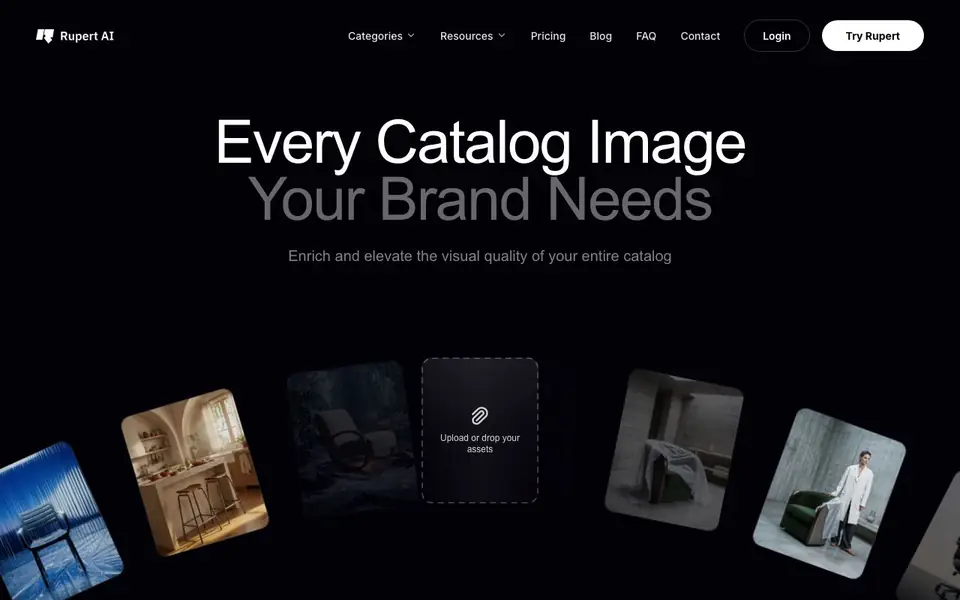
What is getrupert.com?
Rupert is an AI tool built for furniture retailers and manufacturers who need a full catalog of product images without a physical photoshoot. It turns your existing product photos into polished visuals: staged scenes, studio shots, close-ups, and even 360° spins. The tool also converts images to video, swaps products into different settings, and adds dimension overlays or infographics.
You start by uploading your product assets. Rupert then uses a mix of advanced AI models—like Nano Banana, GPT, Veo, Kling, and Flux—picking the best one for each task. You can apply one-click presets designed for your industry, from clean studio looks to dramatic editorial styles. Lighting control and product variants let you adjust the final result to match your brand.
This suits furniture and home decor businesses that need consistent, high-quality catalog images at scale. The website mentions categories like furniture, lighting, decor, and home living. Pricing details are not stated on the homepage, so you would need to check the pricing page or contact Rupert directly for costs.
getrupert.com features
- Product staging: Places your furniture into realistic lifestyle scenes without a photoshoot.
- 360° spins: Generates rotating views of your products so customers can see them from every angle.
- Image to video: Converts still product images into short video clips for richer listings.
- Product swap: Replaces one product with another in an existing scene to create new variants.
- Dimension overlays: Adds size and measurement graphics to product images for clarity.
What you can do with getrupert.com
- Create a full catalog of studio-quality images for your furniture line.
- Generate 360° spins for online product pages to boost customer confidence.
- Turn static product photos into engaging video content for social media.
- Produce multiple color or style variants of the same product without reshoots.
How to get started with getrupert.com
- Upload or drop your product assets into the Rupert platform.
- Choose a preset style or let the AI pick the best model for each image task.
- Review and refine the generated images, then export them for your catalog.
Tips for better results with getrupert.com
- Upload your highest-resolution product photos to Rupert so the AI models have enough detail to stage scenes, generate 360° spins, and create sharp video clips without artifacts.
- Start with Rupert's one-click presets for furniture, lighting, or decor to get consistent brand looks, then adjust lighting control and product variants to fine-tune each result.
- Use Rupert's product swap feature to create multiple color or style variants from one base image, saving you from reshooting the same item for each option.
- Test Rupert's image-to-video and 360° spin outputs on a few sample products first to confirm they match your catalog's quality bar before processing your full inventory.
getrupert.com pricing
getrupert.com’s homepage does not list prices. Check getrupert.com for current plans.
What to check before you rely on getrupert.com
- Check the pricing page or contact Rupert directly because the homepage does not state any plan costs, limits, or credit amounts.
- Verify what export formats Rupert supports for final images and videos, since the website does not list file types or resolution options.
- Review Rupert's privacy policy to confirm how your uploaded product photos are stored and used, as the homepage does not detail data handling practices.
Who getrupert.com is for
getrupert.com suits furniture retailers, furniture manufacturers, home decor brands and ecommerce teams. If that is not you, the AI photo editors below may fit better.
Similar tools compared with getrupert.com
| Tool | What it is | Pricing |
|---|---|---|
| getrupert.com | AI catalog photography for furniture brands | See website |
| SiPhotoEditor | AI photo editor by description | Paid |
| SiImageGen | AI image generator and photo editor | Freemium |
| Clipdrop | AI photo editing and image generation suite | See website |
| Photoroom | AI photo editor for e-commerce product visuals | Freemium |
getrupert.com FAQ
What does Rupert do?
Rupert is an AI catalog photography tool for furniture retailers and manufacturers. It turns your product photos into studio-quality images, staged scenes, 360° spins, and videos. You upload assets, and it uses advanced AI models to generate the visuals you need.
Who is Rupert for?
It is designed for furniture retailers and manufacturers, as well as lighting, decor, and home living businesses. If you need a large catalog of product images without a physical photoshoot, Rupert is built for your workflow.
Can I create videos with Rupert?
Yes. Rupert offers an image-to-video feature that converts your product images into short video clips. This can be useful for product pages, social media, or advertising. The tool uses models like Veo, Kling, and Sora for video generation.
How much does Rupert cost?
The homepage does not state specific pricing. You can check the pricing page on Rupert's website or contact them directly to get a quote. The tool appears to be a professional service, so pricing likely depends on your catalog size and needs.
What file formats can I upload to Rupert?
The Rupert website does not specify which file formats are accepted for uploads. To confirm supported formats, check the platform's upload interface or contact Rupert directly for details.
Does Rupert work on mobile devices?
The Rupert website does not mention whether it is available on mobile devices or if it requires a desktop browser. For the most accurate information, visit the Rupert site or reach out to their support team.
Can I use Rupert without creating an account?
The Rupert website does not state whether you need an account to use the tool. Since it mentions a login option, you likely need an account, but for confirmation, check the Rupert sign-up process or contact their team.


