

What is Fotor?
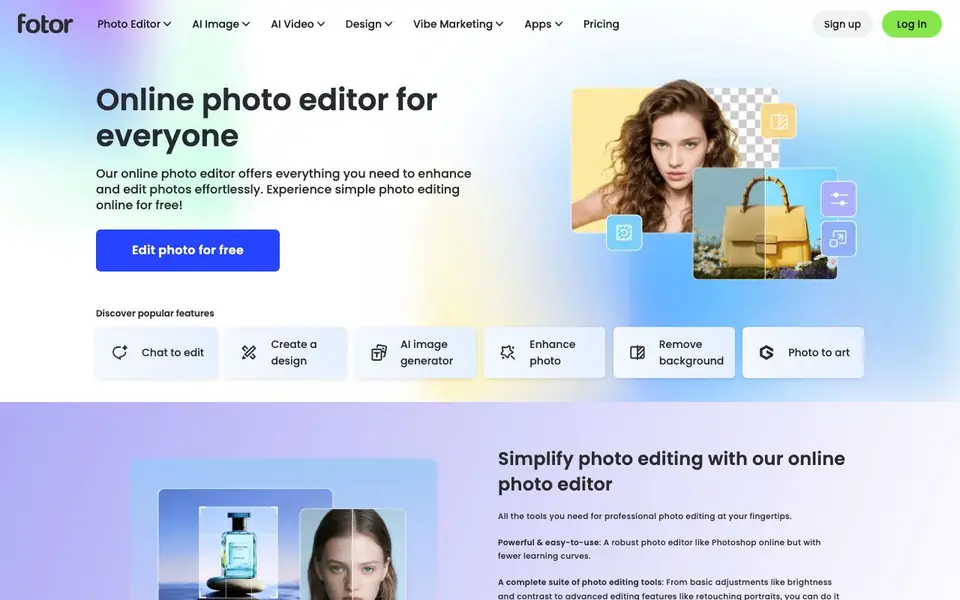
Fotor is an online photo editor that brings professional editing tools to your browser. You can crop, adjust brightness and contrast, add text and effects, and retouch portraits without needing to learn complex software. It works like a simplified Photoshop, so you can get polished results quickly.
Beyond basic edits, Fotor includes AI features to speed up your workflow. The AI Photo Enhancer improves quality in one click by adjusting lighting and sharpening blurry images. The AI Background Remover deletes backgrounds in about three seconds, and the AI Object Remover lets you erase unwanted items like photobombers or stamps. You can also edit many photos at once with the batch editor.
For creative projects, Fotor offers generative AI tools. You can turn text prompts into images, replace or add objects by brushing over an area, expand photos beyond their borders, and create AI avatars from your selfies. It also has filters, effects, and a library of stock photos and stickers. Fotor is suitable for beginners and anyone who wants fast, accessible photo editing online.
Fotor features
- AI Photo Enhancer: Automatically improves lighting, sharpness, and detail in your photos with one click.
- AI Background Remover: Removes image backgrounds in about three seconds and lets you replace them.
- AI Object Remover: Erases unwanted objects, text, or photobombers from your photos without leaving traces.
- Text to Image: Generates AI art from your text descriptions, including photos, logos, and illustrations.
- Batch Photo Editor: Edits multiple photos at once to save time on repetitive tasks.
What you can do with Fotor
- Remove backgrounds from product photos for your online store.
- Enhance old or blurry family photos to make them clearer.
- Create a professional headshot for LinkedIn using AI avatars.
- Expand a landscape photo to fit a different aspect ratio for social media.
How to get started with Fotor
- Go to Fotor's website and sign up or log in to your account.
- Upload a photo or start with a blank canvas to begin editing.
- Use the editing tools or AI features like background removal or text-to-image to transform your image.
- Download your edited photo once you are happy with the result.
Tips for better results with Fotor
- Start with the AI Photo Enhancer on your blurry or dark shots, then fine-tune brightness and contrast manually to avoid overprocessed results.
- Use Fotor's AI Background Remover on product photos, then replace the background with a solid color or stock image for a clean, professional look.
- For batch editing, apply the same crop and color adjustments to all photos at once, but check each image afterward for individual issues.
- When using Text to Image, describe your scene with specific details like lighting, style, and subject to get closer to what you envision.
Fotor pricing
Fotor has a free way to start, with paid plans for heavier use. Check fotor.com for current limits and prices.
What to check before you rely on Fotor
- Check whether the free plan includes the AI features you need, like background removal or batch editing, since Fotor labels itself freemium.
- Verify if your images are stored or used for training when you upload them, as the website does not state its data privacy policy clearly.
- Confirm the export formats and resolution limits on the free tier before relying on Fotor for final deliverables, as these are not listed on the page.
Who Fotor is for
Fotor suits casual photographers, social media users, small business owners and design beginners. If that is not you, the AI photo editors below may fit better.
Similar tools compared with Fotor
| Tool | What it is | Pricing |
|---|---|---|
| Fotor | Online photo editor with AI tools | Freemium |
| SiPhotoEditor | AI photo editor by description | Paid |
| SiImageGen | AI image generator and photo editor | Freemium |
| Clipdrop | AI photo editing and image generation suite | See website |
| Photoroom | AI photo editor for e-commerce product visuals | Freemium |
Fotor FAQ
Is Fotor free to use?
Fotor offers a free online photo editor, and you can edit photos for free. The website also has a pricing page for paid plans, so it likely has freemium options, but the exact free limits are not stated on the homepage.
What can I do with Fotor's AI tools?
You can enhance photo quality, remove backgrounds, remove unwanted objects, generate images from text, replace objects, expand images, and create AI avatars. These tools are designed to make complex edits simple and fast.
Who is Fotor best for?
Fotor is for anyone who wants to edit photos online without learning complex software. It suits beginners, social media users, and small business owners who need quick edits or creative images.
Can I edit multiple photos at once?
Yes, Fotor has a batch photo editor that lets you edit all your photos at once. This helps you get more done in less time, though the homepage does not specify limits on how many photos you can process.
Does Fotor offer a free plan, and what does it include?
Fotor has a free plan that lets you edit photos online without paying. You can use basic editing tools, some AI features, and export images. However, the free plan may have limits on resolution or access to premium features. For exact details, check the pricing page on Fotor's website.
Can I use Fotor on my phone or tablet?
Fotor is primarily an online photo editor that works in your browser, so you can access it on any device with internet, including phones and tablets. The website also mentions apps, but the specific platforms are not detailed. For the latest app availability, visit Fotor's official site.
What file formats can I export from Fotor?
Fotor lets you save your edited images in common formats like JPG and PNG, which are standard for photos and graphics. The website does not list all export options, so for a complete list, check Fotor's help center or the export menu in the editor.


