

What is Fotify?
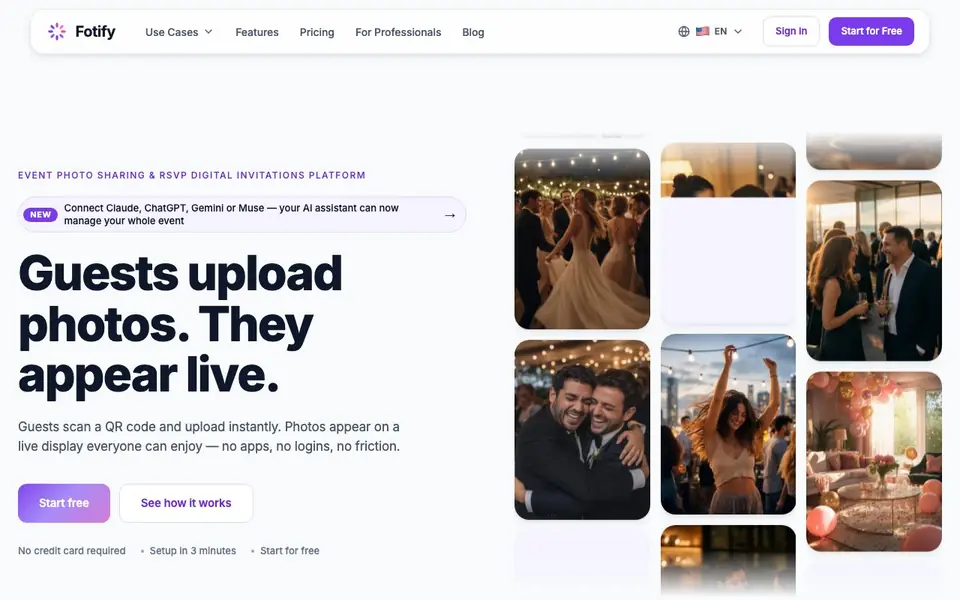
Fotify is a platform for event photo sharing and RSVP management. Guests scan a QR code and upload photos instantly, which appear on a live display for everyone to enjoy. No apps or logins are needed, so guests can contribute without friction.
You start by creating your event, customizing your photo wall, uploading your invitation, and managing your guest list. Then you share your unique QR code at the venue. Guests scan it to access your branded upload page, and photos appear in real time on a moderated wall that you can display on screens.
Fotify suits weddings, corporate parties, conferences, and birthdays. It includes AI moderation to filter inappropriate content and highlight the best moments, bulk downloads as ZIP files, digital invitations with RSVP tracking, and multilanguage support. A free plan covers up to 50 photos and 20 invitations for 7 days; paid plans offer unlimited photos, longer access, and no branding.
Fotify features
- Real-time Photo Wall: Guests upload photos that appear live on a moderated display, perfect for event screens.
- AI Moderation: Automatically filters inappropriate content and highlights the best moments from your event.
- Bulk Downloads: Download all event photos as organized ZIP files so you never lose a memory.
- Digital Invitations: Send elegant invitations with RSVP tracking and bouncer scanning QR codes.
- Privacy-First Sharing: Keep your photos secure with no public links unless you choose to share them.
What you can do with Fotify
- Collect candid photos from wedding guests in real time.
- Display a live photo wall at corporate parties or conferences.
- Manage RSVPs and guest lists for birthday parties.
- Gather photos from hybrid events with remote participants.
How to get started with Fotify
- Create your event and customize your photo wall, invitation, and guest list.
- Share your unique QR code at the venue for guests to scan.
- Watch photos appear live on your moderated photo wall during the event.
Tips for better results with Fotify
- Place the QR code in high-traffic areas like entrances and bars, and add a short verbal prompt from the host to boost guest uploads.
- Customize your photo wall and upload page with your event branding before sharing the QR code, so guests immediately recognize the space as yours.
- Use Fotify's AI moderation to auto-approve most photos, but check the live wall periodically to catch anything the filter misses.
- Download all photos as ZIP files shortly after your event ends, while the free plan's 7-day access is still active, to avoid losing memories.
Fotify pricing
Fotify has a free way to start, with paid plans for heavier use. Check fotify.app for current limits and prices.
What to check before you rely on Fotify
- Confirm the free plan's 50-photo limit and 7-day access window are enough for your event size; the website does not state if you can extend free access.
- Check whether your guests' devices can scan QR codes without an app; the site says no login is needed but does not list supported browsers or operating systems.
- Verify how AI moderation handles your specific content types; the site does not specify what counts as inappropriate or how to override its decisions.
Who Fotify is for
Fotify suits event organizers, wedding planners, corporate event managers and party hosts. If that is not you, the AI photo editors below may fit better.
Similar tools compared with Fotify
| Tool | What it is | Pricing |
|---|---|---|
| Fotify | Live event photo sharing and RSVP platform | Freemium |
| SiPhotoEditor | AI photo editor by description | Paid |
| SiImageGen | AI image generator and photo editor | Freemium |
| Clipdrop | AI photo editing and image generation suite | See website |
| Photoroom | AI photo editor for e-commerce product visuals | Freemium |
Fotify FAQ
What does Fotify do?
Fotify lets you collect guest photos in real time at events. Guests scan a QR code, upload photos without an app or login, and photos appear on a live display. It also handles digital invitations and RSVP tracking.
Is there a free plan?
Yes, Fotify offers a free event plan with no credit card required. It includes a live photo carousel, 20 invitations, 50 photos, unlimited photo-sharing guests, and 7 days of upload and gallery access.
Who is Fotify for?
Fotify is for anyone hosting events where guests share photos, such as weddings, corporate parties, conferences, and birthdays. It also suits event organizers who want to manage RSVPs and invitations in one place.
Does Fotify offer AI moderation?
Yes, the free plan includes basic photo moderation, and paid plans add AI-powered moderation. The AI filters inappropriate content and automatically highlights the best moments from your event.
Can Fotify connect to AI assistants like Claude or ChatGPT?
Yes, Fotify can connect to Claude, ChatGPT, Gemini, or Muse. These AI assistants can manage your whole event through the platform. You can set this up from your event dashboard. Check the Fotify website for specific setup instructions.
Does Fotify work on mobile devices for guests?
Guests use Fotify through a QR code that opens a branded upload page in their mobile browser. No app installation or login is required. This means any smartphone with a camera and internet connection can contribute photos to your event wall.
What does the Fotify free plan include besides 50 photos and 20 invitations?
The Fotify free plan covers up to 50 photos and 20 invitations for 7 days. It includes AI moderation, bulk downloads, and multilanguage support. Paid plans offer unlimited photos, longer access, and no branding. For exact details, visit the Fotify pricing page.


