

What is Floyo?
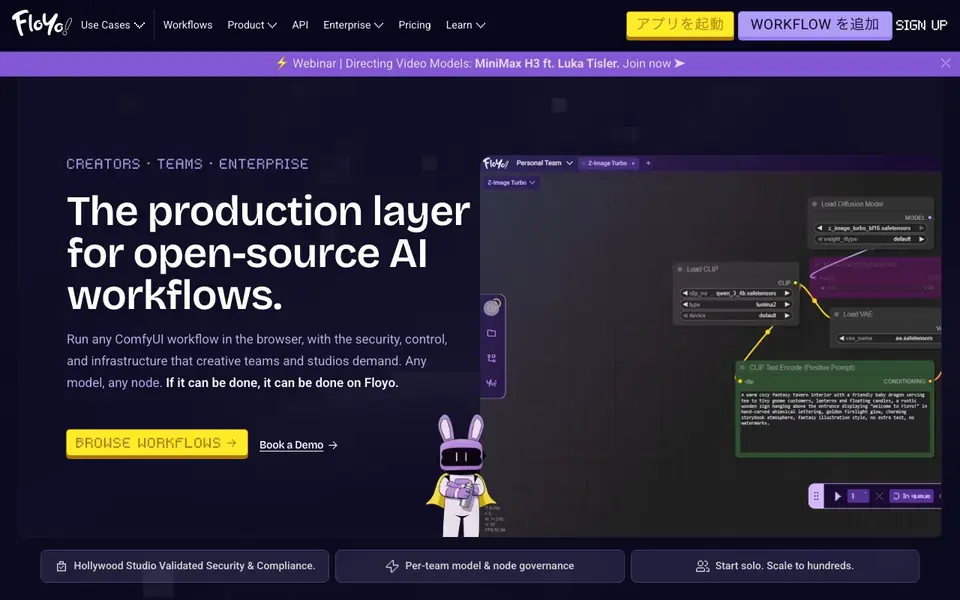
Floyo is a production layer for open-source AI workflows. It lets you run any ComfyUI workflow directly in your browser, with no installation or infrastructure to manage. You get access to 850+ models and 2,500+ nodes, including open and closed options from providers like Kling, Google, OpenAI, Flux, and more. You can also bring your own LoRAs, fine-tunes, and custom nodes.
Getting started is simple. You browse ready-made workflow templates, read the instructions, change your input, and click Run. Most people never need to open a node. For more complex tasks, the Floyo Agent lets you describe what you want in plain language, and it searches every workflow, model, and node to find the best match, explains why, and chains multi-step tasks automatically.
Floyo suits solo creators, teams, and enterprises. Teams get shared workspaces, pooled GPU credits, role-based access, and full run history. Enterprise features include dedicated GPU pools, commercial-use indemnification, and compliance validated by Amazon and Netflix. Developers can access every workflow as a live API endpoint or via MCP server for their agents.
Floyo features
- Browser-based ComfyUI: Run any ComfyUI workflow without local setup or infrastructure.
- Model and node governance: Set policies per team to approve or block specific models and nodes.
- Shared workspaces: Teams get a private page with the same nodes, models, and settings for everyone.
- Floyo Agent: Describe what you want in plain language and it picks the best workflow automatically.
- API and MCP access: Every workflow becomes a live API endpoint or MCP server for your agents.
What you can do with Floyo
- Generate AI images and video using open-source workflows in your browser.
- Collaborate with your team on shared production workflows with role-based access.
- Enforce model and node policies to keep your team compliant and secure.
- Integrate AI generation into your product via API or MCP endpoints.
How to get started with Floyo
- Sign up on Floyo's website and browse the available workflow templates.
- Open a ready-made workflow, read its instructions, and change your input.
- Click Run to generate, or use the Floyo Agent to describe what you want in plain language.
Tips for better results with Floyo
- Start with a ready-made template and read its instructions before changing inputs, so you understand the expected format and avoid failed runs on Floyo.
- Use Floyo Agent for complex tasks by describing your goal in plain language, and let it chain multi-step workflows automatically instead of assembling nodes manually.
- Bring your own LoRAs, fine-tunes, and custom nodes to Floyo to tailor outputs to your style, but verify they are compatible with the workflow you plan to run.
- Test a small batch of generations on Floyo first to confirm the output quality and speed, then scale up to larger runs once you are satisfied with the results.
Floyo pricing
Floyo has a free way to start, with paid plans for heavier use. Check floyo.ai for current limits and prices.
What to check before you rely on Floyo
- Check whether the free tier includes enough GPU credits for your typical workload, since the website lists freemium pricing but does not specify exact credit amounts.
- Verify if your chosen models or nodes are covered by the team governance policies, as Floyo's website does not detail which models are blocked by default.
- Confirm the export formats and file delivery options for generated outputs, because the website does not state whether you can download files directly or via API.
Who Floyo is for
Floyo suits creative professionals, teams, enterprise studios and developers. If that is not you, the AI design tools below may fit better.
Similar tools compared with Floyo
| Tool | What it is | Pricing |
|---|---|---|
| Floyo | Browser-based ComfyUI workflow platform | Freemium |
| Looka | AI logo maker and brand identity platform | Freemium |
| Uizard | AI-powered UI design and prototyping tool | Freemium |
| Clipdrop | AI photo editing and image generation suite | See website |
| Interior AI | AI interior design and virtual staging app | Freemium |
Floyo FAQ
What is Floyo?
Floyo is a browser-based platform for running ComfyUI workflows. It lets you generate AI images and video using open-source models and nodes without any local setup or infrastructure.
Is Floyo free?
Floyo is free to start, and you pay only when you generate. There are also team and enterprise plans with pooled GPU credits and dedicated GPU pools.
Who is Floyo for?
Floyo is for creative professionals, teams, enterprise studios, and developers. It offers different access levels, from solo creators to large studios with sensitive IP.
Can I use my own models or nodes?
Yes, you can bring your own LoRAs, fine-tunes, and custom nodes. Floyo supports any model and any node, with no ceiling on what you can run.
Does Floyo offer a free plan, and what does it include?
Floyo is freemium, so you can start without paying. The free plan lets you run workflows in your browser with access to 850+ models and 2,500+ nodes, but you pay only when you generate. For specifics on limits, check the pricing page on floyo.ai.
Can Floyo be used on any device or does it require installation?
Floyo runs directly in your browser, so you can use it on any device with a modern web browser and internet connection. There is no installation or infrastructure to manage. The website does not mention dedicated mobile apps, so check floyo.ai for the latest platform details.
Does Floyo let you export or integrate your workflows with other tools?
Yes, Floyo provides every workflow as a live API endpoint and supports MCP servers for your agents. This means you can integrate AI generation into your product or connect external agents. The website does not list specific export formats, so check floyo.ai for more integration details.


