

What is Facetune?
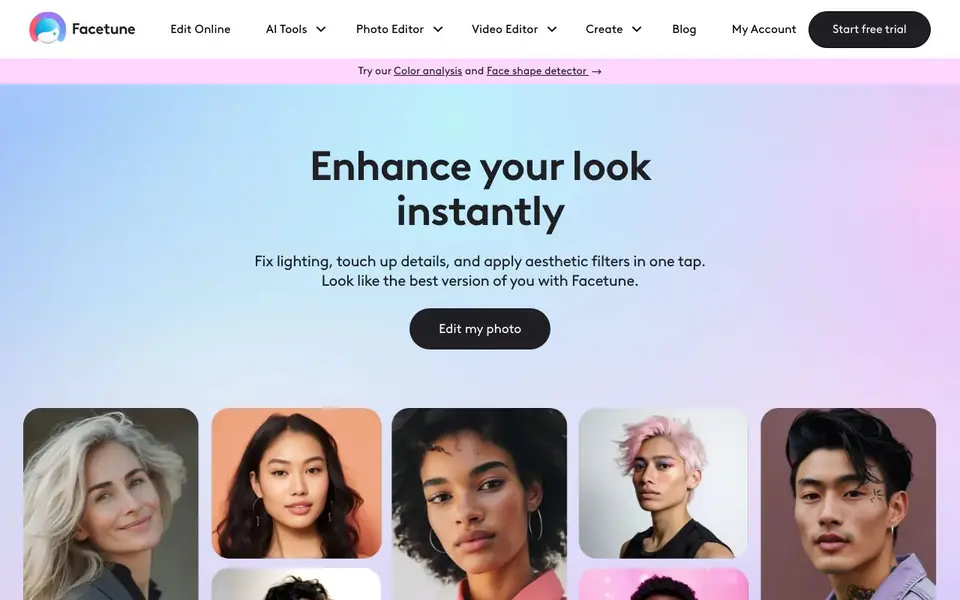
Facetune is a photo and video editing app focused on enhancing selfies and portraits. It offers a wide range of AI-powered tools for retouching, experimenting with hairstyles and makeup, and creating professional-looking images. The app is designed for influencers, creators, and anyone who wants to keep their social media content fresh and engaging.
You start by uploading a photo or video. From there, you can use tools like the AI Face Editor to enhance features, Teeth Whitening to brighten smiles, and AI Wrinkle Remover to smooth skin. You can also try on virtual bangs, add beards, or change clothes. The Color Analysis and Face Shape Detector tools provide personalized recommendations for flattering styles.
Facetune suits both beginners and pros, with intuitive tools for quick touch-ups or complete makeovers. It also includes a Passport Photo Maker and Real Estate Photo Editor for specific needs. You can edit on the go, making it a versatile companion for everyday content creation.
Facetune features
- AI Face Editor: Enhances facial features in photos with AI to bring out your best look.
- Color Analysis: Identifies the color palette that flatters your skin tone, eye color, and hair.
- Face Shape Detector: Gives personalized hairstyle, makeup, and accessory suggestions based on your face.
- Teeth Whitening: Whitens teeth in photos with an AI-powered tool for a perfect smile.
- AI Clothes Changer: Virtually try on clothes and experiment with different outfits in your photos.
What you can do with Facetune
- Retouch selfies to remove blemishes and whiten teeth for a polished look.
- Try on virtual bangs or beards to see how a new style suits you.
- Create professional headshots without a photoshoot for your LinkedIn profile.
- Enhance real estate photos to brighten spaces and remove distractions.
How to get started with Facetune
- Start your free 7-day trial on the Facetune website.
- Upload a photo or video you want to edit.
- Choose from the AI tools or photo editor features to enhance your image.
Tips for better results with Facetune
- Start with a well-lit, high-resolution photo so Facetune's AI tools have clean details to work with, then make small adjustments and compare before and after.
- Use Facetune's Color Analysis and Face Shape Detector before editing to get personalized recommendations for hairstyles, makeup, and accessories that suit your features.
- Apply the AI Face Editor sparingly to enhance your favorite features, then zoom in to check for unnatural artifacts, and use the undo button to refine your edits.
- For social media posts, edit with Facetune on your phone to match the platform's aspect ratio, and preview the final image at full size to ensure it looks natural on your feed.
Facetune pricing
Facetune offers a free trial before you pay. Check facetuneapp.com for current plans.
What to check before you rely on Facetune
- Check whether the free trial requires a subscription or payment method, since the website does not state pricing or trial terms clearly.
- Verify if Facetune exports videos in the formats you need, as the site does not list supported output formats or resolution limits.
- Review the app's privacy policy to confirm how your uploaded photos are stored and used, since the website does not detail data handling practices.
Who Facetune is for
Facetune suits influencers, creators, social media users and anyone who wants better selfies. If that is not you, the AI photo editors below may fit better.
Similar tools compared with Facetune
| Tool | What it is | Pricing |
|---|---|---|
| Facetune | AI photo and video editing app | Free trial |
| SiPhotoEditor | AI photo editor by description | Paid |
| SiImageGen | AI image generator and photo editor | Freemium |
| Clipdrop | AI photo editing and image generation suite | See website |
| Photoroom | AI photo editor for e-commerce product visuals | Freemium |
Facetune FAQ
What does Facetune do?
Facetune is an AI-powered photo and video editor. It helps you retouch selfies, enhance facial features, try on different hairstyles or clothes, and create polished images for social media.
Is Facetune free to use?
Facetune offers a free 7-day trial. After that, you'll need to subscribe to continue using the app. The website doesn't state specific pricing for paid plans.
Who is Facetune for?
Facetune is for anyone who wants to improve their photos and videos. It's especially popular with influencers, creators, and social media users who want their content to look fresh and professional.
What kind of editing tools does Facetune have?
Facetune has many tools, including AI face editing, teeth whitening, wrinkle removal, beard and bangs filters, a passport photo maker, and a real estate photo editor. It also offers color analysis and face shape detection.
Can Facetune export edited photos in high resolution?
Facetune lets you edit photos and videos on the go, but the website does not specify export resolution options. For details on export settings and file formats, check the app's settings or the help section after you start your free trial.
Does Facetune work on both iPhone and Android devices?
Facetune is described as a mobile app for editing on the go, but the website does not explicitly list supported platforms. To see if your device is compatible, visit the app store on your phone or check the Facetune website's system requirements.
What does the Facetune free trial include?
Facetune offers a free trial, but the website does not detail what features are included during the trial period. To know what you can access for free, start the trial and review the available tools, or check the pricing page for subscription details.


