
What is dossier?
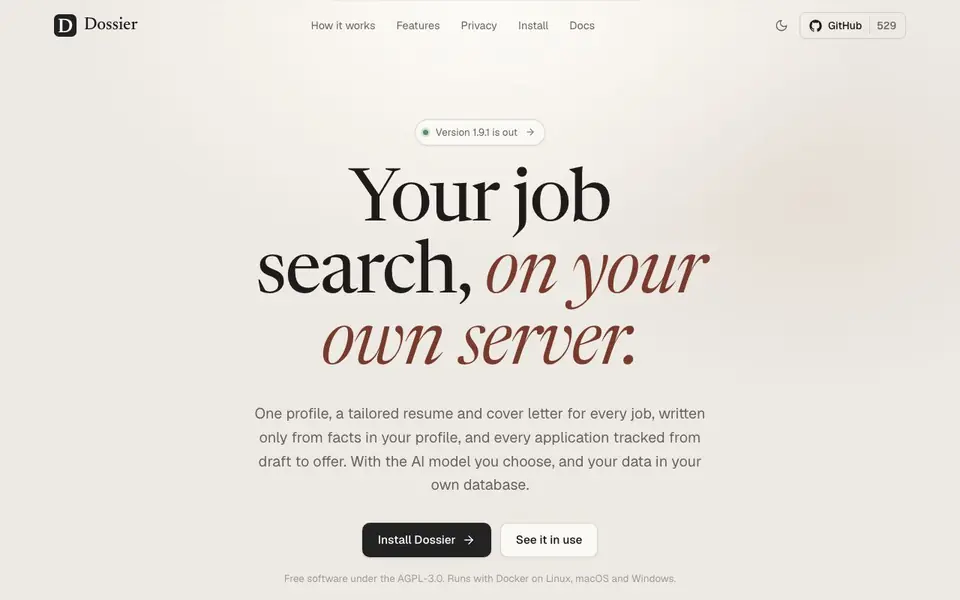
Dossier is a free, self-hosted job search app that puts your data in your own PostgreSQL database. You write your profile once, paste a job posting, and Dossier matches it against your profile, showing what you have and what you lack. It then generates a tailored resume and cover letter in the tone you pick, using only facts from your profile, and lets you edit, regenerate, or undo changes with full history.
You can track every application from draft to offer on a board and table, with a dashboard showing your funnel, weekly chart, and upcoming interviews. Dossier integrates with Gmail and Google Calendar for sending applications and managing interviews, and it can search jobs via JSearch or Adzuna, including startup listings from YC and Hacker News. It also offers a daily job agent that finds new postings and prepares drafts for your review.
Dossier is designed for one person on a small server, with no accounts or service in between. It runs with Docker on Linux, macOS, and Windows, and you choose the AI model—Ollama, LM Studio, OpenAI-compatible APIs, Anthropic, or Mistral. It's free software under AGPL-3.0, with export/import, nightly backups, and a delete-everything button for full control.
dossier features
- Profile strength meter: Counts what your profile needs and shows gaps against job postings.
- Tailored document generation: Creates resumes and cover letters in 21 languages with 12 themes.
- Job agent: Runs daily searches, skips seen postings, and prepares drafts for your review.
- Application tracking: Board, table, and dashboard with funnel, weekly chart, and upcoming interviews.
- Gmail and Calendar integration: Sends from your address, tracks replies, and syncs interviews.
What you can do with dossier
- Paste a job posting and get a tailored resume and cover letter in minutes.
- Track every application from draft to offer on a visual board.
- Search jobs near your city or anywhere through JSearch or Adzuna.
- Let the job agent find new postings daily and prepare drafts for you.
How to get started with dossier
- Install Dossier with Docker on your server, following the docs.
- Write your profile once, or import from an existing resume.
- Paste a posting, review the match, and generate your tailored documents.
Tips for better results with dossier
- Write your profile once with complete details, then paste a job posting and let Dossier match it against your profile to see exactly what you have and what gaps remain before generating documents.
- Pick a tone and theme for your resume and cover letter, then use Dossier's chat to request changes, edit any part, or regenerate sections until the output matches your needs.
- Use Dossier's job agent daily to scan new postings from JSearch or Adzuna, and review the prepared drafts it creates so you can apply quickly without missing opportunities.
- Track every application on Dossier's board and dashboard, and check your funnel weekly to see where you stand, then focus on interviews and follow-ups that need attention.
- Choose your AI model in Dossier, whether Ollama, Anthropic, or another, and test it with a sample posting to confirm the tone and accuracy before relying on it for real applications.
dossier pricing
dossier is free to use according to its website.
What to check before you rely on dossier
- Check that your PostgreSQL database is set up and accessible, since Dossier stores all your data there, and confirm you have Docker installed on your Linux, macOS, or Windows system.
- Verify which AI model you plan to use with Dossier, and confirm you have the necessary API keys or local setup for Ollama, LM Studio, Anthropic, or Mistral before starting.
- Review Dossier's export and import features to ensure you can back up your data, and test the delete-everything button on a copy to understand how it works before relying on it.
- Confirm that Dossier's Gmail and Google Calendar integrations work with your accounts, and check that sending applications and syncing interviews function as expected in your setup.
- Note that the website does not state specific pricing for AI model usage or external job search APIs, so verify any costs with those providers separately before committing to a workflow.
Who dossier is for
dossier suits job seekers, self-hosters and privacy-conscious users. If that is not you, the AI resume builders below may fit better.
Similar tools compared with dossier
| Tool | What it is | Pricing |
|---|---|---|
| dossier | Self-hosted AI job search and application tracker | Free |
| Rezi | AI resume builder and job search assistant | Freemium |
| Kickresume | AI resume and cover letter builder | Freemium |
| Final Round AI | AI interview assistant with live answers | Freemium |
| Teal | AI resume builder and job tracker | Freemium |
dossier FAQ
Is Dossier really free?
Yes, Dossier is free software under the AGPL-3.0 license. You can install and use it without paying, but you'll need your own server and database.
What AI models can I use with Dossier?
Dossier works with Ollama, LM Studio, OpenAI-compatible APIs, Anthropic, and Mistral. You choose the model, and your data stays on your server.
Can I use Dossier to apply to jobs automatically?
No, Dossier never sends or applies for jobs without your confirmation. It prepares drafts and emails for your review, but you decide when to send.
Does Dossier invent experience in my resume?
No, Dossier only uses facts from your profile. If a posting asks for something you lack, it shows the gap and lets you decide how to address it.
Does Dossier require an account to use?
No, Dossier is designed for one person on a small server with no accounts or service in between. You run it yourself with Docker, and there is no third-party account needed. The website does not mention any sign-up or login process for using the tool.
What data does Dossier store and how is it handled?
Dossier stores your data in your own PostgreSQL database, so you have full control. It offers export/import, nightly backups, and a delete-everything button. The website does not mention any data sharing or third-party processing beyond the AI model you choose to connect.
Can Dossier export my resume or cover letters to formats other than PDF?
Dossier generates tailored resumes and cover letters as PDFs, printed on your server. The website does not mention exporting to other formats like DOCX or TXT. For more details on available export options, check the documentation or GitHub repository linked on the site.


