

What is Designs AI?
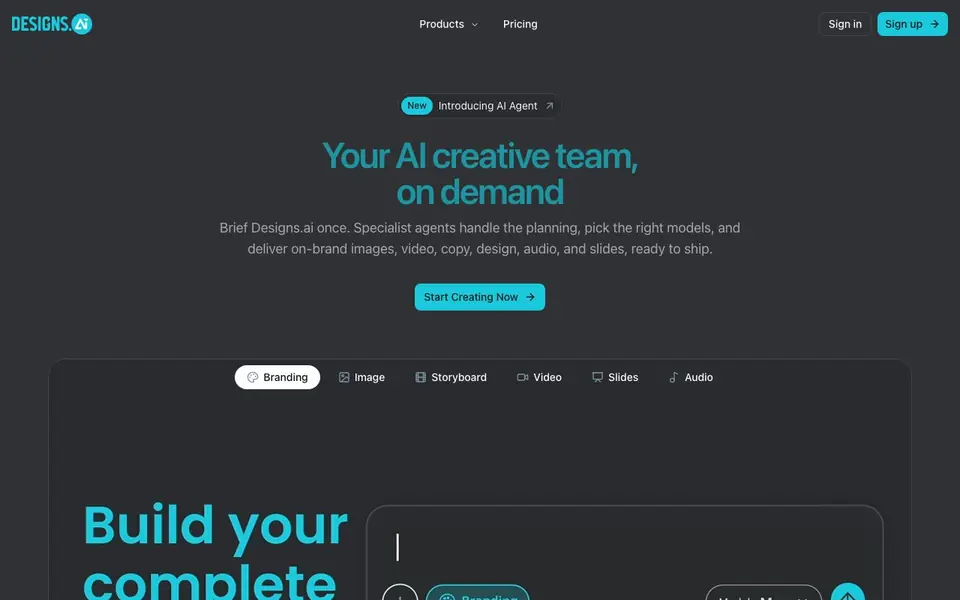
Designs AI is an all-in-one creative platform where you brief an AI agent once and it handles the work. The agent plans tasks, picks the right AI models, and delivers ready-to-use assets across branding, image, video, storyboard, slides, and audio. Your brand becomes the system prompt, so every output stays consistent with your colors, style, and voice.
You start by describing what you need in plain words, like talking to a teammate. The AI agent asks one clear question at a time to sharpen vague ideas into a solid brief. It remembers your brand, style, and recent projects, so you never start from zero. You can let it route each task to the best model automatically, or override and choose your own for any format.
Designs AI suits business owners, marketers, and creators who want campaign assets without switching between tools. It also offers Designs Claw, a personal AI helper that works inside your chat app to create content and handle updates. The website mentions GDPR and SOC compliance, and plans include extra credits with limited-time offers.
Designs AI features
- Brand consistency: Your brand guidelines are enforced automatically across every design, video, slide, and campaign.
- Smart model routing: Each task is sent to the best-suited AI model, or you can override the choice.
- Specialist agents: Dedicated agents handle branding, images, storyboards, videos, slides, and audio.
- Designs Claw: A chat-based AI helper that creates images, video, and audio inside your messaging app.
- Ready-to-use skills: Prebuilt skills for logo design, video ads, financial summaries, contract review, and more.
What you can do with Designs AI
- Create a full visual identity with the Brand Agent for your new business.
- Generate a short video ad with script, storyboard, and final video output.
- Draft daily social posts and visuals for your café from a group chat.
- Turn raw sales figures into an executive summary with variance commentary.
How to get started with Designs AI
- Sign up on the Designs AI website and describe what you need in plain words.
- Answer the agent's clarifying questions to turn your idea into a sharp brief.
- Review the ready-to-use assets the agents deliver, all on-brand and ready to ship.
Tips for better results with Designs AI
- Start with a plain-language brief describing your goal, and let Designs AI ask clarifying questions one at a time to sharpen vague ideas into a solid brief before any asset generation begins.
- Set up your brand guidelines first in Designs AI so your colors, style, and voice become the system prompt, ensuring every output stays consistent across images, video, slides, and audio.
- Let Designs AI route each task to the best model automatically, but override the choice when you know a specific model works better for your format, such as video or audio.
- Use Designs Claw inside your chat app for recurring content like daily posts or review replies, and brief it once so it handles updates and reports without you starting from zero each time.
Designs AI pricing
Designs AI has a free way to start, with paid plans for heavier use. Check designs.ai for current limits and prices.
What to check before you rely on Designs AI
- Check whether the freemium plan includes enough credits for your typical project sizes, since the website does not list specific credit amounts or limits per plan.
- Verify which output formats and file types Designs AI exports for each asset type, as the website does not state supported export formats or resolutions.
- Confirm how your data and brand assets are stored and used, since the website mentions GDPR and SOC compliance but does not detail data retention or deletion policies.
Who Designs AI is for
Designs AI suits marketers, small business owners, content creators and agency teams. If that is not you, the AI design tools below may fit better.
Similar tools compared with Designs AI
| Tool | What it is | Pricing |
|---|---|---|
| Designs AI | AI creative team for brand assets | Freemium |
| Looka | AI logo maker and brand identity platform | Freemium |
| Uizard | AI-powered UI design and prototyping tool | Freemium |
| Clipdrop | AI photo editing and image generation suite | See website |
| Interior AI | AI interior design and virtual staging app | Freemium |
Designs AI FAQ
What can Designs AI create?
It creates brand identities, images, storyboards, videos, slide decks, and audio. You brief the AI once, and specialist agents produce the assets in each format, all consistent with your brand.
Is Designs AI free?
The website shows paid plans with monthly pricing and mentions bonus credits and a limited-time discount. It does not state whether a free plan exists, so check the pricing page for current options.
Who is Designs AI for?
It is for business owners, marketers, content creators, and professionals like café owners, property agents, insurance agents, online sellers, and teachers who need on-brand creative assets without design skills.
How does the AI agent work?
You describe your need in plain language. The agent asks one question at a time to refine your brief, remembers your brand and past projects, and routes each task to the best AI model automatically.
What can Designs AI export or connect to?
Designs AI does not list specific export formats or third-party integrations on its website. You can generate images, videos, slides, audio, and branding assets, but for exact export options or connections, check the platform's help center or contact support.
Does Designs AI run on mobile devices or desktop?
Designs AI is a web-based platform, so you can use it in any modern browser on desktop or mobile. The website does not mention dedicated apps for iOS or Android, but Designs Claw works inside chat apps, with more platforms coming soon.
What does the free plan of Designs AI include?
Designs AI is freemium, but the website does not detail what the free plan includes. It mentions plans with extra credits and limited-time offers, so check the pricing page for current free tier features or contact sales for specifics.


