

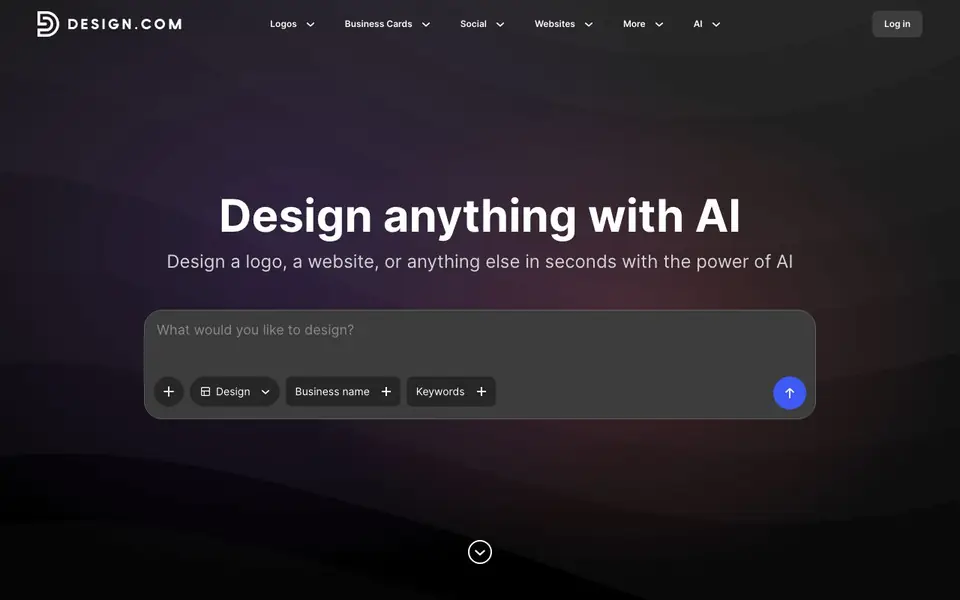
What is Design.com | AI Website Builder?
Design.com is an AI-powered design platform that helps you create a wide range of visual content quickly. You can generate logos, websites, business cards, social media posts, presentations, and more. The tool combines smart technology with customization options, so you can tweak fonts, colors, and layouts to match your brand.
To get started, you enter your business name and keywords, then choose a design type like logo, website, or social post. The AI generates options based on your input, and you can refine them using simple prompts. You can also browse thousands of templates for different formats, such as Facebook covers, Instagram stories, YouTube banners, and print materials.
This tool suits entrepreneurs, small business owners, and marketers who need consistent branding across multiple channels. The website highlights its AI background remover, AI business name generator, and AI domain name generator as additional features. It does not specify pricing details, so you would need to check the site for plan options.
Design.com | AI Website Builder features
- AI logo maker: Generates customizable logos in seconds with prompt-based editing.
- Website builder: Creates websites using AI based on your business name and keywords.
- AI background remover: Removes backgrounds from images with a simple tool.
- AI presentation maker: Builds presentations with AI assistance and templates.
- Social media templates: Offers thousands of designs for Facebook, Instagram, and other platforms.
What you can do with Design.com | AI Website Builder
- Create a professional logo for your startup in seconds.
- Build a business website without coding using AI prompts.
- Design social media posts for Instagram and Facebook to engage followers.
- Generate business cards and print materials for your brand.
How to get started with Design.com | AI Website Builder
- Enter your business name and keywords on the homepage.
- Choose a design type like logo, website, or social post.
- Customize the generated design using AI prompts or templates.
Tips for better results with Design.com | AI Website Builder
- Enter your business name and a few specific keywords first, then choose your design type so the AI generates options that match your brand from the start.
- Use Design.com's prompt-based editing to refine fonts, colors, and layouts after the initial generation, instead of starting over from scratch.
- Browse the thousands of templates for your specific format, like Instagram stories or YouTube banners, before using the AI to customize one for your brand.
- Try Design.com's AI background remover on your existing images to create cleaner visuals for your logos, posts, or website sections without extra software.
Design.com | AI Website Builder pricing
Design.com | AI Website Builder’s homepage does not list prices. Check design.com for current plans.
What to check before you rely on Design.com | AI Website Builder
- Check whether Design.com's free plan includes downloads in high resolution or if you need a paid plan for print-ready files, since pricing is not listed on the site.
- Verify if your generated designs are licensed for commercial use, especially for logos and business materials, as the website does not state usage rights.
- Confirm the export formats available for your designs, such as PNG, SVG, or PDF, because the site does not specify which file types you can download.
Who Design.com | AI Website Builder is for
Design.com | AI Website Builder suits entrepreneurs, small business owners, marketers and freelancers. If that is not you, the AI app builders below may fit better.
Similar tools compared with Design.com | AI Website Builder
| Tool | What it is | Pricing |
|---|---|---|
| Design.com | AI Website Builder | AI design platform for logos, websites, and more | See website |
| SiGameGen | AI game builder from one sentence | Freemium |
| Durable | AI business builder and website maker | Freemium |
| Lovable | AI app and website builder | Freemium |
| Replit | AI app and website builder | Freemium |
Design.com | AI Website Builder FAQ
What can I create with Design.com?
You can create logos, websites, business cards, social media posts, presentations, flyers, posters, and more. The platform covers a wide range of design needs for branding and marketing.
How does the AI design process work?
You start by entering your business name and keywords. Then you pick a design type, and the AI generates options. You can edit them using simple prompts to change colors, fonts, and layouts.
Is Design.com free to use?
The website does not state pricing details. You would need to check the site for any free trial or paid plan information, as it is not mentioned in the visible content.
Who is Design.com for?
It is for anyone needing quick designs, such as entrepreneurs launching a brand, small business owners, and marketers creating social media content. The tools are user-friendly and require no design experience.
Can Design.com export my designs in formats like PNG or PDF?
Design.com lets you download and print your designs, but the website does not specify which file formats are available for export. To see the exact options, check the download or export section within the tool after you create a design.
Does Design.com offer a free plan or a trial?
The Design.com website does not mention any free plan or trial details. It also doesn't list pricing information. To find out if there is a free option or a trial, you'll need to visit the site and look for pricing or plan details.
Can I use Design.com on my mobile device or tablet?
Design.com does not specify whether it has dedicated mobile apps or if it works on tablets. Since it is a web-based tool, you may be able to use it through a browser on your device, but for the best experience, check the site for any platform requirements.


