

What is DeepAny.AI?
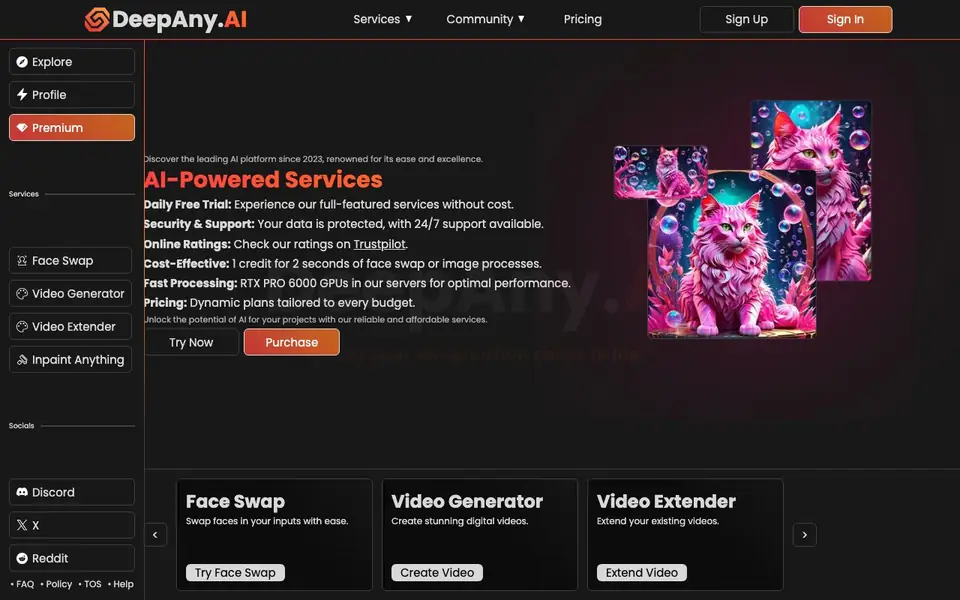
DeepAny.AI is an online platform offering a set of AI-powered media tools. You can swap faces in images and videos, generate new videos, extend existing clips, remove or change elements with inpainting, and upscale media files. It also includes an art generator for creating digital artwork.
To get started, you sign up for an account and use the daily free trial to test the full-featured services without cost. After that, you can purchase credits, with one credit covering 2 seconds of face swap or image processing. The platform runs on RTX PRO 6000 GPUs for fast processing and offers 24/7 support.
The site is aimed at anyone wanting to edit media without advanced skills. It highlights cost-effective pricing and dynamic plans to fit different budgets. You can check user ratings on Trustpilot, and there is a community on Discord, X, and Reddit for support and updates.
DeepAny.AI features
- Face Swap: Swap faces in your images or videos with a few clicks.
- Video Generator: Create new digital videos from scratch using AI.
- Video Extender: Lengthen your existing videos beyond their original duration.
- Inpaint Anything: Remove, add, or change elements in images and videos.
- Guided Image Edit: Edit specific parts of images or videos with guided controls.
- Media Upscaler: Enhance the resolution and quality of your media files.
What you can do with DeepAny.AI
- Swap faces in photos for fun or creative projects.
- Generate short videos for social media content.
- Extend video clips to make them longer.
- Remove unwanted objects from images or videos.
- Upscale old or low-resolution images for better clarity.
How to get started with DeepAny.AI
- Sign up for an account on DeepAny.AI.
- Use the daily free trial to test any service without cost.
- Purchase credits to continue using tools beyond the trial.
Tips for better results with DeepAny.AI
- Start with the daily free trial to test face swap and video generation before buying credits, so you can confirm the output quality matches your needs.
- Plan your projects around the credit cost of 1 credit per 2 seconds of face swap or image processing, and batch similar edits to use credits efficiently.
- Use the Media Upscaler on low-resolution source files before applying face swap or inpainting, as higher input quality generally improves the final result in DeepAny.AI.
- Check DeepAny.AI's community on Discord, X, or Reddit for user examples and workflow tips, especially for tricky edits like video extension or object removal.
DeepAny.AI pricing
DeepAny.AI has a free way to start, with paid plans for heavier use. Check deepany.ai for current limits and prices.
What to check before you rely on DeepAny.AI
- Verify the exact credit pricing and whether your intended video length fits within the stated 1 credit per 2 seconds, since the site does not list full price tiers.
- Confirm the maximum file size and supported video formats for uploads, as the website does not state these limits before you start a project.
- Review the privacy policy and data retention terms for your uploaded media, since the site only says data is protected but does not detail how long files are stored.
Who DeepAny.AI is for
DeepAny.AI suits content creators, social media users, digital artists and casual editors. If that is not you, the AI photo editors below may fit better.
Similar tools compared with DeepAny.AI
| Tool | What it is | Pricing |
|---|---|---|
| DeepAny.AI | AI face swap and media editing suite | Freemium |
| SiPhotoEditor | AI photo editor by description | Paid |
| SiImageGen | AI image generator and photo editor | Freemium |
| Clipdrop | AI photo editing and image generation suite | See website |
| Photoroom | AI photo editor for e-commerce product visuals | Freemium |
DeepAny.AI FAQ
What does DeepAny.AI do?
It offers AI tools for face swapping, video generation and extension, inpainting, guided image editing, art generation, and media upscaling. You can process images and videos directly on the website.
Is DeepAny.AI free?
Yes, there is a daily free trial that lets you experience all features without cost. After that, you buy credits, with 1 credit covering 2 seconds of face swap or image processing. The site says pricing plans are dynamic.
Who is DeepAny.AI for?
It suits anyone who wants to edit media easily, including content creators, social media users, and digital artists. The site emphasizes ease and excellence, so you don't need technical skills.
What can I create with DeepAny.AI?
You can create videos, digital artworks, and edited images. You can also extend videos, swap faces, and remove or change elements in your media. The site does not list specific output formats or export options.
What file formats can DeepAny.AI export or connect to?
The DeepAny.AI website does not list specific export formats or third-party integrations. You can check the Help section or contact their 24/7 support for details on what you can export or connect to.
Does DeepAny.AI work on mobile devices or only on desktop?
DeepAny.AI is an online platform, so you can access it through a web browser on most devices. The website does not specify dedicated mobile apps or operating system requirements, so check the Help section for the latest compatibility info.
What does the free plan on DeepAny.AI include?
DeepAny.AI offers a daily free trial that lets you test all full-featured services without cost. After the trial, you purchase credits, with 1 credit covering 2 seconds of face swap or image processing. The website does not specify a separate free plan beyond this trial.


