

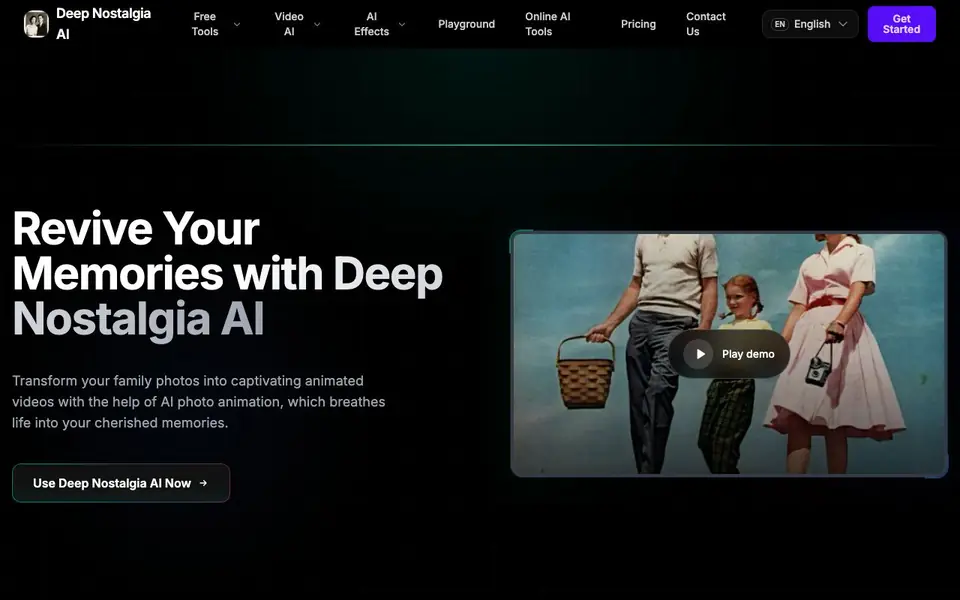
What is Deep Nostalgia AI?
Deep Nostalgia AI is a tool that turns still photos, especially vintage family portraits, into short animated videos. It uses AI to add natural facial expressions and subtle movements while keeping the original features of the people in the photo intact. The result is a lifelike clip that brings cherished memories back to life.
To use it, you upload an image and provide a prompt describing the animation you want, such as "Family portrait animation with natural facial expressions" or "Grandfather portrait with warm smile animation." The tool then processes your input and generates an output video you can watch and download. The examples on the site show how simple the workflow is.
This tool suits anyone who wants to see ancestors or loved ones move again, from family historians to casual users exploring photo effects. The website does not mention specific pricing or limits, so check its pricing page or contact section for details on plans and usage.
Deep Nostalgia AI features
- Photo animation: Turns static photos into short videos with lifelike movement.
- Natural expressions: Adds realistic facial expressions to the people in your images.
- Feature preservation: Keeps the original appearance of faces while animating them.
- Prompt-based control: Lets you describe the animation style you want with a text prompt.
- Family portrait focus: Designed for bringing vintage family photos to life.
What you can do with Deep Nostalgia AI
- Animate a grandparent's portrait to see them smile again.
- Bring a vintage wedding photo to life for a family gathering.
- Create a moving tribute video from an old family photo.
- Add subtle motion to a cherished childhood picture.
How to get started with Deep Nostalgia AI
- Go to the Deep Nostalgia AI page and click the button to start.
- Upload your photo and type a prompt describing the animation you want.
- Generate the video and watch or download your animated result.
Tips for better results with Deep Nostalgia AI
- Write a specific prompt that names the person and the emotion, like "Grandfather portrait with warm smile animation," to guide Deep Nostalgia AI toward the expression you want.
- Upload a high-resolution, well-lit photo with the face clearly visible so Deep Nostalgia AI can preserve the original features while adding natural movement.
- Keep your prompt focused on one type of motion, such as subtle head turns or gentle smiles, to avoid conflicting instructions that may confuse Deep Nostalgia AI's output.
- Test Deep Nostalgia AI with a few different prompts on the same photo to compare results and pick the clip that feels most lifelike to you.
Deep Nostalgia AI pricing
Deep Nostalgia AI’s homepage does not list prices. Check deep-nostalgia-ai.com for current plans.
What to check before you rely on Deep Nostalgia AI
- Check the website's pricing page or contact section for plan costs and usage limits, since the site does not state them.
- Review the privacy policy to confirm how your uploaded photos are stored and used, as the site does not mention data handling.
- Verify the output video format and resolution before relying on it for a project, because the site does not list export options.
Who Deep Nostalgia AI is for
Deep Nostalgia AI suits family historians, genealogy enthusiasts, nostalgia seekers and casual photo editors. If that is not you, the AI photo editors below may fit better.
Similar tools compared with Deep Nostalgia AI
| Tool | What it is | Pricing |
|---|---|---|
| Deep Nostalgia AI | AI photo animation tool | See website |
| SiPhotoEditor | AI photo editor by description | Paid |
| SiImageGen | AI image generator and photo editor | Freemium |
| Clipdrop | AI photo editing and image generation suite | See website |
| Photoroom | AI photo editor for e-commerce product visuals | Freemium |
Deep Nostalgia AI FAQ
What does Deep Nostalgia AI do?
It animates still photos, especially old family portraits, into short videos. The AI adds natural facial expressions and subtle movements while preserving the original features of the people in the image.
Is Deep Nostalgia AI free?
The website does not state whether the tool is free or paid. You can check the Pricing page or Contact Us section on the site for details about plans and costs.
Who is Deep Nostalgia AI for?
It is for anyone who wants to bring old photos to life, such as family historians, genealogy enthusiasts, or people looking to create emotional tributes from vintage pictures.
How do I use Deep Nostalgia AI?
You upload an image and enter a prompt describing the animation, like a warm smile or subtle movement. The tool generates an output video you can watch and download.
What file formats can Deep Nostalgia AI export?
Deep Nostalgia AI generates an output video that you can watch and download, but the website does not specify the exact file format or resolution. To confirm what formats are available, check the tool's download options after generating a video or contact the site's support team.
Does Deep Nostalgia AI work on mobile devices?
The website shows Deep Nostalgia AI as an online tool, so it likely works in any web browser, including on phones and tablets. However, the site does not mention dedicated mobile apps or specific device requirements. For best results, try using it in your mobile browser and check the site for any compatibility notes.
What does the free plan of Deep Nostalgia AI include?
The website does not mention a free plan or any pricing details for Deep Nostalgia AI. It only says to check the pricing page or contact section for plan and usage information. You can visit the site's pricing page to see if a free tier or trial is available.


