

What is Connected Papers?
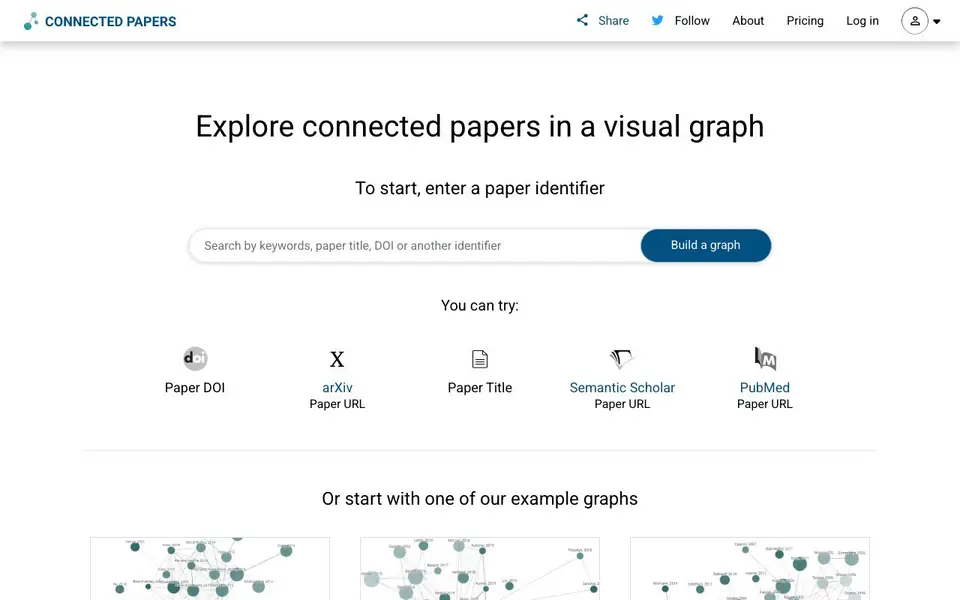
Connected Papers is a visual tool for finding and exploring academic papers. You start with one paper you know, and it builds a graph of similar papers around it. The graph shows how papers connect, helping you see the structure of a research field at a glance.
To use it, you enter a paper identifier such as a DOI, arXiv ID, paper URL, or title. The tool then creates a graph of related papers. You can click around to explore, build more graphs from interesting papers you find, and use the Prior Works and Derivative Works views to trace important earlier papers or find recent state-of-the-art work and literature reviews.
It suits researchers, students, and applied scientists across all fields, powered by the Semantic Scholar database with hundreds of millions of papers. The site also suggests using it to create bibliographies for a thesis by filling gaps in your reference list, and to keep up with new papers in fast-moving fields like machine learning.
Connected Papers features
- Visual graph overview: See a field's papers mapped out so you can grasp trends and popular works quickly.
- Prior Works view: Find important ancestor papers that your input paper builds on.
- Derivative Works view: Discover literature reviews and recent state-of-the-art papers that followed your input.
- Bibliography building: Start with key references and use the tool to find missing papers for your thesis.
- Broad field support: Works across all scientific fields using the Semantic Scholar database.
What you can do with Connected Papers
- Explore a new academic field by entering one typical paper.
- Check that you haven't missed important recent papers in your area.
- Build a complete bibliography for your thesis or paper.
- Trace the history of a research topic through prior works.
How to get started with Connected Papers
- Enter a paper identifier like a DOI, arXiv ID, URL, or title on the homepage.
- Let the tool build a visual graph of similar papers around your input.
- Explore the graph, click into interesting papers, and use Prior or Derivative Works views to dig deeper.
Tips for better results with Connected Papers
- Start with a well-known paper in your field so Connected Papers builds a graph around a solid anchor, giving you more relevant results from the start.
- Use the Prior Works view in Connected Papers to trace the key papers your starting paper builds on, helping you understand the field's foundations.
- Click any node in the graph to generate a new Connected Papers graph from that paper, letting you branch out and discover subfields you hadn't considered.
- Check the Derivative Works view in Connected Papers to find recent literature reviews and state-of-the-art papers, useful for staying current in fast-moving areas.
- checks
Connected Papers pricing
Connected Papers’s homepage does not list prices. Check connectedpapers.com for current plans.
What to check before you rely on Connected Papers
- Check whether Connected Papers requires an account or login to save graphs or export results, since the site does not state these details.
- Verify if the tool has any limits on the number of graphs you can build per day, as the website does not list usage limits.
- Confirm that the papers you need are in the Semantic Scholar database, since Connected Papers relies on it and coverage may vary by field.
Who Connected Papers is for
Connected Papers suits researchers, students, applied scientists and literature reviewers. If that is not you, the AI research tools below may fit better.
Similar tools compared with Connected Papers
| Tool | What it is | Pricing |
|---|---|---|
| Connected Papers | Visual academic paper discovery tool | See website |
| OpenSI | AI model comparison and pricing tool | See website |
| ChatPDF | AI chat and summarizer for PDFs | Freemium |
| Consensus | AI search engine for research papers | See website |
| Scite | AI research assistant with smart citations | Free trial |
Connected Papers FAQ
What does Connected Papers do?
It creates a visual graph of academic papers related to a paper you enter. You can see how papers connect, explore similar works, and get an overview of a research field.
How do I start using it?
You enter a paper identifier such as a DOI, arXiv ID, paper URL, or title on the homepage. The tool then builds a graph of similar papers for you to explore.
Is Connected Papers free?
The website does not state pricing details on the homepage. You can check the Pricing page linked in the site navigation for current plans.
What fields of science does it cover?
It uses the Semantic Scholar database, which contains hundreds of millions of papers from all fields of science, so it supports machine learning, biology, philosophy, and more.
Can Connected Papers export the graph or paper list to a file?
The Connected Papers website does not mention any export options, such as downloading the graph as an image or saving the paper list to a file. To check if this feature has been added recently, visit the Connected Papers website and look for any export buttons or options in the interface.
Does Connected Papers require creating an account to use it?
The Connected Papers website does not state that you need an account to build and explore graphs. You can start by entering a paper identifier or choosing an example graph directly. For the most current information about account requirements, check the Connected Papers website or its FAQ section.
What does the free plan of Connected Papers include?
The Connected Papers website does not specify details about a free plan or any limitations, as pricing is not listed. It appears you can use the tool to build graphs and explore prior and derivative works. For accurate information about what is included at no cost, visit the Connected Papers website or contact their support.


