

What is Collov AI?
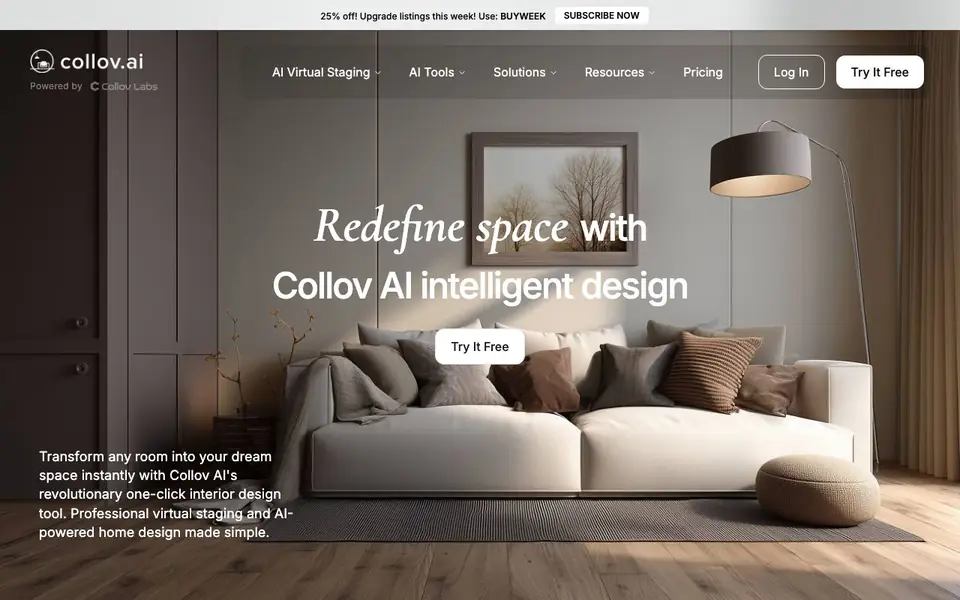
Collov AI is a virtual staging and interior design tool built for real estate agents, designers, and homeowners. It turns empty or plain room photos into furnished, market-ready images. The tool focuses on speed and realism, so you can present properties without physical staging costs.
You start by uploading a photo of a room. Then you choose from tools like Add Furniture, Furniture Eraser, Room Declutter, or Enhance Photo Quality. You can also apply styles such as Modern, Scandinavian, or Luxury. The AI edits the image and shows the result quickly, letting you iterate until the space looks right.
It suits professionals who need listing photos fast, as well as homeowners exploring redesign ideas. The website mentions a free trial and a discount code for new users. It also offers an API and MLS partnerships for larger workflows, though details on those are not fully described on the site.
Collov AI features
- Add Furniture: Place realistic furniture into any room photo with one click.
- Furniture Eraser: Remove unwanted furniture or objects from your images cleanly.
- Room Declutter: Clear out mess and clutter to make spaces look tidy.
- Enhance Photo Quality: Improve the sharpness and lighting of your room photos.
- Material Overlay: Change surfaces like floors or walls to different materials.
What you can do with Collov AI
- Stage empty property photos for real estate listings quickly.
- Redesign a room virtually before committing to physical changes.
- Remove dated furniture from photos to show a blank canvas.
- Enhance low-quality photos of homes for marketing materials.
How to get started with Collov AI
- Visit Collov AI's website and sign up for a free trial.
- Upload a photo of the room you want to stage or redesign.
- Pick a tool or style, then let the AI edit and review the result.
Tips for better results with Collov AI
- Upload a well-lit, straight-on photo of the room so Collov AI can map furniture and materials accurately, reducing distortions in the final staged image.
- Use the Furniture Eraser before adding new pieces to remove dated or bulky items, then let Collov AI fill the space with a style like Modern or Luxury.
- Iterate quickly by trying different styles and furniture arrangements on the same photo, comparing results side by side to find the most market-ready look.
- For real estate listings, apply Enhance Photo Quality after staging with Collov AI to sharpen lighting and detail, making the final image more appealing to buyers.
Collov AI pricing
Collov AI has a free way to start, with paid plans for heavier use. Check collov.ai for current limits and prices.
What to check before you rely on Collov AI
- Check whether the free trial includes watermarks or limits on image resolution before using staged photos in client listings.
- Verify if the discount code BUYWEEK applies to your subscription tier, since the website does not state which plans it covers.
- Confirm export formats and file sizes for your workflow, as the site does not list supported image types or download options.
Who Collov AI is for
Collov AI suits real estate agents, interior designers, homeowners and property businesses. If that is not you, the AI design tools below may fit better.
Similar tools compared with Collov AI
| Tool | What it is | Pricing |
|---|---|---|
| Collov AI | AI virtual staging and interior design tool | Freemium |
| Looka | AI logo maker and brand identity platform | Freemium |
| Uizard | AI-powered UI design and prototyping tool | Freemium |
| Clipdrop | AI photo editing and image generation suite | See website |
| Interior AI | AI interior design and virtual staging app | Freemium |
Collov AI FAQ
What does Collov AI do?
It stages and redesigns room photos using AI. You can add furniture, remove clutter, change materials, or apply design styles to make spaces look ready for sale or renovation.
Is Collov AI free to use?
The website offers a free trial option, and there is a discount code for new users. Full pricing details are not listed on the homepage, so check the Pricing page for specifics.
Who is Collov AI for?
It is aimed at real estate agents, interior designers, and homeowners. Businesses can also use it for staging properties or creating design visuals.
Can I use Collov AI for real estate listings?
Yes, it is designed for virtual staging of homes. You can turn empty rooms into furnished spaces, which is useful for listing photos and marketing properties.
What image formats can I upload to Collov AI?
Collov AI accepts common image formats like JPEG and PNG for room photos. The website does not list every supported format, so if you use a less common type, check the upload page or contact support to confirm it works.
Does Collov AI offer a free plan or just a trial?
Collov AI is freemium, meaning there is a free tier with limited features. The website mentions a free trial and a discount code for new users, but it does not specify exactly what the free plan includes. Visit the pricing page to see current details.
Can I use Collov AI on my mobile device?
Collov AI works through a web browser, so you can access it on a phone or tablet by visiting the site. The website does not mention a dedicated mobile app, but the browser version should work on most devices. Check the site for any platform-specific notes.


